Adobe Introduces Supercharged Photoshop With Incredible New AI Features
Adobe has rolled out a significant update for Photoshop (beta) that integrates generative AI technology to enhance the software’s design and image editing functionalities.
The update introduces a collection of new tools designed to streamline complex operations, allowing graphic designers to concentrate more on their creative expressions rather than the cumbersome manual processes.
The Power of Generative AI in Photoshop
Central to this update is the integration of Adobe’s advanced generative AI model, Firefly, which has been designed with the capability to generate highly realistic and contextually accurate images. Firefly harnesses Adobe Stock’s vast library of licensed images to ensure that creations are both unique and ethically produced, avoiding the pitfalls of copyright infringement.
Transformative New Features
Adobe has introduced several groundbreaking features in Photoshop:
1. Reference Image
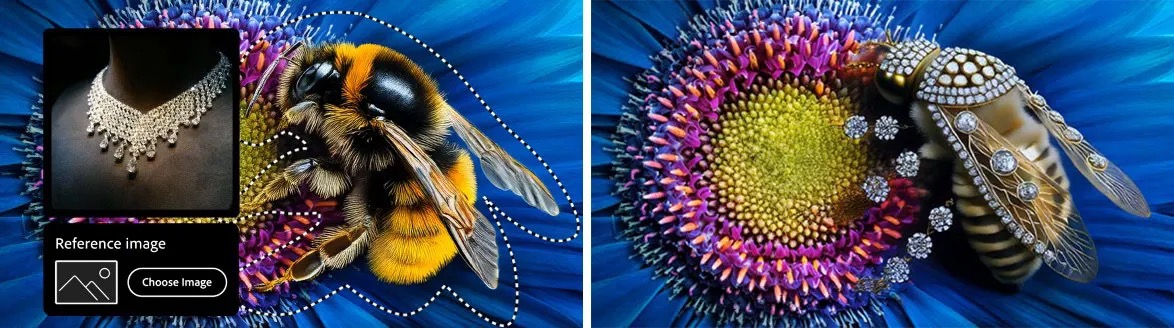
Reference Image allows creatives to use an image as a visual inspiration for generating new content, ensuring the output aligns closely with their original vision. In other words, it allows you to guide the AI to generate content that matches your chosen image, style or theme.
Use a reference image with Generative Fill to guide and control your creation. (Image: Adobe)
2. Generate Image
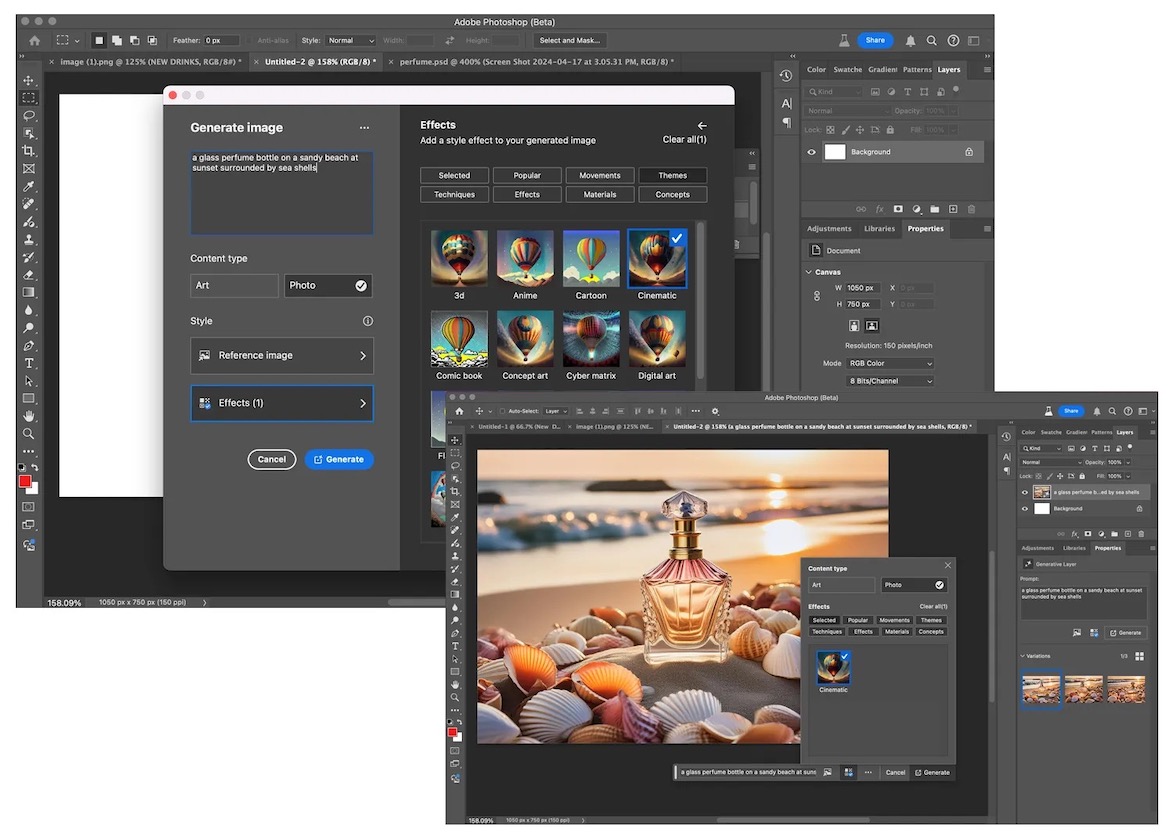
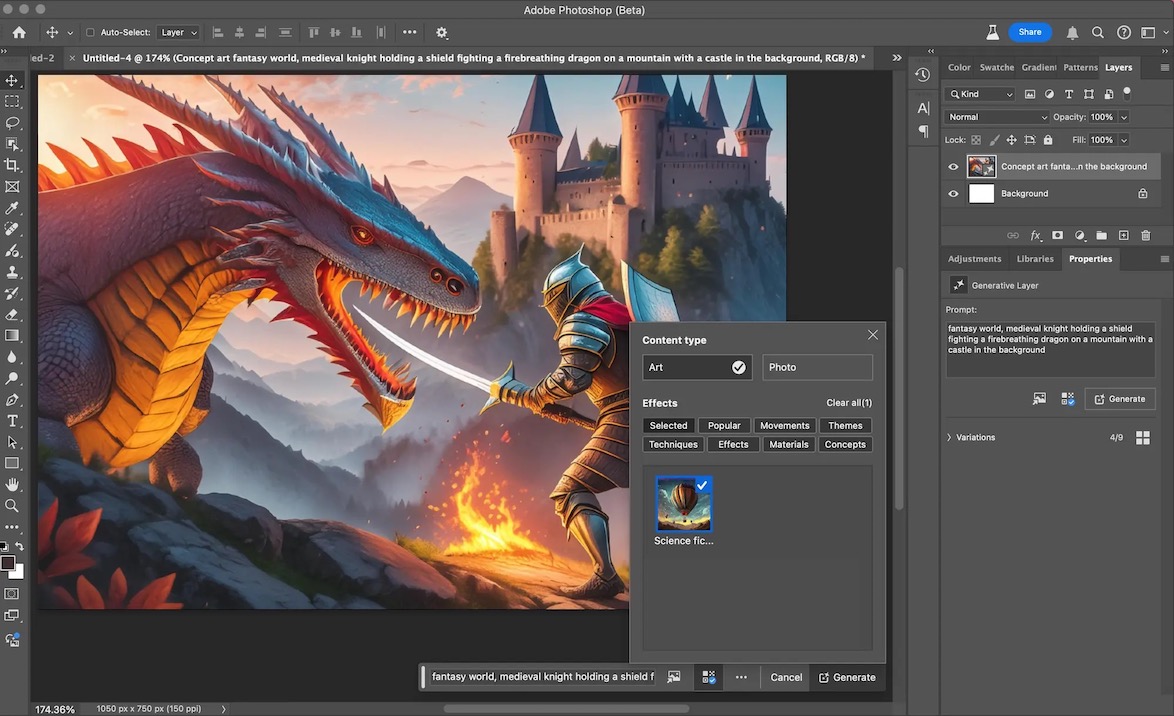
Generate Image provides full text-to-image capabilities directly within Photoshop, a game-changer for when you need to translate a concept into a visual quickly. Just type out your idea, and Photoshop will whip up an image for you. It’s perfect for those times when inspiration strikes and you don’t want to lose momentum sketching details.
Generate Image is a new Text to Image feature that allows you to combine a text prompt with different effects to control anything you create. (Image: Adobe)
3. Generate Background
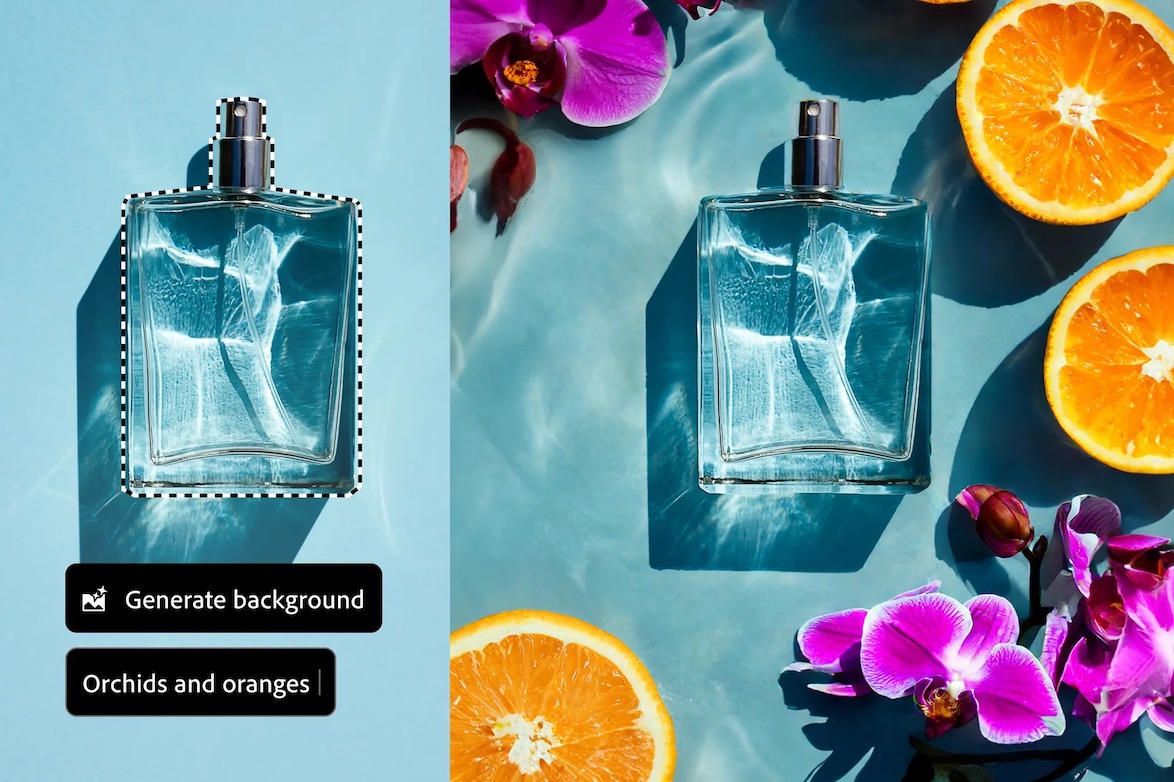
Generate Background makes it super easy to swap or tweak backgrounds. It’s designed to integrate new elements smoothly, so your images look seamless and professionally done without all the heavy lifting.
(Image: Adobe)
4. Generate Similar
Generate Similar is another innovative tool that offers you a variety of styles based on a single image, allowing you to explore different creative directions effortlessly. It’s ideal for refining your design without having to start from scratch each time.
(Image: Adobe)
5. Enhance Detail
Enhance Detail amplifies the sharpness and clarity of images, making details more vivid and pronounced. It’s a boon for bringing out the best in your visuals, especially when you’re aiming for that extra touch of realism.
(Image: Adobe)
6. Adjustment Brush
Adjustment Brush enables precise, non-destructive adjustments to specific image areas, offering enhanced control over detailed editing.
BeforeAfter using Adjustment Brush with Brightness + Exposure (Images: Adobe)
7. Improved Font Browser
The new Font Browser provides immediate access to over 25,000 fonts from Adobe’s cloud, facilitating an easier selection process directly within the workflow.
The enhanced Font Browser now allows you to preview and apply thousands of fonts directly within Photoshop. (Image: Adobe)
8. Adjustment Presets
New Adjustment Presets allow users to quickly change the appearance of images with various filters and save customized presets for future projects.
Here’s a quick preview of all features
Detailed demo of each feature
00:00 – Intro
00:25 – Generative Fill with Reference
02:24 – How to Get These Features
03:02 – Text to Image and Firefly Image Model 3
04:06 – Model 1 vs. Model 3 Comparison
05:35 – Generate Background
06:23 – New Font Panel and Adobe Fonts
07:37 – Generate Similar
09:09 – Enhance Detail
10:32 – Adjustment Brush
Ethical AI and Enhanced Workflow
Adobe emphasizes its commitment to ethical AI practices by integrating Content Credentials, which provide detailed metadata about how images are created or edited, whether by AI or human. This feature, akin to a digital content “nutrition label,” ensures transparency and maintains trust in the digital ecosystem.
Availability
The latest version of Photoshop is now available in the desktop (beta) app, with a broader release scheduled for later this year.
Share this post with a designer friend and voice your views in the comments below.