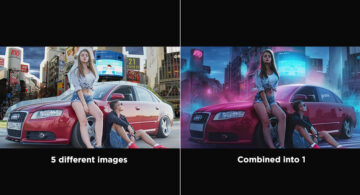
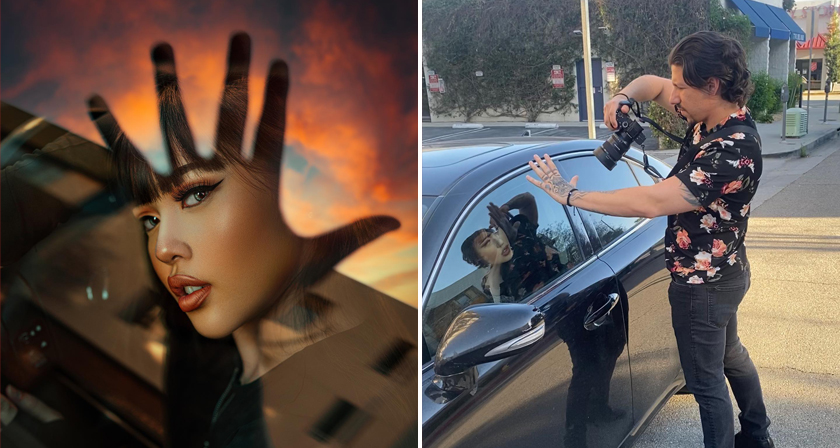
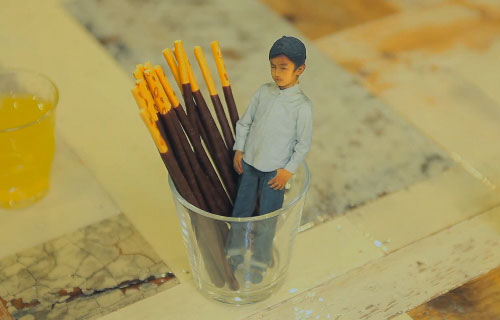
In an era where Artificial Intelligence (AI) is revolutionizing numerous industries, the field of photo editing is not far behind. AI, with its remarkable data processing and learning capabilities, has been instrumental in transforming the ways we approach photo editing. This comprehensive guide is your perfect resource for understanding how AI has shaped and continues to redefine the photo editing landscape.
Understanding Why AI is Transforming Photo Editing
The process of traditional photo editing can be laborious, time-consuming, and necessitates a high degree of technical skill and knowledge. This is where AI comes into the picture. It is revolutionizing the world of photo editing by making it more accessible, user-friendly, and intuitive. From beginners to professional photographers, everyone can benefit from the convenience and efficiency AI offers.
How does AI assist in photo editing?
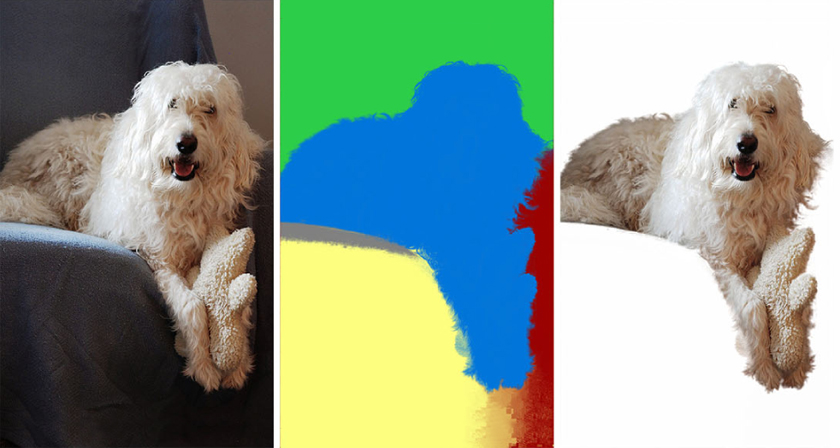
AI aids in photo editing through a technology called machine learning. It employs sophisticated algorithms to analyze various elements in an image such as faces, skies, objects, and landscapes. Tools like an AI image detector help identify these components more accurately before enhancements are applied. By identifying these components, AI can then apply suitable enhancements like adjusting brightness, contrast, saturation, and more. These calculated improvements can significantly uplift the overall aesthetic appeal and quality of the photo.
This essentially means that with AI, each photograph gets individual attention and care based on its specific elements and requirements. It can differentiate between a sunset photo from a portrait shot and apply modifications accordingly. This context-specific enhancement is what sets AI apart in photo editing. The same pattern recognition is now shaping adjacent creative tools too, including an AI video generator, where scene-level awareness can help with frame selection, color grading, and pacing decisions that once required a skilled human editor.
Moreover, AI can also study patterns and learn your editing style over time. It picks up on your most used adjustments, preferred filters, and typical enhancements to suggest similar edits in the future. It’s like having a personalized photo editor that understands your unique style.
Exploring Various AI Tools for Photo Editing
When it comes to AI-based tools for photo editing, there is a broad spectrum to choose from. From software specifically designed for professional photographers to applications catering to social media enthusiasts, there’s something for everyone.
1. Adobe Photoshop and Lightroom AI
The creators of Adobe Photoshop and Lightroom have harnessed the power of AI to redefine their software’s capabilities. Their AI tools, powered by Adobe Sensei, are known for offering professional-grade editing with a few simple clicks.
Features of Adobe’s AI
Adobe’s AI-driven features extend beyond basic color correction and cropping. They provide tools like auto color and light corrections, quick selection of subjects or objects, content-aware fill, automatic sky replacement, and more. For instance, their “auto” feature can analyze an image and automatically improve color balance, tone, and contrast. It saves precious time and provides consistent, high-quality results.
2. Luminar AI
Skylum’s Luminar AI takes a slightly different approach by offering template-based editing. The software’s AI studies the photo and suggests suitable templates to apply, allowing users to achieve stunning edits in no time.
Features of Luminar’s AI
Luminar’s AI features are comprehensive and easy to use. They specialize in areas such as skin enhancement for perfect portraits, sky replacement for breathtaking landscapes, and structure and detail enhancement for impactful compositions. In addition, it provides creative edits like sun rays, mood changes, and augmented reality features for a touch of fantasy.
3. DeepArt and Prisma AI
DeepArt and Prisma AI tools transform ordinary photos into extraordinary works of art. These tools utilize AI to mimic various artistic styles and apply them to your photos.
Features of DeepArt and Prisma’s AI
DeepArt and Prisma use AI algorithms to reinterpret your photos in the style of famous artists. Whether you fancy the impressionistic style of Monet or the vibrant geometric forms of Picasso, these AI tools can transform your photo into a masterpiece with a unique artistic flair.
A Step-by-step Guide to Using AI for Photo Editing
As complex as it may sound, using AI for photo editing is quite straightforward. Even those new to photo editing can navigate the process easily. Here’s a step-by-step guide to help you get started.
1. Preparing Your Photo
The first step is preparing your photo for editing. This process involves cropping it to the desired composition, straightening the alignment if necessary, and making initial adjustments to exposure and color balance. It’s essential to start with a well-composed and correctly exposed image to get the best results from AI editing.
2. Selecting Your AI Tool
The choice of AI tool largely depends on your editing needs and preferred style. Adobe’s AI tools are excellent for detailed, professional-grade edits, while apps like Prisma are perfect for creative, artistic transformations. Take some time to explore different tools and find one that resonates with your creative vision.
3. Fine-tuning AI Suggestions
While AI suggestions can be highly accurate, they might not always match your personal taste. That’s the beauty of these AI tools – they allow for manual adjustments. You can tweak the AI’s edits, adjust the intensity of the applied effects, or add your personal touches.
4. Saving and Exporting Your Edited Photos
Once you’re satisfied with the edits, you can save your final image. Most AI tools provide various export options. You can choose different file formats depending on your requirements and even share your images directly to social media platforms.
Weighing the Pros and Cons of AI in Photo Editing
Like any technology, AI in photo editing has its share of advantages and potential drawbacks. Understanding these can help you make informed decisions and make the most of these tools.
(i) Advantages of AI in Photo Editing
The primary advantage of AI in photo editing is the convenience and time-efficiency it offers. AI can perform complex edits in seconds, a task that could take several minutes or even hours if done manually. Furthermore, AI tools are generally user-friendly, requiring little to no technical knowledge to use. This democratizes photo editing, making it accessible to everyone.
(ii) Potential Drawbacks of AI in Photo Editing
Despite the numerous advantages, AI also has a few potential drawbacks. For one, it may lack the human touch – the creative instinct and unique style that a human editor brings to the table. AI is brilliant at analyzing and learning, but it cannot replicate human creativity and intuition.
Furthermore, privacy concerns surround the use of AI. Most AI tools require internet access to function, which can potentially compromise user data. Therefore, it’s essential to use AI tools from reputable sources and understand their data privacy policies.
Conclusion
AI photo editing tools have significantly changed how we edit and perceive our photos. They’ve made complex editing tasks simpler, quicker, and more accessible. As we look forward to more technological advancements in this field, it’s clear that the role of AI in photo editing will only expand.
However, it’s important to remember that while AI can greatly enhance your photos, the final artistic touch comes from you. AI is a tool to assist, not replace the creative vision of the human mind. It’s the harmonious blend of AI’s efficiency and human creativity that creates truly stunning images.