Incredible New Feature In Photoshop Lets You Blend Images Perfectly With Just One Click
The Adobe Max Creativity Conference is an annual event where Adobe showcases the latest technologies, creative tools, and features that could eventually be integrated into their software suite. The conference serves as a hub of innovation for creative professionals, providing a glimpse into the future of digital creativity.
One of the standout announcements at this year’s event was Project Perfect Blend, a feature poised to revolutionize how graphic designers manipulate images and blend elements seamlessly.
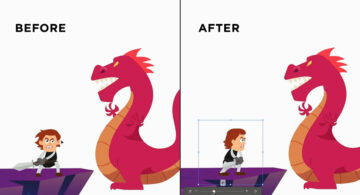
Project Perfect Blend focuses on making the process of integrating people or objects from one photo into another faster and smoother. Powered by Adobe’s Generative AI, it helps achieve perfect harmony in color, lighting, and shadows, ensuring that the combined elements look as natural as possible.
This breakthrough means users can now generate custom backgrounds using the AI tool, while enhanced masking capabilities handle the foreground, streamlining the entire process. Watch below.
For graphic designers, Project Perfect Blend offers significant advantages:
1. Effortless blending: AI automatically matches lighting and shadows, reducing manual adjustments and saving valuable time.
2. Seamless color correction: It intelligently aligns the color tones of different elements, ensuring smooth transitions between images.
3. Customizable backgrounds: Designers can generate new, unique backdrops using AI, expanding creative possibilities without starting from scratch.
4. Improved masking technology: Enhanced precision in foreground masking allows for faster, cleaner image composites, boosting overall efficiency.
Reactions:
1.
This is so amazing because even though you’ll have to do some retouching to make it look perfect, you skip soooo many steps to get to that stage
– @yezmonica
❤️ 47
2.
That’s actually insane how it fixed the shadows like that
– @nickharborne
❤️ 38
3.
okay, that was nuts. the lighting changes are insane
– @jqstories
❤️ 29
4.
This will be a game-changer for compositing actors into AI-generated or 3D-rendered video backgrounds.
– @jordanlathmoore
❤️ 23
5.
Extremely cool product demo. Adobe been under performing from a shareholder perspective, but this is a clear sign they are going to fight back.
– @kennethdavid
❤️ 17
6.
Holy shit this is awesome!
– @CuredSausage
❤️ 13
7.
And they say AI is a fad.
– @christianvanck
❤️ 11
8.
So everyone who’s new to Photoshop is gonna forget how to add lighting to the objects
– @ArunChdesigns
❤️ 8
9.
Give it a couple years, and it’ll be fantastic. Having the perfect poses and setups helps, but what it accomplishes is a common pain point for a lot of people. As always, Adobe are innovators.
– @EatPoopLye
❤️ 6
10.
These improvements are coming in reverse now. As bizarre as it may sound, I think that many of these ideas and tricks were inspired by the simpler cellular photo apps. Regular people started to get more familiar with photo manipulation due to these apps. I remember seeing people who had never touched photoshop do things on these apps that only graphic designers and professional photographers would do on photoshop. Of course, the effects weren’t perfect but good enough and way simpler to accomplish.
– @Alex_Simy_Mend
❤️ 4
What are your thoughts on Project Perfect Blend? Will it help improve your Photoshop workflow? Share this post with a designer friend and voice your views in the comments below.