Creating Polished Portfolio Videos: How Designers Use Screen Recording To Showcase Their Process
You run into a portfolio that doesn’t just display the final polished pieces but brings to life the thought, creativity, and skill behind every brushstroke or design decision. Doesn’t that sound great?
For designers, a traditional portfolio may capture the result, but screen recording allows them to create a layered, visually captivating story. It isn’t simply about showing the process; it helps transform how potential clients and collaborators experience a designer’s work
And any designer should know how to invite into each step, showcasing techniques, and presenting the intentional choices that shape the final piece.
So, how can designers use screen recording to make a killer portfolio video?
Why Screen Recording Brings Depth to Portfolios?
While a static portfolio showcases what a designer can achieve, it can’t communicate the “how” behind the work. With screen recording, designers can convey their expertise and creativity more directly.
Watching the steps you did, viewers can see the problem-solving, stylistic choices, and design iterations that led to each outcome. This is particularly valuable for potential clients or employers who may want to understand a designer’s approach and see firsthand their adaptability, technique, and creative thought.
Recording a PC screen also personalizes the portfolio. With a well-narrated video, designers can explain the choices they made, making each project feel like a personal story rather than just a showcase.
Including narration or even soft background music also enhances engagement, adding layers that written descriptions often lack.
Key Considerations When Creating a Portfolio Video
Creating a compelling portfolio video is a thoughtful process, from planning the content to recording and editing. Here’s what designers need to keep in mind:
1. Defining the key story
Every project has a story, and each story should be the backbone of the portfolio video. Think about which steps were crucial and interesting in the project’s development.
Was there an unexpected challenge or a design breakthrough that viewers would appreciate? These key moments shape the recording and help viewers follow the project’s arc from start to finish.
It’s also helpful to identify the key tools or techniques that were central to the project. For example, name the technique used for creating a specific effect, whether it’s color exploration, font selection, or layout design.
2. Trying out screen recording tools
For a clean, professional recording, designers should select a trustworthy program. Doesn’t matter though whether you work on Windows 10 or Mac systems.
OBS Studio is a solid choice, there is software by Movavi, online recorders, etc. Beginner-friendly is what you should look for: intuitive controls, minimal setup, and even basic editing is good.
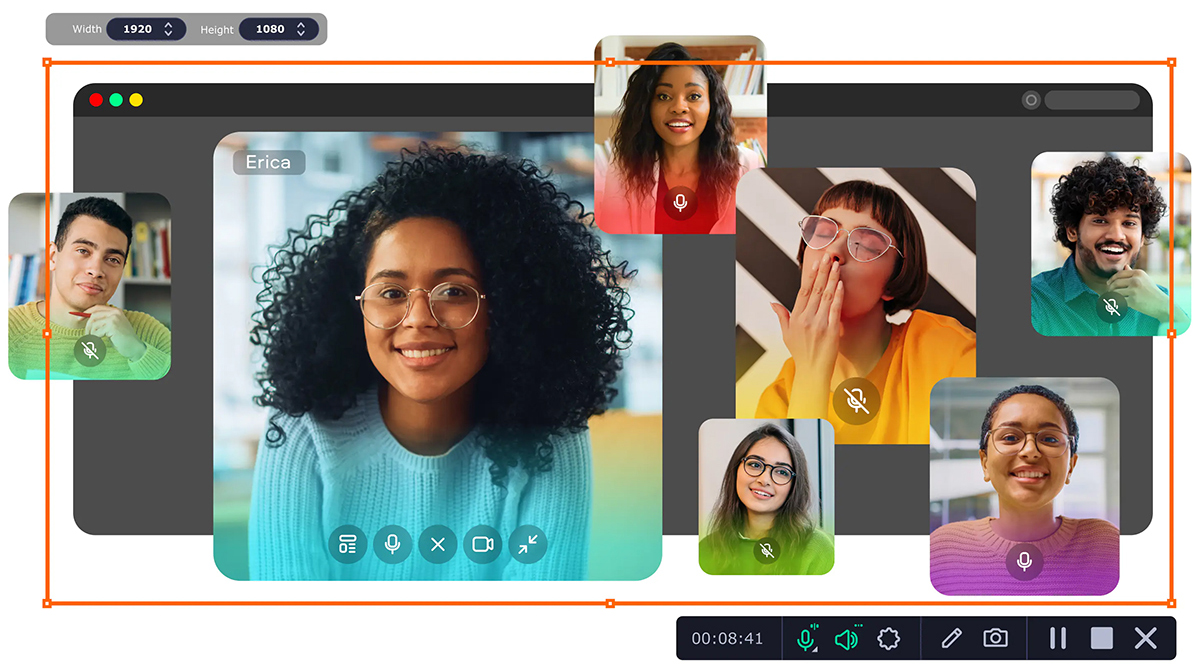
Furthermore, look for a screen recorder that allows you to adjust capture resolution, audio input, and screen selection—especially if you want to record specific software or window rather than the entire screen.
3. Prepare the workspace
Just as a photographer cleans up a set before a photoshoot, tidy up your screen. Close irrelevant tabs, sensitive files, hide unnecessary icons, etc. The cleaner and more organized the screen, the easier it will be for viewers to focus up.
With the recording program open, do a quick test run to see if everything is set up and you’re comfortable with the controls.
But tiding also extends to the physical workspace. If you’re going to add a webcam and record voiceovers, silence background noise, adjust lighting, ensure the suitable backdrop. And dress the part!
4. Organize your mind
Before hitting that record button, take a few minutes to mentally prepare yourself. Recall what you want to say and how you intend to demonstrate your work. Create a doc with an outline to be less nervous and look more confident.
How to Record and Edit a Portfolio Video: 6 Easy Steps
With your tools and setup ready, nothing stops you from hitting that record button. Here’s a step-by-step guide for you as a designer to how to screen record on a Mac, Windows, or elsewhere to capture the artistry of your work.
Step 1: Record in chunks
Although you might say ‘it’s okay, I will edit it out anyway’, you will still waste time. It’s good practice to set natural breakpoints or milestones where you can pause and reorient yourself before starting the next segment. This avoids awkward pauses, long silences, and gives you a chance to double-check if everything is being recorded correctly.
More control, easier editing, less time spent. The only downside is that you have to maintain the same setting to avoid jarring jumps between segments (unless you do it smoothly).
Step 2: Take advantage of hotkeys
Hotkey combinations can make recording and editing a lot more convenient. You don’t have to chaotically click on buttons and get confused about the mouse placement.
As for the recording process, generally there are shortcut keys for pausing and resuming recordings, stopping it altogether, starting and ending webcam capture, muting/unmuting, etc. You can remap these keys if you’re not comfortable with the defaults.
And when editing, you can set shortcuts for common actions like trimming clips, splitting videos, adjusting audio levels, zooming in/out, etc.
Step 3: Use transitions
The way the viewer moves from one moment to another impacts the flow and overall impression of your work. Most editing programs allow you to add simple transitions, some have cool effects that are more than just for changing scenes but can actually enhance the mood and style of your portfolio video.
Depending on how well you planned, you may or may not be able to add transitions. But do know that it’s better for viewers to see a transition between segments than awkward jumps.
Step 4: Add annotations throughout the recording
This may include but not limited to arrows, shapes, text, helping to highlight important elements. You can, obviously, add all of these elements in the editing phase, but doing it while you record allows for more accuracy and precision. And, most importantly, it allows for better, easy-flowing narration.
Step 5: Have fun with editing
Apart from transitions, you can do a lot with a video editor — add music, remove background, add custom animations, special effects — the list is growing day by day. As a designer, you have full freedom and creativity to make your portfolio video unique and showcase it in its best light.
Just don’t go overboard with effects or add unnecessary elements that detract from the main focus of the video — your work.
Step 6: Final export and format choices
Here’s a tip: select formats with widely supported codecs. It guarantees that your video will be compatible with most devices and platforms. Some popular formats include MP4, AVI, MOV, MKV — there are more if you’re looking to upload to social media or specific websites.
Quick note on resolution: the higher the resolution (e.g., 1080p vs 720p), the better the video quality but also bigger file size. Balance these factors depending on where you intend to share your portfolio video.
Final Thoughts
Creating a portfolio video through screen recording offers designers a powerful way to illustrate the expertise, creativity, and depth of their craft. By guiding viewers through each thoughtful decision and creative pivot, screen recording transforms a static portfolio into a stunning visual experience.