10 Must-Try Features In A Free Video Generator For High-Quality Videos
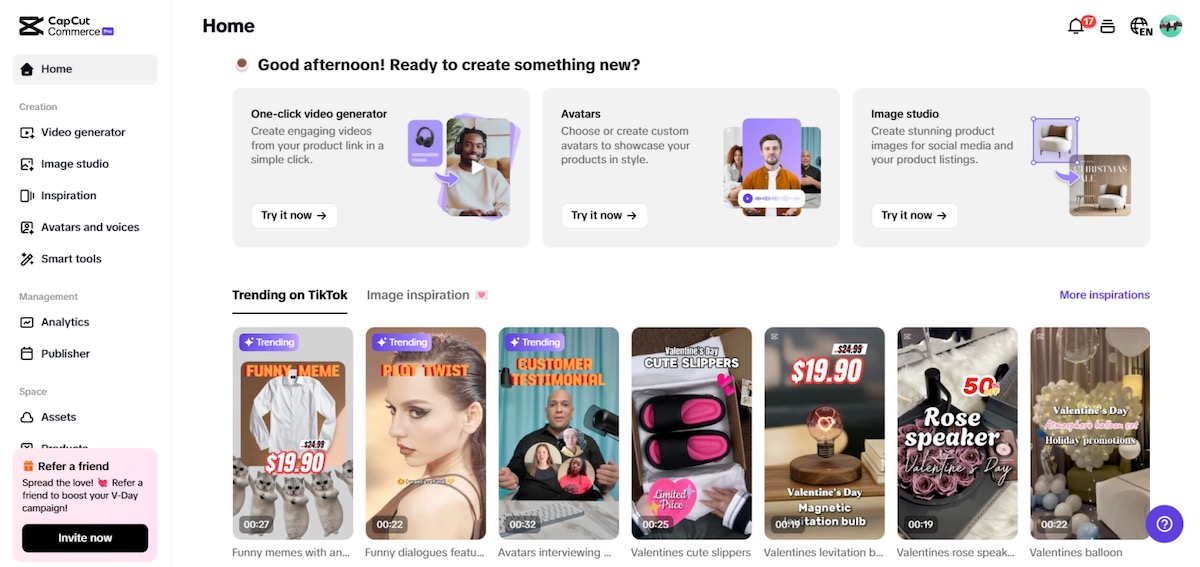
High-quality video content is a powerful tool for capturing attention and increasing engagement. Whether you’re a marketer, content creator, or business owner, having access to the right video creation tools can make a significant difference. A free AI video generator streamlines the process by offering features like AI-powered editing, text-to-video conversion, and customizable templates, all at no cost. These tools allow users to produce professional-grade videos quickly and efficiently. CapCut Commerce Pro is a great example, offering advanced editing features, branding tools, and AI-powered automation to simplify video creation. In this article, we’ll explore ten must-try features to enhance your videos.
1. AI-powered video creation.
AI-powered video creation simplifies the editing process by automating key tasks such as scene transitions, background removal, and smart cropping. This feature enables users to generate high-quality videos with minimal effort, making it ideal for marketers, content creators, and businesses. By analyzing content and suggesting edits, AI enhances creativity while saving time. Many tools, including a YouTube video editor, incorporate AI to optimize video quality, add effects, and enhance storytelling. With AI-driven automation, even beginners can create professional-grade videos effortlessly, ensuring engaging and visually appealing content for social media, marketing campaigns, and brand promotions.
2. Advanced background removal
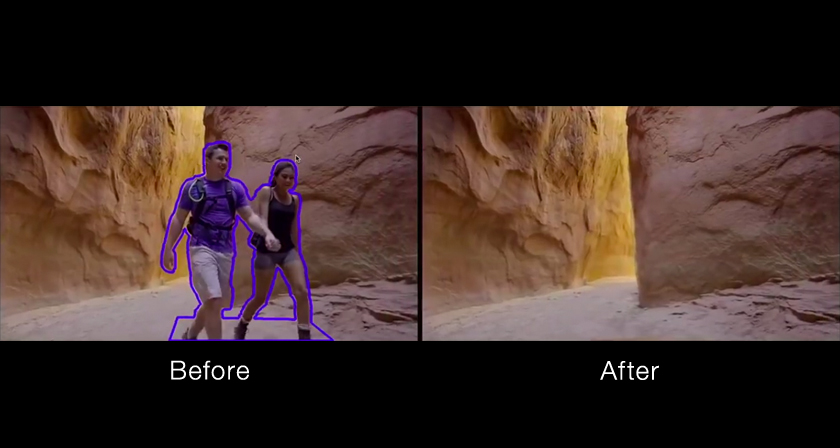
Advanced background removal is a powerful feature in modern video editors that allows users to eliminate or replace backgrounds without requiring a green screen. Using AI-driven technology, it detects and isolates the subject from the background, making it easy to create professional-looking videos with clean, distraction-free visuals. This feature is particularly useful for product showcases, presentations, and social media content, allowing creators to seamlessly integrate new backgrounds, graphics, or branding elements. Whether for business promotions or creative storytelling, background removal enhances video quality and saves time by eliminating the need for complex manual editing or professional studio setups.
3. AI avatars for video presentations
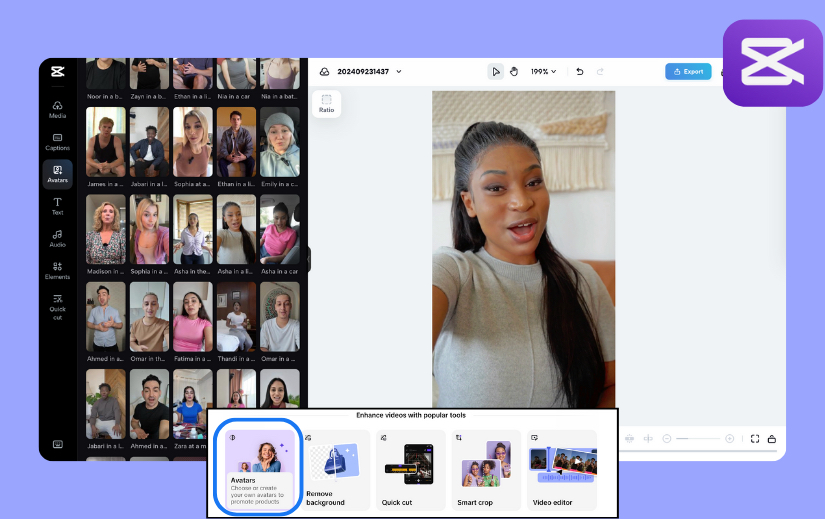
AI avatars are transforming video presentations by allowing users to create realistic digital presenters without the need for on-camera appearances. These AI-powered avatars can be customized with different voices, expressions, and gestures, making them ideal for business presentations, tutorials, and marketing content. Many video editors now offer this feature, enabling users to generate engaging videos effortlessly. CapCut Commerce Pro enhances this experience with high-quality, customizable AI avatars, perfect for branding and storytelling. Whether for explainer videos or product demos, AI avatars save time, maintain consistency, and add a professional touch to video content across various platforms.
4. AI video script generation
AI video script generation simplifies content creation by automatically crafting structured, engaging scripts based on keywords, topics, or prompts. This feature helps marketers, educators, and content creators develop compelling narratives without extensive writing experience. By analyzing trends and audience preferences, AI suggests relevant dialogues, scene descriptions, and storytelling elements, ensuring a smooth and engaging flow. It saves time, enhances creativity, and ensures consistency across multiple videos. Whether for explainer videos, advertisements, or social media content, AI-powered script generation provides a solid foundation for high-quality video production with minimal effort.
5. AI text-to-speech and voiceovers
AI text-to-speech (TTS) and voiceover technology revolutionize video creation by converting written scripts into natural-sounding speech. This feature allows creators to generate professional narrations in multiple languages and accents without hiring voice actors. Many video editors now integrate AI-powered TTS, making it easier to produce engaging content for marketing, tutorials, and social media. CapCut Commerce Pro enhances this capability by offering high-quality voice synthesis with customizable tones and expressions, ensuring videos sound polished and professional. Whether for explainer videos or branding content, AI voiceovers save time while delivering clear and captivating audio narration.
6. Extensive stock library (videos, images, and music)
An extensive stock library is an essential feature in modern video editing tools, providing users with a vast collection of royalty-free videos, images, and music. It eliminates the need for third-party assets, saving time and reducing costs while ensuring high-quality visuals and sound. Stock libraries enhance creativity by offering diverse content that suits different themes, industries, and storytelling needs. Whether for marketing videos, social media posts, or presentations, access to a well-curated library enables creators to produce professional-grade content effortlessly, making video editing more efficient and visually appealing without requiring custom footage or recordings.
7. Customizable templates
Customizable templates simplify video creation by providing pre-designed layouts, transitions, and effects that users can easily modify to suit their needs. These templates help streamline the editing process, making it faster and more efficient for both beginners and professionals. Whether for social media content, business presentations, or marketing videos, templates offer a structured foundation while allowing for personalization with text, images, colors, and animations. By reducing the need for complex manual editing, customizable templates ensure consistency, enhance visual appeal, and enable users to create professional-quality videos with minimal effort.
8. Multi-platform integration
Multi-platform integration allows users to seamlessly create, edit, and publish videos across various digital channels without extra steps. Many modern video editors offer direct exporting to platforms like YouTube, TikTok, Instagram, and Facebook, saving time and ensuring optimal video formats for each. CapCut Commerce Pro enhances this convenience by providing one-click publishing, cloud storage, and platform-specific optimization, making content distribution effortless. Whether for marketing campaigns, social media posts, or business presentations, multi-platform integration helps creators maintain a consistent online presence while streamlining their workflow, ensuring videos reach the right audience with maximum efficiency.
9. Intelligent subtitle generation
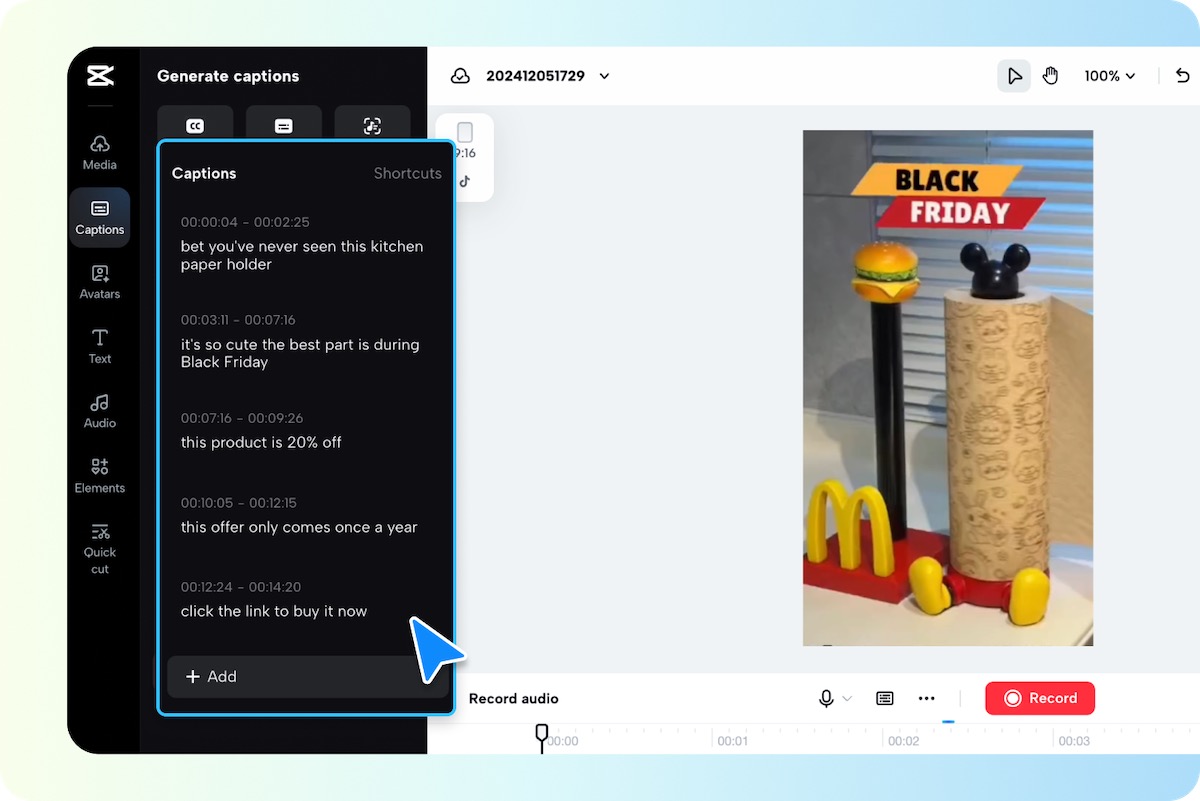
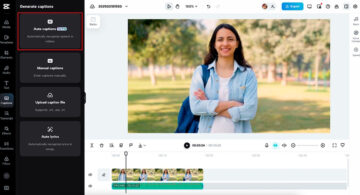
Intelligent subtitle generation uses AI-powered speech recognition to automatically transcribe spoken content into accurate, time-synced subtitles. This feature enhances accessibility, improves engagement, and ensures better reach for global audiences. Many modern video editors offer real-time subtitle generation, reducing the need for manual transcription and editing. CapCut Commerce Pro takes this a step further with highly accurate, customizable subtitles that support multiple languages and styles, making videos more inclusive and visually appealing. Whether for social media, marketing, or educational content, AI-driven subtitles save time while improving viewer retention and content clarity.
10. Motion tracking and advanced effects
Motion tracking allows video editors to attach text, graphics, or effects to moving objects, creating dynamic and visually engaging content. This feature is widely used in marketing, gaming, and tutorial videos to enhance storytelling and viewer interaction. Many advanced video editors now offer motion tracking, making it easier to add professional-grade animations and overlays. CapCut Commerce Pro enhances this capability with precision tracking and a range of advanced effects, including transitions, overlays, and AI-powered enhancements. Whether for branding, social media, or cinematic content, motion tracking and effects help create polished, high-impact videos effortlessly.
Conclusion
A high-quality free AI video generator should offer a range of powerful features that simplify video creation while enhancing creativity and efficiency. From AI-powered editing and intelligent subtitle generation to motion tracking and advanced effects, these tools help users produce professional-grade videos with minimal effort. CapCut Commerce Pro stands out by providing AI-driven capabilities like avatars, script generation, and seamless multi-platform integration, making it an ideal choice for businesses and content creators. Whether for marketing, tutorials, or social media, leveraging these advanced features ensures visually appealing, engaging, and impactful video content.