Lost important photos? Picture recovery software is usually the best way to get deleted or formatted images back from SD cards, hard drives, and other storage devices. In many cases, your photos are not gone forever. They just need the right tool to bring them back. We tested a bunch of different tools to see which ones work best.
Here’s our take on the 5 software options, what they do well and who they’re best for.
What Photo Recovery Software Is and How It Works
Before we move to the tools, we need to understand why photo recovery is even possible.
When you delete a photo, the system does not immediately erase the file. It simply marks that storage space as available. The image data often remains in place until new data replaces it. This technical detail makes recovery possible.
Industry studies estimate that around 30% of people experience data loss at least once, and roughly 40% of data loss cases involve storage device failure or accidental deletion. In many of those situations, the files are still physically present on the device. They just no longer appear in the file system.
Photo recovery software scans beyond what the operating system shows. First, it checks the file system for recently deleted entries. When that structure remains intact, recovery can preserve original names and folders. If the file system is damaged or the card was formatted, the software performs a deeper scan that searches for known image signatures such as JPEG or RAW patterns.
Photo recovery software restores deleted, formatted, or inaccessible images from devices such as SD cards, USB drives, external hard drives, SSDs, and internal PC storage.
The 5 Best Image Recovery Software
To select the 5 best image recovery software, we tested each tool in real-world scenarios that reflect how people actually lose photos. We evaluated performance across:
We also considered some additional factors that are important in everyday use: scan speed, preview reliability, preservation of folder structure, ease of use, supported file formats, platform compatibility, and pricing transparency. Free recovery limits were examined as well, since many users specifically search for free photo recovery software before trying paid tools.
Here’s the list of tools that performed best in our tests:
1. Disk Drill
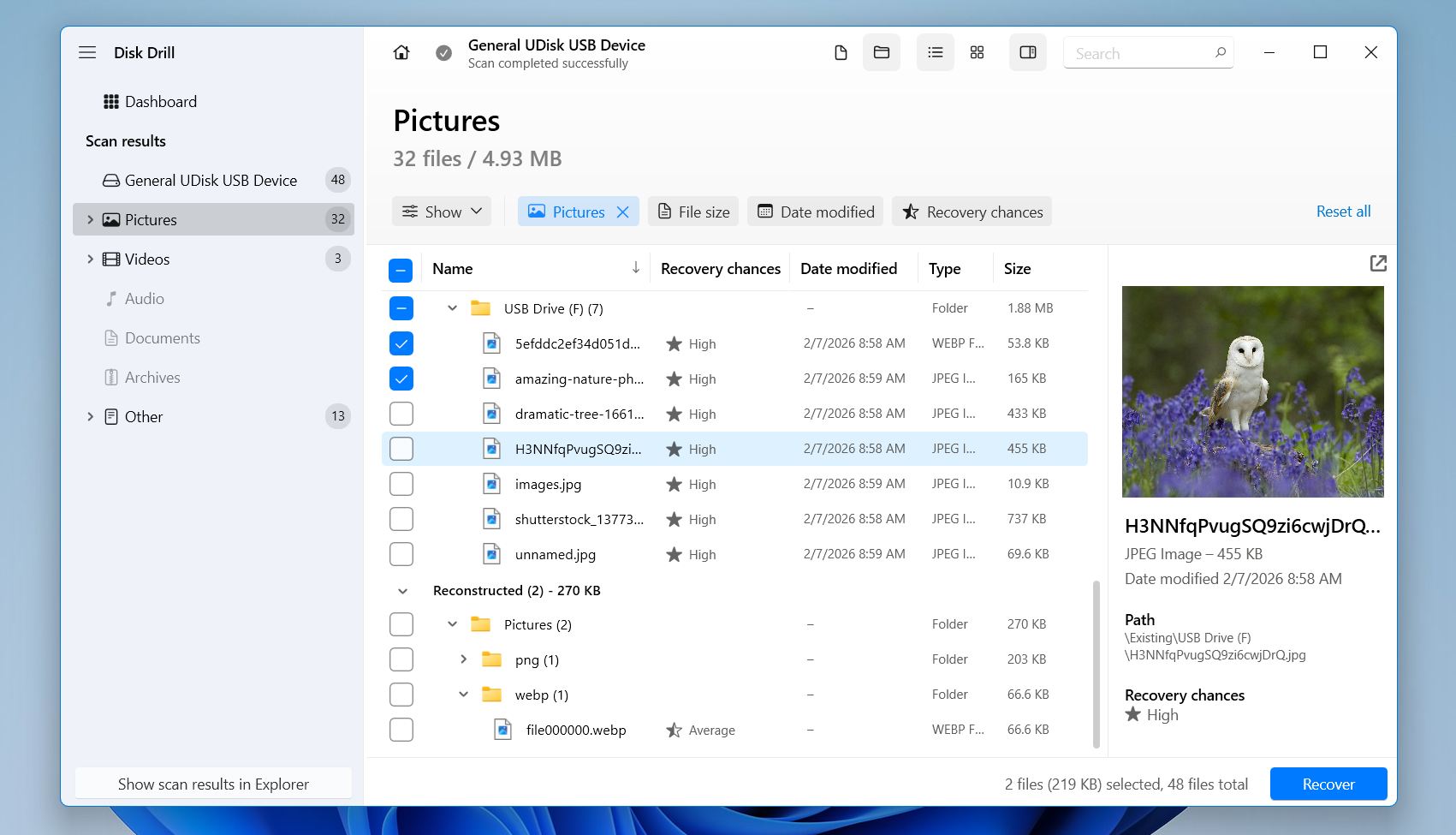
When it comes to photo recovery software, Disk Drill consistently ranks as one of the strongest and most reliable options available today. In our tests across deleted, formatted, and corrupted SD cards, it delivered the most consistent results. That’s why it easily earns a spot in our list.
Disk Drill supports virtually every common storage device: SD cards, microSD cards, USB flash drives, external HDDs, SSDs, and internal system disks. It works on both Windows and macOS under a single license, which makes it a practical choice for photographers and content creators working across platforms.
A standout feature is Advanced Camera Recovery, designed to reconstruct fragmented video files from cameras, drones, and action cams. That’s useful when working with large, high-bitrate video clips stored on SD cards.
Disk Drill also supports a wide range of photo formats, including JPG, PNG, TIFF, and PSD, as well as RAW files such as CR2 and CR3 (Canon), NEF (Nikon), ARW (Sony), RAF (Fujifilm), DNG, and other camera-specific formats.
Pros
High recovery success rate in real-world tests
Strong performance on formatted and corrupted SD cards
Clean, beginner-friendly interface
Advanced video and RAW photo reconstruction
Built-in disk imaging and data protection tools
Single license works on Windows and macOS
Recovers up to 100 MB for free on Windows
Cons
No native Linux version
No phone support (chat and email only)
2. R-Studio
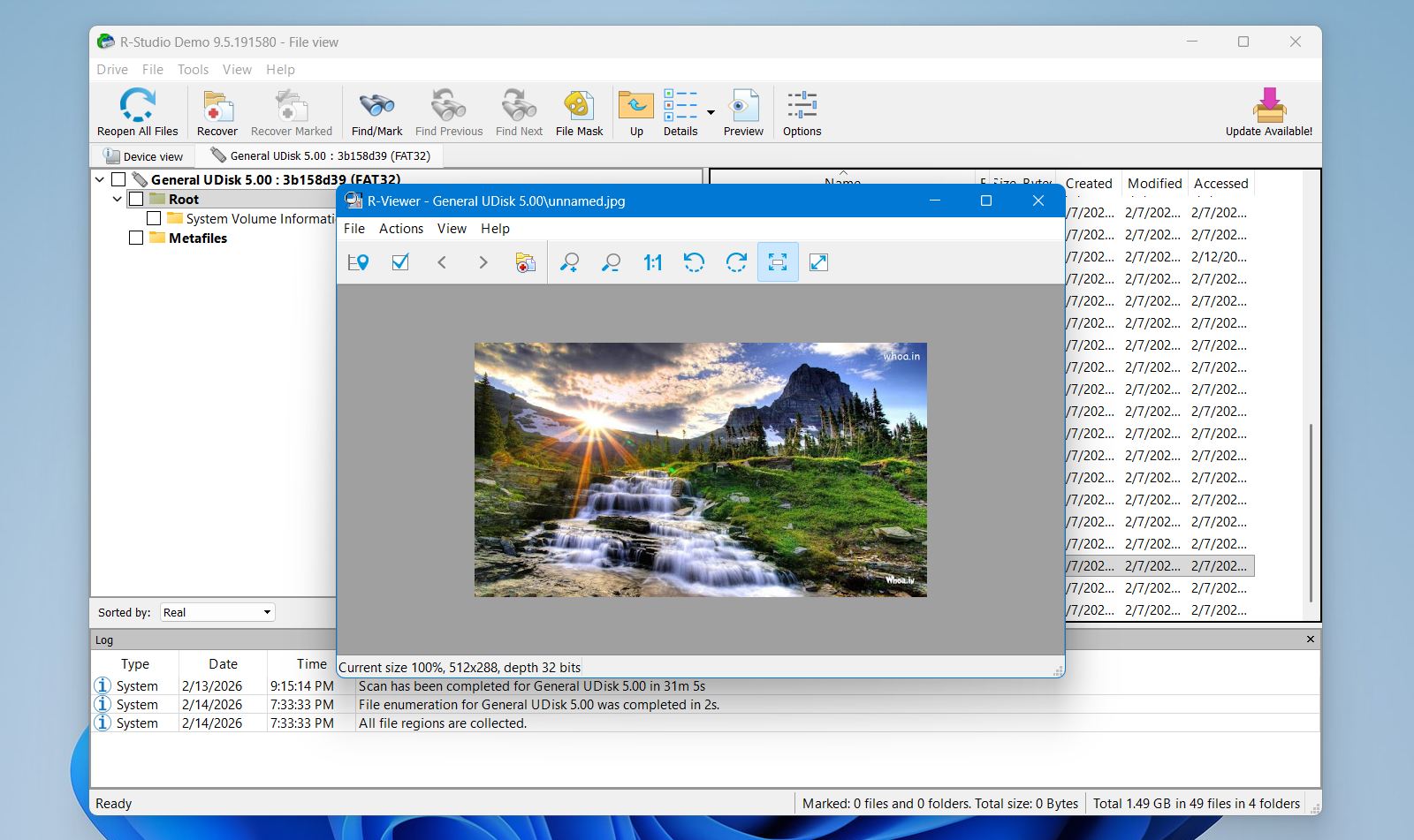
For users who want full control over the recovery process and need a powerful, professional-grade tool, R-Studio is one of the best image recovery software options available. While it’s not the friendliest choice for beginners, its depth and flexibility make it a top pick for challenging data loss scenarios. It frequently appears in community recommendations on data recovery forums and Reddit discussions.
R-Studio doesn’t hide technical details or restrict options behind automated “wizards.” Instead, it exposes file systems, partitions, scan parameters, and disk structures directly to the user. That level of transparency is what sets it apart from simpler photo recovery software and places it among the best photo recovery solutions for advanced users.
Pros
Exceptional file system support across multiple OS platforms
Powerful RAID recovery and disk imaging capabilities
Advanced tools give full control of the recovery process
Network and remote recovery support
Strong performance on difficult recovery cases
Cons
Interface is technical and dense
Free trial only recovers very small files (<1024 KB)
License keys tied to specific hardware
Not focused on simplicity or guided workflows
3. MiniTool Power Data Recovery
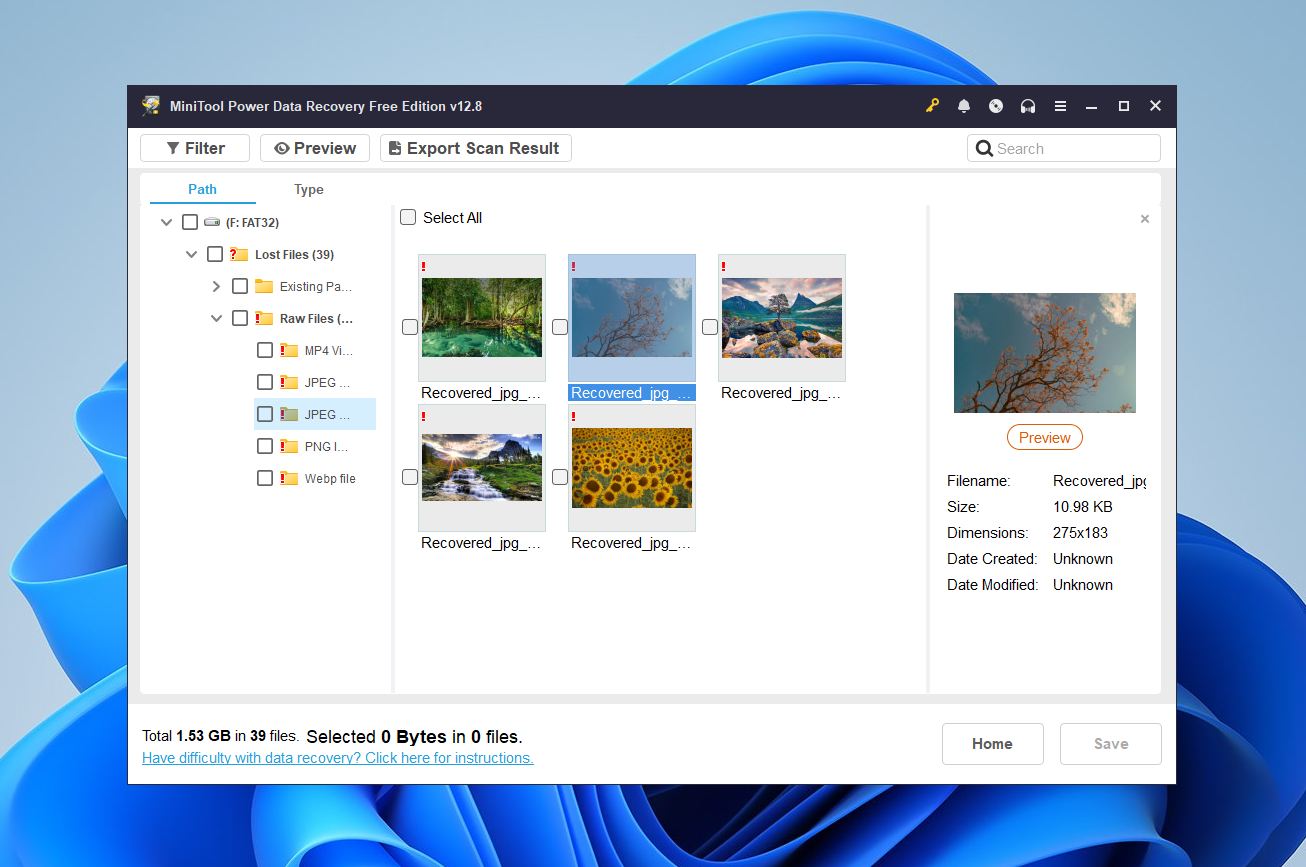
MiniTool Power Data Recovery is a solid photo recovery tool, especially for users who want a simple, beginner-friendly tool that still gets the job done in many everyday scenarios. While it may not have the advanced features found in professional tools like Disk Drill and R-Studio, it remains a reliable choice for recovering deleted images and files from common storage devices.
MiniTool doesn’t overwhelm users with technical complexity. From our experience, it provides a guided recovery experience that helps you retrieve lost pictures without a steep learning curve. That makes it a good fit for people who aren’t comfortable delving into file systems or advanced scan parameters but still need effective recovery results.
Pros
Very beginner-friendly and intuitive interface
Clear, wizard-style steps make recovery straightforward
Free version allows up to 1 GB of data recovery
Works well for common formats and casual photo loss scenarios
Lightweight installation that runs smoothly on most PCs
Cons
Windows-only; no native support for macOS or Linux
Lacks advanced tools like disk imaging and RAID support
File preview can be inconsistent on larger or RAW file types
4. DMDE
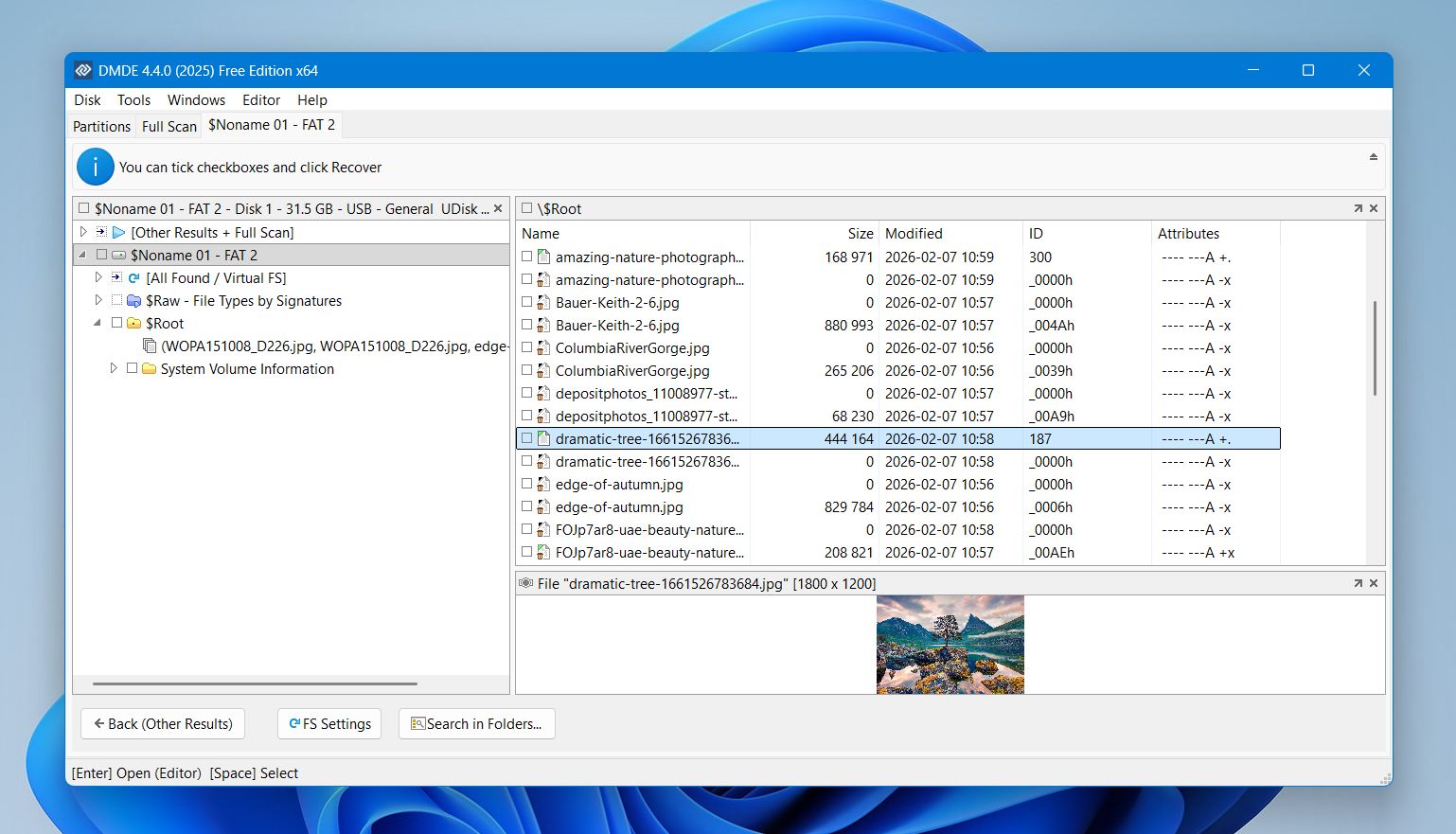
DMDE (DM Disk Editor and Data Recovery Software) is a highly capable and affordable image recovery software option, but it’s very different from most other tools on this list. Instead of guiding users through a simple wizard, DMDE gives you direct access to disk structures and low-level data. That makes it powerful in tough recovery situations, but also steeper to learn. It’s best described as a tool for users who want more control and flexibility than beginner-focused programs provide.
Unlike many consumer photo recovery tools, DMDE lets you explore detected partitions, manually select files for recovery, and work with damaged file system data at the byte level. That level of access can pay off in cases where the file system is severely damaged, the partition table is corrupt, or other tools fail to locate lost images.
Pros
Strong raw recovery capabilities even when file systems fail
Works on all major operating systems
Generous support for image and media formats
Offers manual control rather than a one-size-fits-all approach
Affordable pricing compared to many pro-grade tools
Great fallback option when other software fails
Cons
Interface is technical and can be intimidating for beginners
Not as polished or automated as more mainstream tools
Manual process requires understanding of partitions and disk structure
Preview and organization tools are less user-friendly
5. PhotoRec
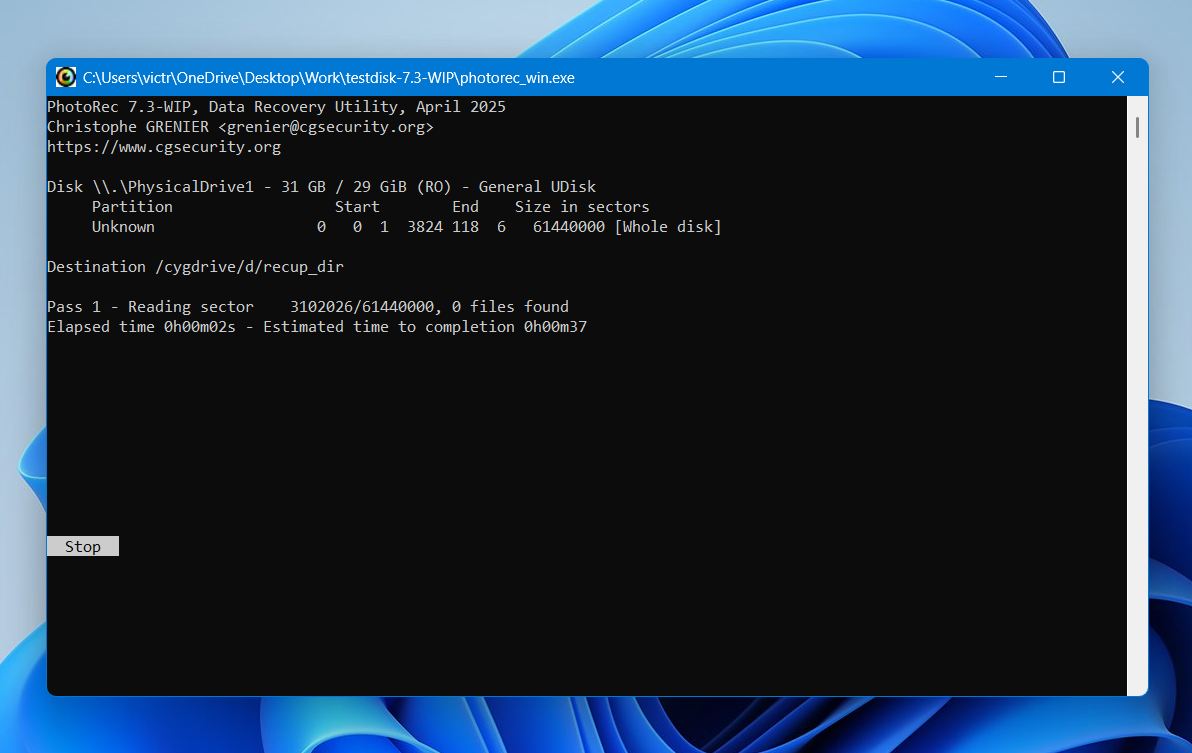
PhotoRec is a completely free and open-source photo recovery software tool that focuses on raw, signature-based scanning. Instead of relying on the file system, it scans storage sector by sector and rebuilds files based on known data patterns. This makes it especially effective when recovering images from formatted SD cards, RAW drives, or severely corrupted partitions. It supports hundreds of file types, including JPG, PNG, TIFF, and most camera RAW formats, and works on Windows, macOS, and Linux.
The trade-off is usability. PhotoRec does not restore original file names or folder structure, and it lacks preview features. The interface is command-line-based, which may feel intimidating for beginners. Still, for users who need unlimited free photo recovery software and are dealing with serious data damage, PhotoRec remains one of the most powerful and reliable fallback options available.
Pros
100% free with no data recovery limits
Extremely strong performance on damaged or formatted drives
Works even when partitions are missing
Supports hundreds of file formats
Cross-platform availability
Cons
No file names or folder structure preserved
No preview before recovery
Command-line interface can intimidate beginners
Recovers large numbers of files, which can create disorganized results
No disk imaging or advanced workflow tools
Final Verdict
If we had to choose just one, Disk Drill is the best photo recovery software for PC for most people. It offers the strongest balance of recovery performance, ease of use, supported formats and devices, and cross-platform compatibility. From recently deleted images to formatted SD cards, Disk Drill delivered the most consistent results in our real-world tests. It is the strongest all-around tool.
For more specific needs:
R-Studio fits advanced users and technical recoveries.
MiniTool suits beginners who want a simple, guided experience.
DMDE works well for technically confident users who prefer manual control.
PhotoRec is the strongest fully free option when budget is the priority.