• Home
  • Design
  • Advertising
  • Inspiration
  • Tools
  • Buzz
  • Follow Us ▾
    • Facebook
    • Facebook Group
    • LinkedIn
    • LinkedIn Group
    • Threads
    • Instagram
    • Pinterest
    • Twitter / X

Digital Synopsis

Design, Advertising & Creative Inspiration

  • Photoshop
  • Logo Design
  • UI/UX
  • AI
  • Web Design
  • Typography
  • Photography
  • About Us
  • Advertise

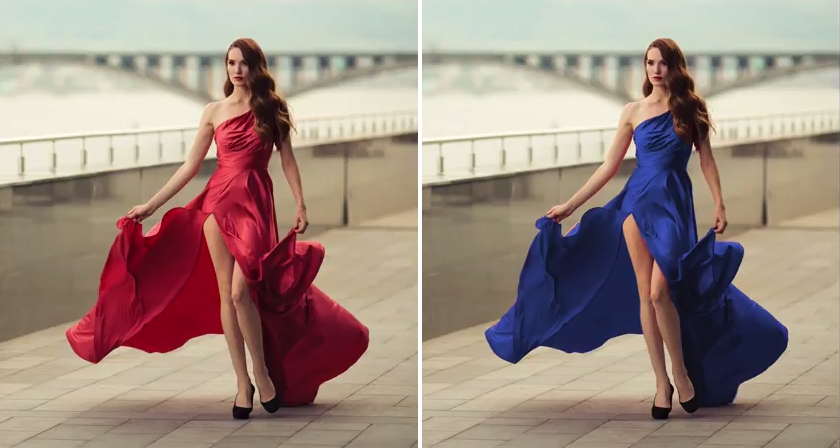
Learn In One Minute How To Change The Color Of Anything In Photoshop

Did you know that you can use the Hue/Saturation Adjustment Layer in Photoshop to target a specific color in your image and change it to any color you want?

In this handy one-minute tutorial, Photoshop instructor Unmesh Dinda from PiXimperfect shows you a simple technique to change the color of any object in your image by using the hand tool in the Hue/Saturation Adjustment panel and adjusting the range sliders till you get the desired result. Watch below.

00:03 – Create hue/saturation adjustment layer
00:09 – Click the hand tool and select the color you want to change
00:14 – Move hue/saturation sliders all the way to the right
00:19 – Expand and adjust the range sliders
00:38 – Adjust hue/saturation sliders to any color you want

Download sample image shown in video.

Share this post with a designer friend and voice your views in the comments below.

Don't Miss:

  • how-to-turn-white-into-any-color-in-photoshop
    How To Turn White Into Any Color In Photoshop
  • how-to-change-color-in-photoshop
    5 Ways To Change The Color Of Anything In Photoshop
  • how-to-make-dramatic-skies-photoshop
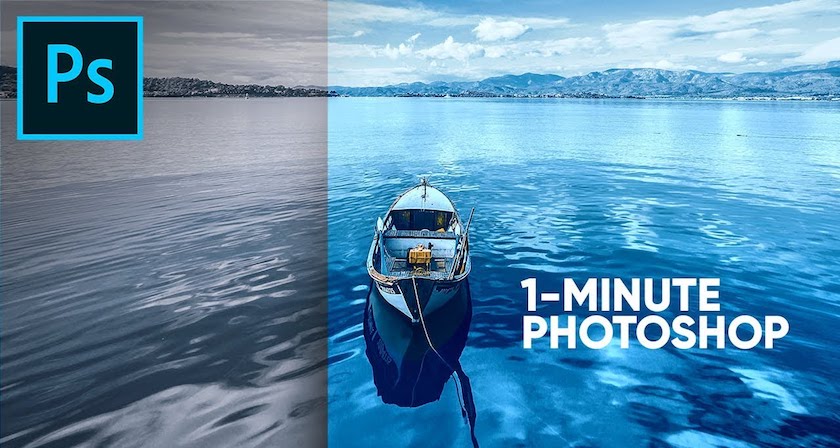
    Learn In One Minute How To Make Skies Gorgeously Dramatic In Photoshop
  • how-to-add-dramatic-colors-to-images-in-photoshop
    Learn In One Minute How To Add Dramatic Colors To Images In Photoshop
  • convert-low-res-graphic-to-high-res-in-photoshop
    Learn In 30 Seconds How To Convert Low-Res Graphics To High-Res In Photoshop
  • how-to-wrap-text-around-image-in-photoshop
    Learn In One Minute How To Wrap Text Around Any Image In Photoshop

Share Your Views:

Comments for this post are now closed.
Share your thoughts with 433,000+ design lovers on our Facebook Page.

Popular

  • Graphic Designer Fixes The 9 Worst Logos Ever
  • 50 Incredibly Creative Logos With Hidden Meanings
  • 11 Best And Worst Redesigns Of Famous Logos
  • Top 10 Netflix Documentaries For Graphic Designers
  • 11 Differences Between Designers And Clients

TRENDING

  • Top 20 Graphic Design Trends For 2026
  • Top 10 Logo Design Trends For 2026 And How To Use Them
  • Portfolios Of Designers Who Have Worked At Apple, Google, Meta, And More
  • Designers Are Sharing Their Redesigns Of Famous Logos And Some Of Them Are Better Than The Original
  • “Which Current Graphic Design Trend Will Age Badly?” – Here Are The Top Replies

Follow Us On

  • Facebook
  • Facebook Group
  • LinkedIn
  • LinkedIn Group
  • Threads
  • Instagram
  • Pinterest
  • X / Twitter

Copyright © 2012-2026 Digital Synopsis | Privacy Policy | Affiliate Disclosure | Advertise With Us