• Home
  • Design
  • Advertising
  • Inspiration
  • Tools
  • Buzz
  • Follow Us ▾
    • Facebook
    • Facebook Group
    • LinkedIn
    • LinkedIn Group
    • Threads
    • Instagram
    • Pinterest
    • Twitter / X

Digital Synopsis

Design, Advertising & Creative Inspiration

  • Photoshop
  • Logo Design
  • UI/UX
  • AI
  • Web Design
  • Typography
  • Photography
  • About Us
  • Advertise

How To Convert Your Hand Lettering From Paper To Digital In Adobe Illustrator

Yesterday, we featured Mackey Saturday’s 60 second tutorial on how to create a custom logotype.

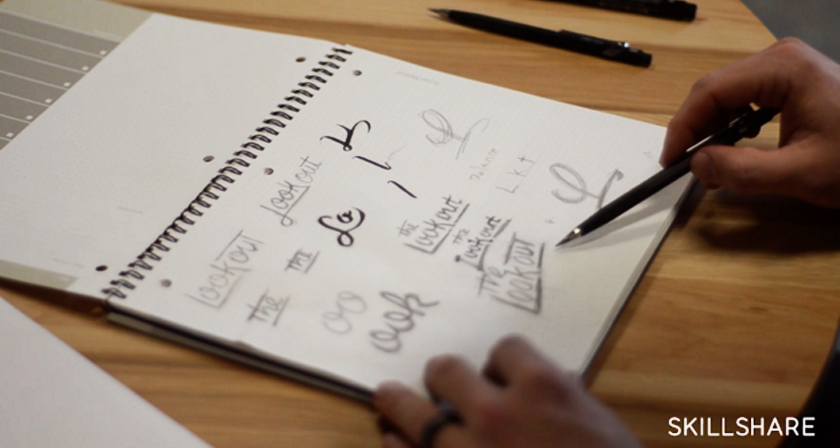
Today, we’ll be focusing in depth on the process of converting your hand-lettering to vector, with the help of this brilliant tutorial from designer Jenn Coyle at Hello Brio Studio. Watch below.

1. Create your hand-lettering on paper, preferably in black and white
2. Scan or take a photo of your artwork and bring it into Photoshop
3. Adjust the levels of the image to make the black art blacker and the page whiter
4. Use the lasso tool to select your artwork and bring it into Illustrator
5. Convert your artwork into vector using image trace (view tool options in video)
6. Adjust the threshold and use the advanced options to adjust paths and corners
7. Expand and ungroup your letters
8. Smoothen the curves and make final tweaks
Products used in tutorial:
– Tombow Markers
– Canon CanoScan Scanner

Share this post with a designer friend and voice your views in the comments below.

Don't Miss:

  • how-to-create-a-logotype
    Designer Who Created The Instagram Logo Shows You How To Design A Logotype
  • illustrator-recolor-artwork-color-theme-picker
    New Feature In Illustrator Can Extract Colors From An Image And Apply Them To Your Vector Artwork
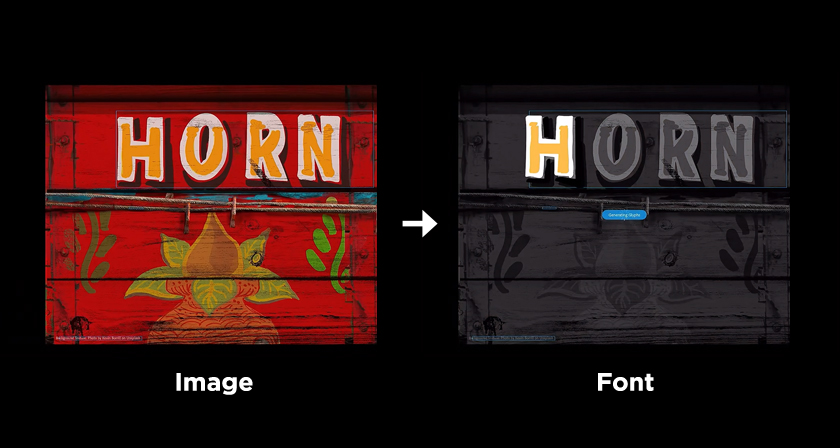
  • adobe-fontphoria-converts-text-in-images-to-fonts
    Adobe Fontphoria Can Capture Text In Images And Convert Them To Fonts
  • how-to-turn-white-into-any-color-in-photoshop
    How To Turn White Into Any Color In Photoshop
  • photoshop-object-selection-tool
    Photoshop's New 'Object Selection Tool' Is A Dream Come True For Designers
  • adobe-photoshop-select-subject-feature
    Testing Photoshop's New 'Select Subject' Tool That Lets You Select Objects In Just One Click

Share Your Views:

Comments for this post are now closed.
Share your thoughts with 433,000+ design lovers on our Facebook Page.

Popular

  • Graphic Designer Fixes The 9 Worst Logos Ever
  • 50 Incredibly Creative Logos With Hidden Meanings
  • 11 Best And Worst Redesigns Of Famous Logos
  • Top 10 Netflix Documentaries For Graphic Designers
  • 11 Differences Between Designers And Clients

TRENDING

  • Top 20 Graphic Design Trends For 2026
  • Top 10 Logo Design Trends For 2026 And How To Use Them
  • Portfolios Of Designers Who Have Worked At Apple, Google, Meta, And More
  • Designers Are Sharing Their Redesigns Of Famous Logos And Some Of Them Are Better Than The Original
  • “Which Current Graphic Design Trend Will Age Badly?” – Here Are The Top Replies

Follow Us On

  • Facebook
  • Facebook Group
  • LinkedIn
  • LinkedIn Group
  • Threads
  • Instagram
  • Pinterest
  • X / Twitter

Copyright © 2012-2026 Digital Synopsis | Privacy Policy | Affiliate Disclosure | Advertise With Us