Boost Design Quality And Engagement: Why Aiarty Image Enhancer Is One Of The Best
High-quality images are absolutely essential for effective design and advertising in today’s visually-driven digital landscape. They play a crucial role in conveying messages, increasing visual appeal, capturing audience attention, and enhancing brand image. Poor-quality images can detract from your message and potentially harm your brand’s reputation.
What is Aiarty Image Enhancer
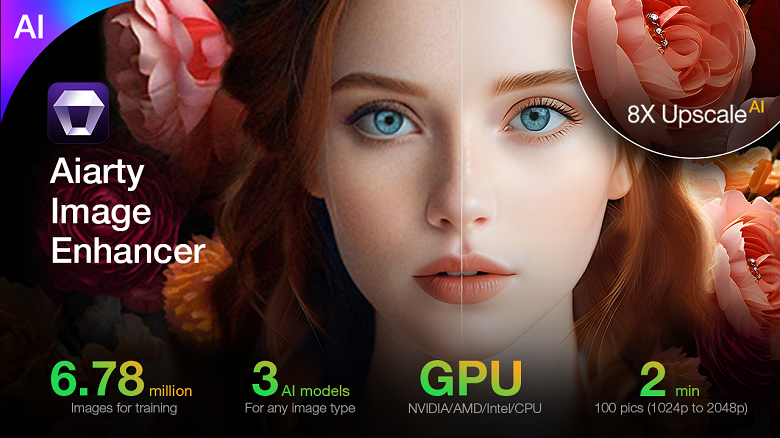
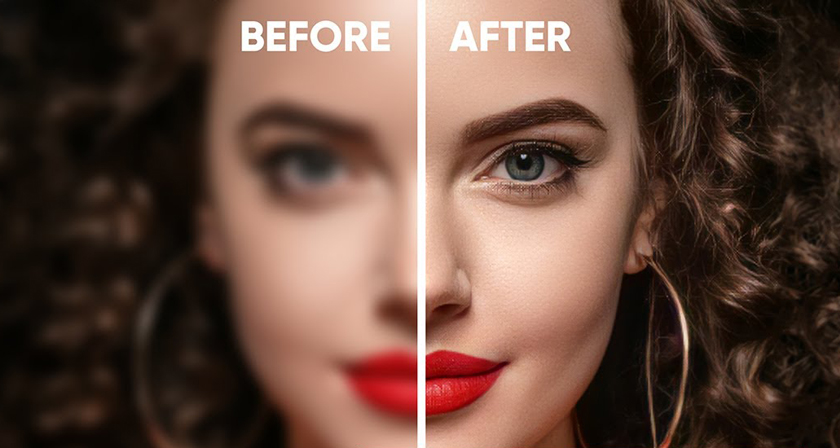
Enter Aiarty Image Enhancer, a powerful tool designed to elevate your visual content to new heights. This innovative software improves image clarity and detail, making your design projects more captivating and impactful. By leveraging advanced AI technology, Aiarty transforms low-resolution, blurry, or noisy images into stunning, high-quality visuals that engage your audience and leave a lasting impression.
Aiarty Image Enhancer stands out in the crowded field of image enhancement tools due to its versatility and ease of use. Whether you’re working with AI-generated art, photographs, or digital designs, Aiarty’s sophisticated AI models can significantly improve image quality, allowing you to create professional-grade visuals that resonate with your target audience.
By incorporating Aiarty Image Enhancer into your design workflow, you can ensure that every image you use in your projects is of the highest quality, helping you to boost engagement, improve brand perception, and ultimately achieve better results in your design and advertising efforts.
And here are more details about this amazing tool.
Why Aiarty is the Best AI Image Upscaler for Digital Design
Aiarty Image Enhancer distinguishes itself as the premier AI image upscaler for digital design, thanks to its innovative technology and user-friendly features. Here are the key reasons why Aiarty stands out in the realm of image enhancement:
1. Three AI Models for All Image Types
Aiarty offers three specialized AI models tailored to different image types and enhancement needs:
More-detail GAN: This model excels at enhancing clarity and sharpness, making it ideal for images that require detailed textures, such as skin, hair, and fur. It ensures lifelike results that maintain the original character of the image.
Smooth Diff: Designed for images with fewer details, this model provides a polished look while effectively removing blurs and imperfections. It’s perfect for images that need a smoother appearance without sacrificing quality.
Real-Photo: This model is optimized for high-resolution photographs, restoring original fidelity and enhancing clarity. It effectively addresses issues like noise and blur, making it suitable for professional photographers and high-quality prints.
2. 4-in-1 Auto Enhancer
Aiarty’s 4-in-1 enhancement process simplifies image improvement with just one click. The features include:
Denoise: Effectively removes unwanted noise from images, particularly useful for low-light or high-ISO shots.
Deblur: Sharpens blurry images, correcting motion blur and out-of-focus elements.
Upscale: Increases image resolution up to an impressive 32K, allowing for high-quality prints and displays without loss of detail.
More Details: Enhances overall image quality by generating realistic details, ensuring textures and features are vividly represented.
3. Advanced AI Performance
Aiarty’s advanced AI capabilities stem from extensive training on a dataset of millions of images. This training enables it to understand various image types and styles, leading to superior enhancement results. The software is optimized for speed and efficiency, capable of batch processing up to 1,000 images simultaneously. This feature is particularly beneficial for designers and photographers who need to enhance large volumes of images quickly.
4. Simple and Intuitive
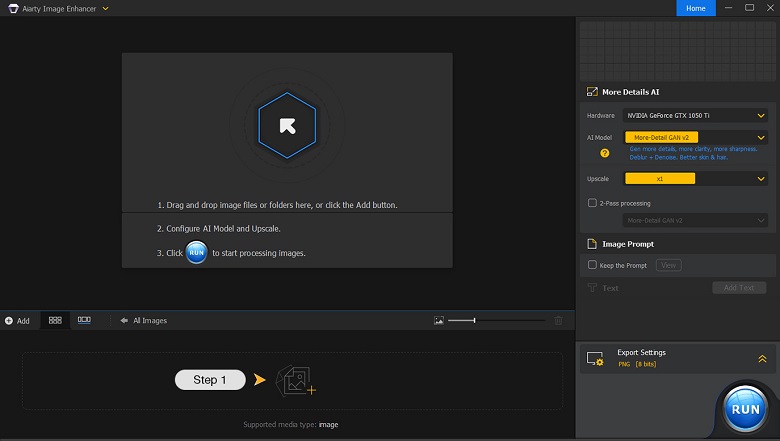
Aiarty is designed with user experience in mind. Its interface is straightforward, allowing users to drag and drop images for processing easily. The option to batch process images further streamlines the workflow, making it accessible for both professionals and amateurs.
Optimizing and Enhancing Digital Design with Aiarty Image Enhancer
Don’t let low-quality images hold back your designs any longer. Start using Aiarty Image Enhancer today and transform your visuals into stunning, high-quality images that captivate and engage your audience.
Elevate your design game and see for yourself how Aiarty can optimize different areas of visual content creation, and why it is the best image enhancer on the market.
Advertising Design
Aiarty Image Enhancer can revolutionize advertising design in several ways:
E-commerce: Product images can be enhanced to showcase intricate details, textures, and colors, potentially increasing conversion rates. The ability to upscale images to high resolutions ensures that products look crisp and appealing on all devices.
Product Presentation: By removing noise and enhancing clarity, Aiarty can make product shots more professional and attractive. This is particularly useful for small businesses or startups that may not have access to high-end photography equipment.
Brand Advertising: High-quality visuals are crucial for brand perception. Aiarty can elevate the overall look of brand materials, ensuring consistency and professionalism across all marketing channels.
Website and Social Media Content
In the realm of digital presence, Aiarty offers significant advantages:
Website Images: Enhance and upscale images to improve website loading times without sacrificing quality. This can positively impact user experience and SEO rankings.
Social Media Content: Create eye-catching, high-resolution images for various social platforms. Aiarty’s ability to generate more details can make your content stand out in crowded social feeds.
Art and Creative Projects
Artists and designers can benefit from Aiarty in numerous ways:
Artwork Enhancement: Upscale digital artworks to ultra-high resolutions (up to 32K), perfect for large-format printing or digital displays.
Creative Design Projects: Improve the quality of source materials or enhance final designs for a more polished look. This is particularly useful for projects that involve mixed media or repurposed imagery.
Processing Other Image Types
Aiarty’s versatility extends to various image types:
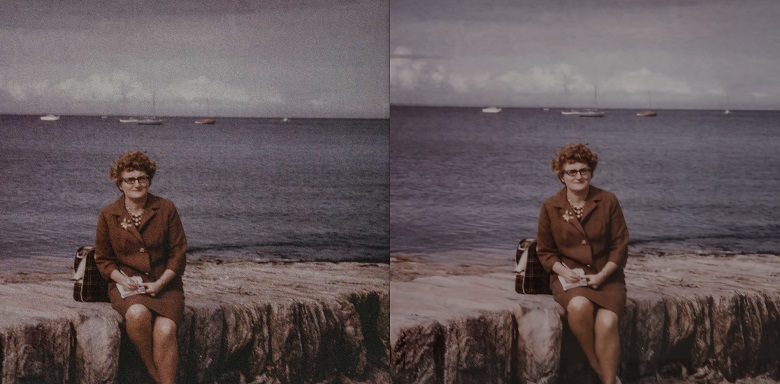
Old Photos: Restore and enhance vintage photographs, bringing new life to historical or sentimental images.
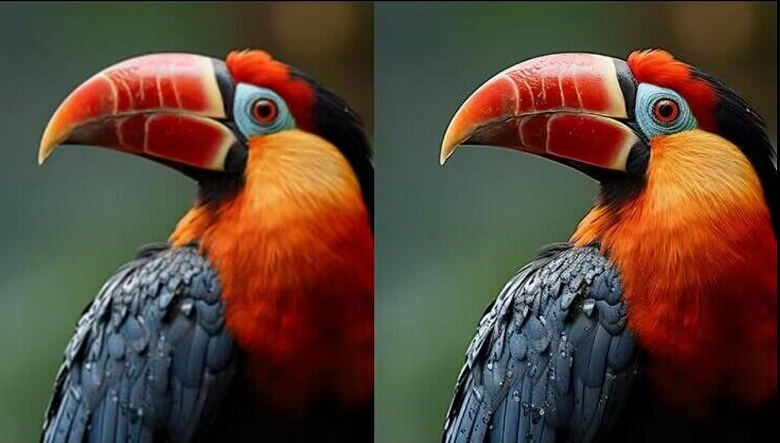
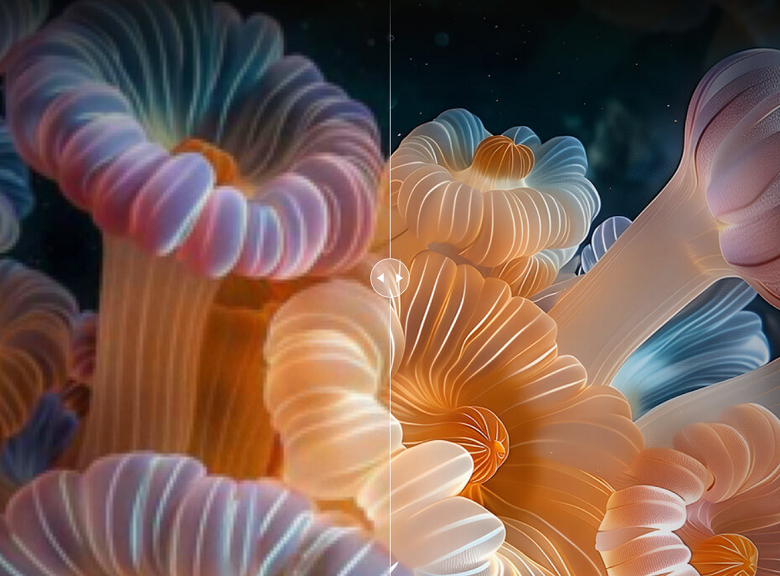
AI-Generated Images: Significantly improve the quality of images created by AI art generators like Stable Diffusion or Midjourney, which often have resolution limitations.
Low-Quality Photography: Salvage and improve photos taken in suboptimal conditions or with lower-end equipment.
Compressed Web Images/Graphics: Enhance and upscale low-resolution web graphics for better visual impact.
By leveraging Aiarty Image Enhancer across these diverse applications, designers and content creators can significantly elevate the quality of their digital designs. The software’s ability to denoise, deblur, enhance details, and upscale images makes it an invaluable tool for anyone looking to optimize their visual content for maximum impact and engagement.
How to Use Aiarty Image Enhancer
To use Aiarty Image Enhancer effectively, follow these simple steps:
Step 1. Import Images. Upload your images or folder. After the importing finishes, Aiarty will start analyzing your images.
Step 2. Choose AI model and scale preset. Select one of the three AI models based on your image type and desired outcome. Then, choose the desired output resolution (1K, 2K, 4K, 8K) or scale factor (x1, x2, x4, x8).
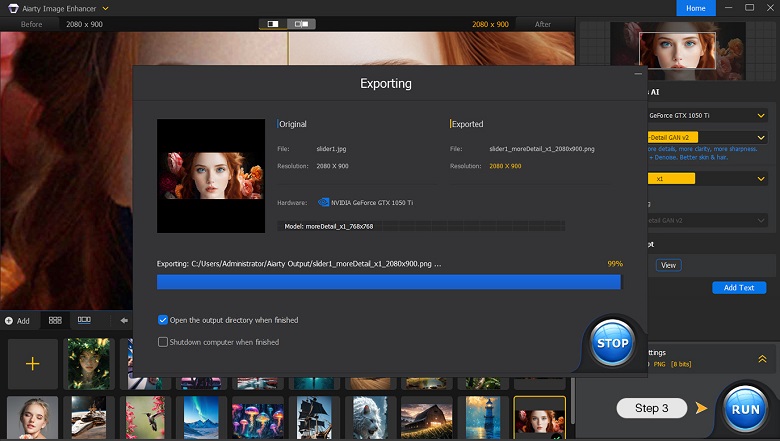
Step 3. Export. Use the preview window to compare the original and enhanced images, zooming in and out to check specific areas. Save your improved images in your desired format and location, and click the “RUN” button to start enhancing. For batch processing, you can add multiple images or folders.
Pricing and Plans
Choose the best plan for your needs and access all features.
The Standard License is billed yearly at $85.00 and includes free software updates for 1 year.
The Lifetime License costs $115.00 as a one-time payment and includes lifetime free software updates.
Both plans are for up to 3 PCs, come with a 30-day money-back guarantee, and include 24/7 email support.
Conclusion
Aiarty Image Enhancer offers powerful features tailored for a wide range of images, including AI art, photography, design visuals, product images, old or low-resolution photos, and web finds. This tool automatically enhances clarity, detail, texture, and color accuracy. Its user-friendly interface requires no complex editing skills, and its fast performance and batch processing support make it ideal for handling multiple images efficiently.
Experience the ease and power of Aiarty Image Enhancer. Try it now and elevate your images to the next level.