• Home
  • Design
  • Advertising
  • Inspiration
  • Tools
  • Buzz
  • Follow Us ▾
    • Facebook
    • Facebook Group
    • LinkedIn
    • LinkedIn Group
    • Threads
    • Instagram
    • Pinterest
    • Twitter / X

Digital Synopsis

Design, Advertising & Creative Inspiration

  • Photoshop
  • Logo Design
  • UI/UX
  • AI
  • Web Design
  • Typography
  • Photography
  • About Us
  • Advertise

Incredible New Tool From Adobe Lets You Add Or Remove Objects In VIDEOS Using The Power Of Generative Fill

Every year, Adobe offers a sneak peak into potential future technologies at its MAX Creativity Conference, showcasing new tools and features that could become a part of their final products. At this year’s conference, most of the MAX Sneaks leveraged the power of Generative AI across multiple mediums, from photos and videos to audio and 3D.

One tool that caught everyone’s attention was #ProjectFastFill.

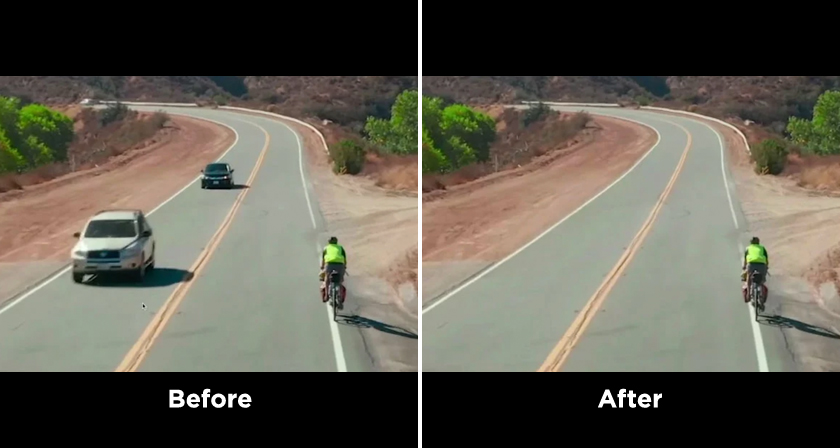
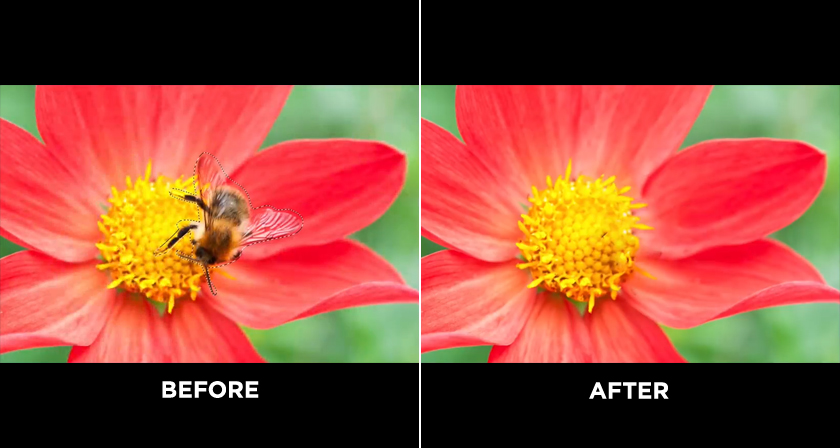
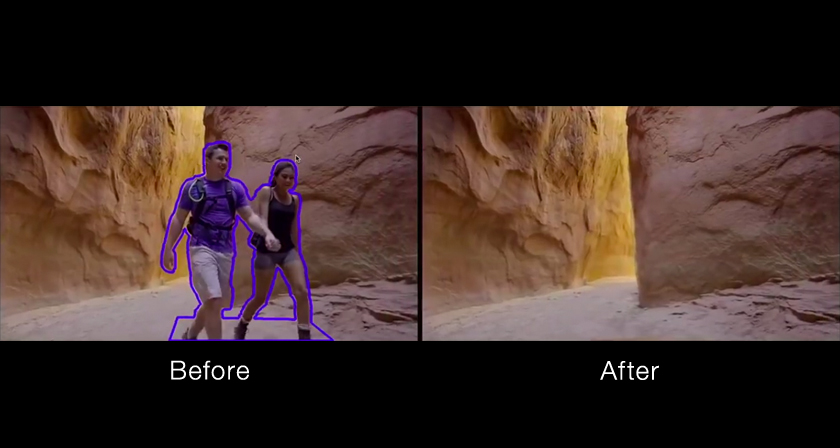
Fast Fill empowers editors to effortlessly remove objects or alter background elements in videos, offering the same level of ease, quality, and seamless editing experience as one would have when working with static images.

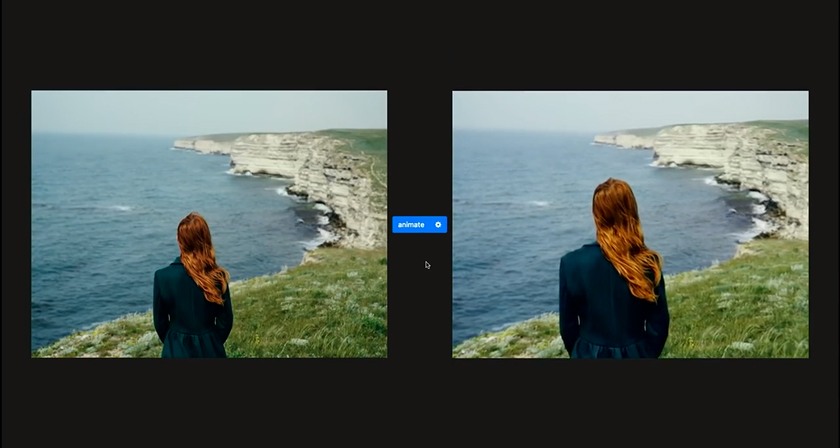
The tool leverages the capabilities of Generative Fill, powered by Adobe Firefly, to integrate generative AI technology into video editing applications. This integration simplifies the process for users to employ basic text commands for replacing textures in videos, even when dealing with intricate surfaces and varying lighting conditions.

With this tool, editors can make modifications to an object within a single frame, and these changes will seamlessly extend throughout the entire video, ultimately saving a substantial amount of time that would typically be spent on texture editing.

Watch the tool in action below

00:30 – Removing objects with Generative Fill
01:10 – Surprise! It’s a video
01:42 – Results applied to each frame
02:18 – Example 2
02:40 – Adding elements with Generative Fill
03:15 – Fast Fill results
04:00 – Example 3: Liquid shapes
04:30 – Fast Fill with changed patterns

Share this post with a designer friend and voice your views in the comments below.
Don't Miss:

  • adobe-cloak-remove-unwanted-objects-from-video
    Adobe Cloak Is A Powerful Tool That Can Remove Any Object From Your Video
  • adobe-after-effects-content-aware-fill-for-video
    Adobe After Effects Has A Powerful Tool That Can Remove Any Object From Your Video
  • photoshop-new-content-aware-fill
    Photoshop's New, More Powerful ‘Content-Aware Fill’ Can Realistically Remove Any Object From…
  • adobe-project-stardust
    Graphic Design Just Changed Forever With Adobe's New Stardust Tool
  • photoshop-remove-tool
    Photoshop's Incredible New "Remove Tool" Is The Future Of Image Editing
  • adobe-moving-stills-turns-static-photos-to-3d-animated-videos
    Adobe 'Moving Stills' Turns Static Images Into 3D Animated Photos And Videos

Share Your Views:

Comments for this post are now closed.
Share your thoughts with 433,000+ design lovers on our Facebook Page.

Popular

  • Graphic Designer Fixes The 9 Worst Logos Ever
  • 50 Incredibly Creative Logos With Hidden Meanings
  • 11 Best And Worst Redesigns Of Famous Logos
  • Top 10 Netflix Documentaries For Graphic Designers
  • 11 Differences Between Designers And Clients

TRENDING

  • Top 20 Graphic Design Trends For 2026
  • Top 10 Logo Design Trends For 2026 And How To Use Them
  • Portfolios Of Designers Who Have Worked At Apple, Google, Meta, And More
  • Designers Are Sharing Their Redesigns Of Famous Logos And Some Of Them Are Better Than The Original
  • “Which Current Graphic Design Trend Will Age Badly?” – Here Are The Top Replies

Follow Us On

  • Facebook
  • Facebook Group
  • LinkedIn
  • LinkedIn Group
  • Threads
  • Instagram
  • Pinterest
  • X / Twitter

Copyright © 2012-2026 Digital Synopsis | Privacy Policy | Affiliate Disclosure | Advertise With Us