• Home
  • Design
  • Advertising
  • Inspiration
  • Tools
  • Buzz
  • Follow Us ▾
    • Facebook
    • Facebook Group
    • LinkedIn
    • LinkedIn Group
    • Threads
    • Instagram
    • Pinterest
    • Twitter / X

Digital Synopsis

Design, Advertising & Creative Inspiration

  • Photoshop
  • Logo Design
  • UI/UX
  • AI
  • Web Design
  • Typography
  • Photography
  • About Us
  • Advertise

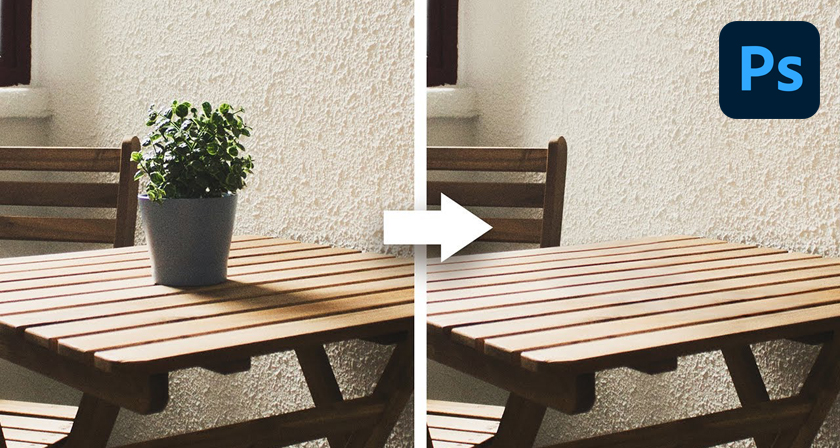
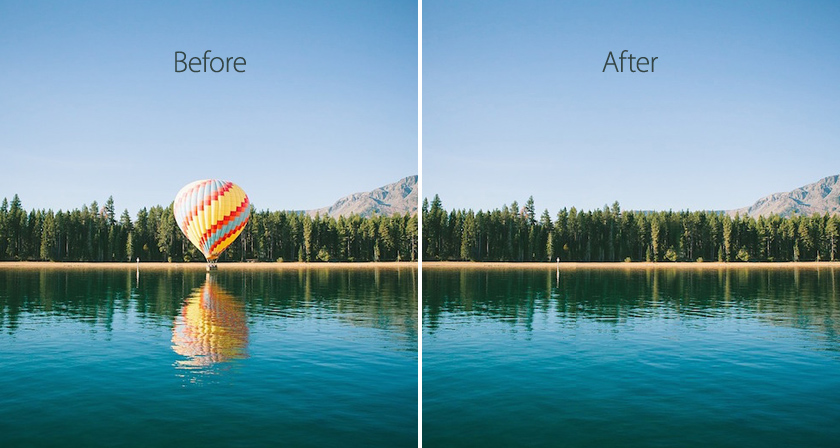
Learn In 15 Seconds How To Remove Any Object From Your Image In Photoshop

Removing unwanted objects from an image in Photoshop can be a tedious and time-consuming task using conventional methods and tools. But now, with Photoshop’s new Object Selection Tool and Content-Aware Fill, you can complete such tasks in no time.

Photoshop instructor Unmesh Dinda from PiXimperfect has come up with a super short YouTube tutorial that shows you how to instantly select and remove any object in an image with Photoshop’s updated tools. Watch below.


1. Select Object Selection Tool, Mode: Rectangle
2. Make a selection around the subject
3. Go to Select > Modify > Expand the selection
4. Go to Edit > Content-Aware Fill
5. Choose the required settings
6. Repeat the process for patchy areas

Learn More Photoshop …

Share this post with a designer friend and voice your views in the comments below.

Don't Miss:

  • photoshop-object-selection-tool
    Photoshop's New 'Object Selection Tool' Is A Dream Come True For Designers
  • how-to-use-object-selection-tool-in-photoshop
    How To Use Photoshop's Object Selection Tool To Make The Most Accurate Selections
  • photoshop-remove-unwanted-objects-content-aware-fill
    This Powerful Photoshop Trick Lets You Remove Unwanted Objects In Just 3 Simple Steps
  • remove-objects-from-complex-perspectives-photoshop
    How To Remove Anything From Complex Perspectives In Photoshop
  • remove-objects-with-photoshop-content-aware-fill
    How To Use Photoshop's Content-Aware Fill To Remove Objects Like Fences In No Time
  • adobe-photoshop-select-subject-feature
    Testing Photoshop's New 'Select Subject' Tool That Lets You Select Objects In Just One Click

Share Your Views:

Comments for this post are now closed.
Share your thoughts with 433,000+ design lovers on our Facebook Page.

Popular

  • Graphic Designer Fixes The 9 Worst Logos Ever
  • 50 Incredibly Creative Logos With Hidden Meanings
  • 11 Best And Worst Redesigns Of Famous Logos
  • Top 10 Netflix Documentaries For Graphic Designers
  • 11 Differences Between Designers And Clients

TRENDING

  • Top 20 Graphic Design Trends For 2026
  • Top 10 Logo Design Trends For 2026 And How To Use Them
  • Portfolios Of Designers Who Have Worked At Apple, Google, Meta, And More
  • Designers Are Sharing Their Redesigns Of Famous Logos And Some Of Them Are Better Than The Original
  • “Which Current Graphic Design Trend Will Age Badly?” – Here Are The Top Replies

Follow Us On

  • Facebook
  • Facebook Group
  • LinkedIn
  • LinkedIn Group
  • Threads
  • Instagram
  • Pinterest
  • X / Twitter

Copyright © 2012-2026 Digital Synopsis | Privacy Policy | Affiliate Disclosure | Advertise With Us