Struggling to extract text from an image-based PDF? Or perhaps you’re looking for a quick way to make your scans searchable and editable? This is where OCR comes in. The technology simplifies modern workflows in various ways, eliminating manual labor and reducing the risk of human error. Let’s determine what it is and how to OCR a PDF easily.
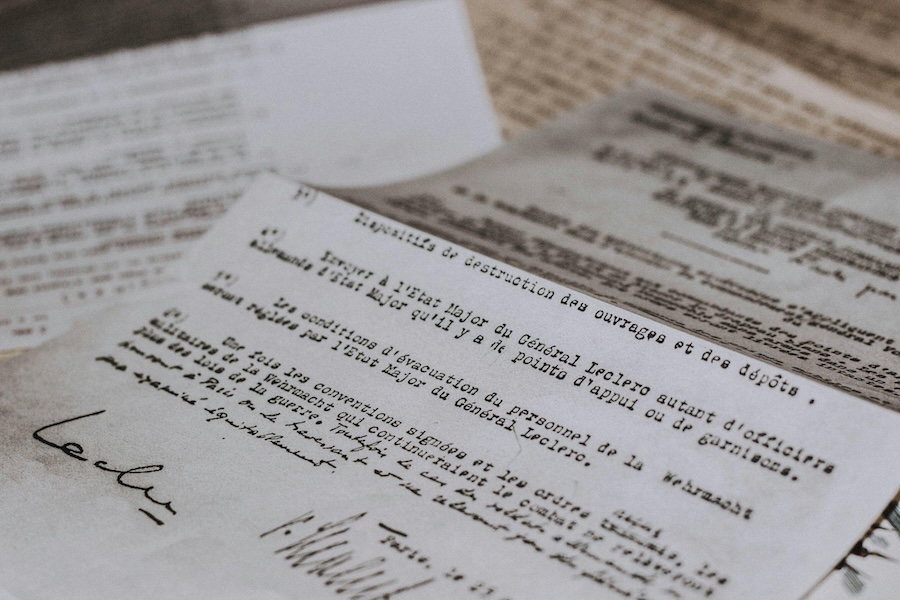
What Is OCR PDF?
Optical character recognition is a technology that converts image-based or scanned PDFs into searchable, editable documents. Although OCR has only recently seeped into our workflows, it has been around for almost a century. The technology was introduced in the 1930s by Emanuel Goldberg, an Israeli inventor who created a “Statistical Machine” to navigate microfilm records using an optical code-recognition system. With the advent of the internet and smartphones, OCR has been used online and in mobile applications.
How an OCR PDF Converter Works
- Pre-processing. The tool first improves the image’s readability by adjusting brightness and contrast, smoothing edges, and removing digital noise. If there are some alignment issues, they’re fixed too. The image is also converted to black-and-white, making it easier to recognize text.
- Text detection and recognition. The OCR PDF converter finds blocks of text and breaks them into smaller parts – lines, words, and finally characters. The tool analyzes the shape of each character (curves, bars, crosses, and so on) and searches its library of letter shapes and fonts for the best match.
- Post-processing. This stage involves improving the accuracy of the recognized text. The tool uses built-in dictionaries and checks the context to correct obvious mistakes (e.g., “teh” -> “the” or “he11o” -> “hello”). As soon as the process is complete, the extracted text is converted into a searchable, editable document.
Applications & Use Cases of OCR PDF Converters
OCR PDF converters find applications in a wide range of industries, from business and education to healthcare. Some of the most popular use cases include:
- Turning scanned PDFs into editable text files.
- Extracting specific data from business documents.
- Making scanned textbooks and research papers searchable.
- Digitizing medical documents for further integration into electronic health record systems.
- Converting old books or contracts for long-term storage.
- Verifying identity documents.
- Creating text-based versions of printed documents that can be read aloud for visually impaired individuals.
- Translating scanned content into other languages.
- Extracting text from images and screenshots.
How to OCR a PDF Document Quickly & Easily
Most PDF apps don’t have OCR capabilities, so you can use them only to open and read your scans. However, the solution is simple – online converters. This is the best way to make your documents searchable and editable in just a few clicks. The most powerful tools work well on any device, delivering accurate results within seconds.
Another great thing is that you can also use a free OCR PDF tool to extract text from your files without costly subscriptions. OnlyDoc and other reliable online converters allow you to OCR a PDF document free of charge in three simple steps:
- Upload (or drag and drop) your PDF file.
- Wait a few seconds while the tool completes the conversion.
- Download the converted document on your device.
Advanced converters allow you to choose in which format you’d like to save the extracted text. This may be a Word document, a searchable PDF, or plain text.
Tips for Improving OCR Results
Knowing how to OCR a PDF for free is a valuable skill, but we have also prepared several effective tips to help you get the best possible results. Nothing special is needed – just a few simple practices that increase OCR accuracy:
- Align the page edges carefully when scanning a document, since even a slight tilt can undermine character recognition.
- Set a balanced brightness level (ideally around 50–60%) to preserve letter clarity without darkening the page or blowing out the background.
- Aim for a 300 DPI resolution when scanning your documents.
- Avoid shadows and uneven lighting. If the page is glossy, switch to the side light.
- If you’re dealing with old or low-quality scans, try improving them using a free image enhancer.
- Scan your documents on a dark background to make letters more visible.
- Avoid compressing the file before OCR. It’s better to split large documents into smaller parts.
- Always review the final text, since even the best free OCR PDF converter can make mistakes.
Conclusion
A reliable free OCR PDF converter is a go-to solution for anyone seeking to handle documents more efficiently and unlock the full potential of their scanned files. The key is to choose the best online tool that matches your needs: one that delivers accurate text recognition, preserves document structure, and keeps your PDFs secure. Furthermore, leverage the tips listed in this guide to get the most out of each OCR PDF conversion.