
The Reality of Low-Converting Sites
Most new websites look fine but quietly fail to turn visitors into customers. It is a frustrating reality for anyone putting time and energy into their brand. Understanding the basic mechanics of putting a page together is only the starting point. The design choices you make in the first hour determine whether a site converts or just exists.
When you learn how to create a website, you quickly realize that intentional design makes all the difference. This guide is a practical roadmap for anyone building their first site or rethinking an existing one. By focusing on visitor psychology and clear goals, you can build something that works just as hard as you do.
Start With Your Website Goal, Not Your Color Palette
Before touching fonts or templates, a designer’s most impactful move is to define exactly what the website needs to achieve. Every successful page has a single primary job. You might want more sales, newsletter sign-ups, service inquiries, or overall brand awareness.
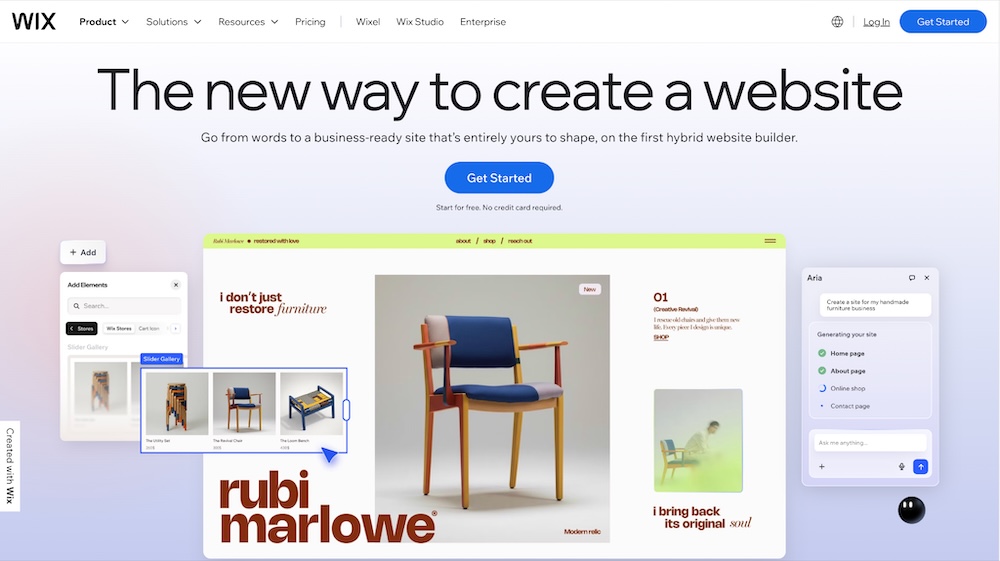
Mapping that specific goal to your page structure and content hierarchy sets up every design decision that follows. If your goal is to book consultations, your layout should funnel visitors directly toward your scheduling calendar. If you wonder how to create a website, we recommend you to try Wix, an established website builder that helps beginners lock in this strategy fast, without sacrificing creative control. The guided setup process ensures your layout aligns perfectly with your business goals from the very first click.
Build for the Visitor, Not the Brief
A user-first layout removes friction at every step. You must prioritize clear visual hierarchy and above-the-fold content. The moment a person lands on your page, they should know exactly what you offer and what they need to do next.
You can apply several practical layout principles immediately. Use whitespace intentionally to give your content room to breathe. Limit your menu options so people do not feel overwhelmed by choices. Place your primary call to action in a prominent spot where it simply cannot be missed. The most common layout mistakes- like burying important buttons at the bottom of a page or cluttering the header with too many links—kill conversions before a visitor even reads a headline. Keep it simple, direct, and entirely focused on guiding the user forward.
Make Your Visuals Do the Heavy Lifting
Visual communication serves as one of the most underused conversion levers in beginner web design. People process images much faster than text, meaning your visual choices heavily influence their decision to stay or leave. Staying current with graphic design trends, including minimalism, bold typography, and generous whitespace, supports both readability and credibility.
Image selection matters just as much as your text. Choose authentic, high-quality photos that reflect your audience and their aspirations. Consistent iconography and a cohesive color palette maintain a visual style that reinforces your brand promise across every page. When your visuals align perfectly with your message, they do the heavy lifting of persuading the visitor to take action.
Design That Builds Trust Before a Single Word Is Read
Your website’s design is the first thing visitors notice. If it looks outdated or chaotic, they’ll leave just as quickly. Understanding how layout, color shades, and a professional look influence visitors is essential for getting them to take action.
A clean, symmetrical layout feels reliable. Colors like blue and dark green naturally communicate security and calm. Beyond colors and spacing, every converting site needs specific trust signals built directly into the layout. Place customer testimonials near your call-to-action buttons. Add recognized security indicators to your checkout pages. Ensure your contact information is easy to find in the footer. Visual consistency from page to page proves that you run a professional, reliable operation.
The Tools That Make a Polished Launch Actually Achievable
Choosing the right platform is a strategic decision, not just a technical one. The tool you use dictates how quickly you can make changes and optimize your page for better results. The right website builder will elevate your online presence by enabling fast iteration and providing built-in SEO tools right out of the box.
You want a platform that ensures your site looks great on any device, especially mobile screens where most browsing happens. Modern AI-powered design features can help you generate layouts quickly, giving you a strong foundation to customize. Analytics integrations allow you to see exactly where visitors drop off, so you can fix those leaks. When comparing platforms, beginners should prioritize ease of use, mobile responsiveness, and built-in marketing tools before making a final commitment.
Conclusion
A website that converts is not the product of luck or expensive design agencies. It comes from intentional decisions made at every step, from goal-setting to tool selection. By focusing on clear goals, user-friendly layouts, strong visuals, and trust signals, you position yourself for real growth.
Take a moment to review your current project. Pick one change from this guide- whether it is cleaning up your navigation menu or adding a testimonial next to your buy button- and apply it today. The best-converting website is always the one that gets built, tested, and improved over time.
Frequently Asked Questions
1. How long does it take to see conversion improvements after a redesign?
Changes to above-the-fold content and call-to-action buttons can show results within a few days. For broader structural changes, it usually takes a few weeks of consistent traffic to gather enough data. Always monitor your analytics to see how visitors respond to the new layout.
2. Should I prioritize mobile design over desktop?
Yes, mobile-first design is essential. The majority of internet traffic comes from mobile devices, meaning your mobile layout is often the first experience people have with your brand. Ensure buttons are easy to tap and text is readable without zooming.
3. What is a good conversion rate to aim for?
Average conversion rates vary heavily by industry, but a general benchmark is between two and five percent. Instead of chasing a specific industry number, focus on setting a baseline for your own site and improving it month over month.
4. How do I know if my website layout is confusing my visitors?
High bounce rates and low time-on-page metrics strongly suggest layout confusion. You can also use heat-mapping tools to see exactly where people click and how far they scroll. If users consistently miss your primary button, you need to adjust your visual hierarchy.
5. Does website loading speed affect my conversion rate?
Loading speed drastically affects conversions. If a page takes more than three seconds to load, a significant portion of visitors will leave before seeing your content. Optimize your images and choose a reliable hosting platform to keep load times as short as possible.