• Home
  • Design
  • Advertising
  • Inspiration
  • Tools
  • Buzz
  • Follow Us ▾
    • Facebook
    • Facebook Group
    • LinkedIn
    • LinkedIn Group
    • Threads
    • Instagram
    • Pinterest
    • Twitter / X

Digital Synopsis

Design, Advertising & Creative Inspiration

  • Photoshop
  • Logo Design
  • UI/UX
  • AI
  • Web Design
  • Typography
  • Photography
  • About Us
  • Advertise

Amazing New ‘Super Resolution’ Tool In Adobe Photoshop Can Turn Low-Res Pics To High-Res

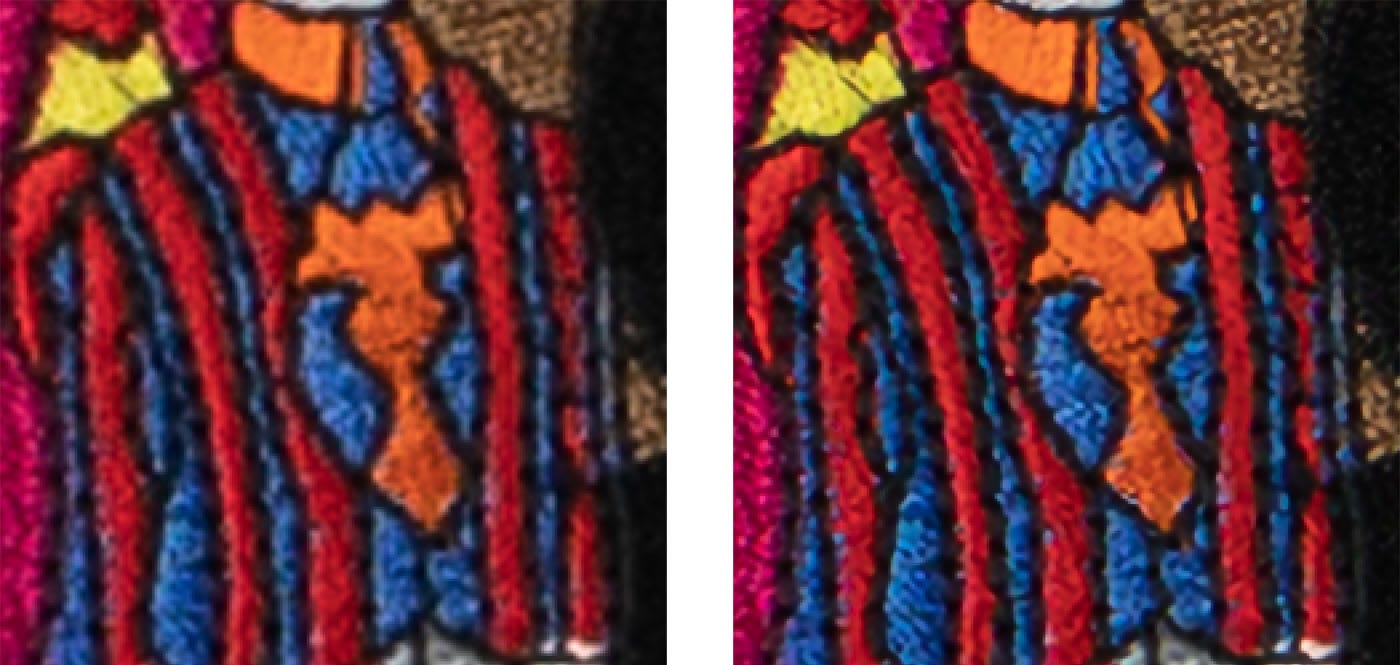
In a major breakthrough for the photography industry, Adobe has released a powerful new feature called ‘Super Resolution’ that can upsize an image 4x times while preserving its details and colors. For instance, you can turn a 10-megapixel image into a 40-megapixel image and maintain its sharpness at a higher resolution, thereby improving its quality.

Enlarging a low-resolution image, for printing or other purposes, can lead to blurry results and loss of quality. But the AI-powered Super Resolution feature uses an advanced machine learning model trained on millions of photos to intelligently enlarge images while maintaining sharp edges and preserving details.

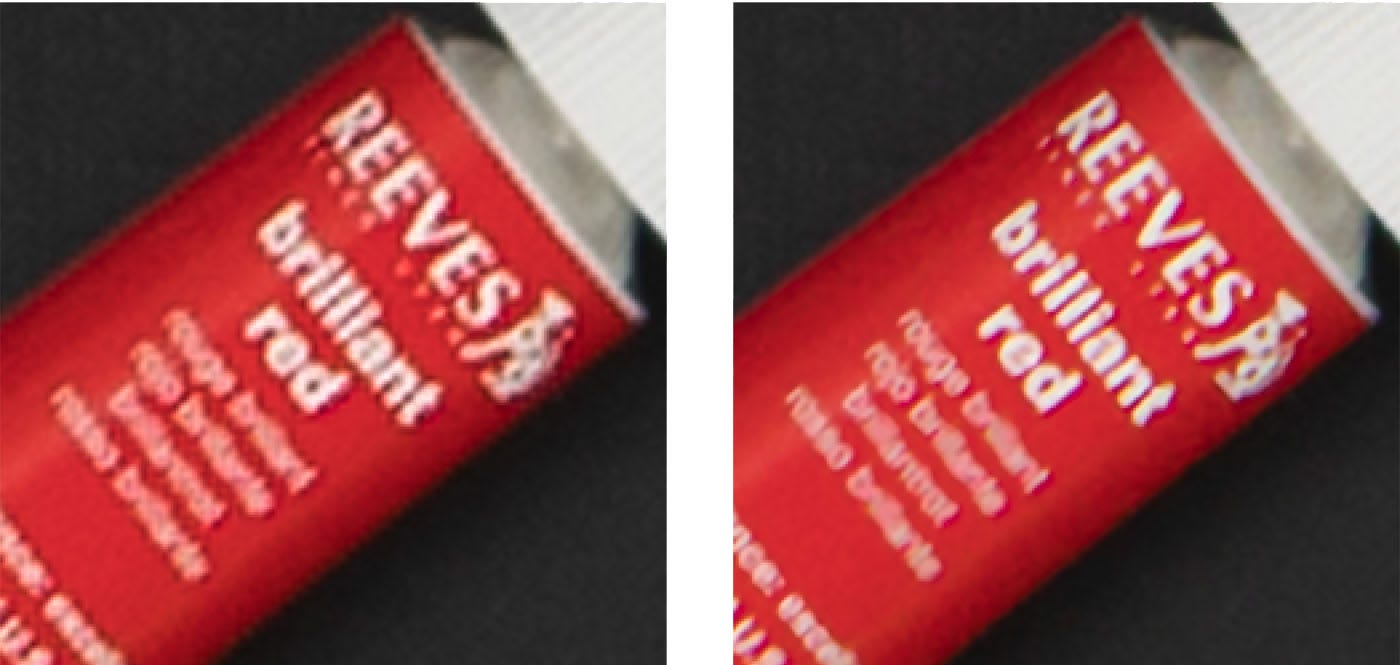
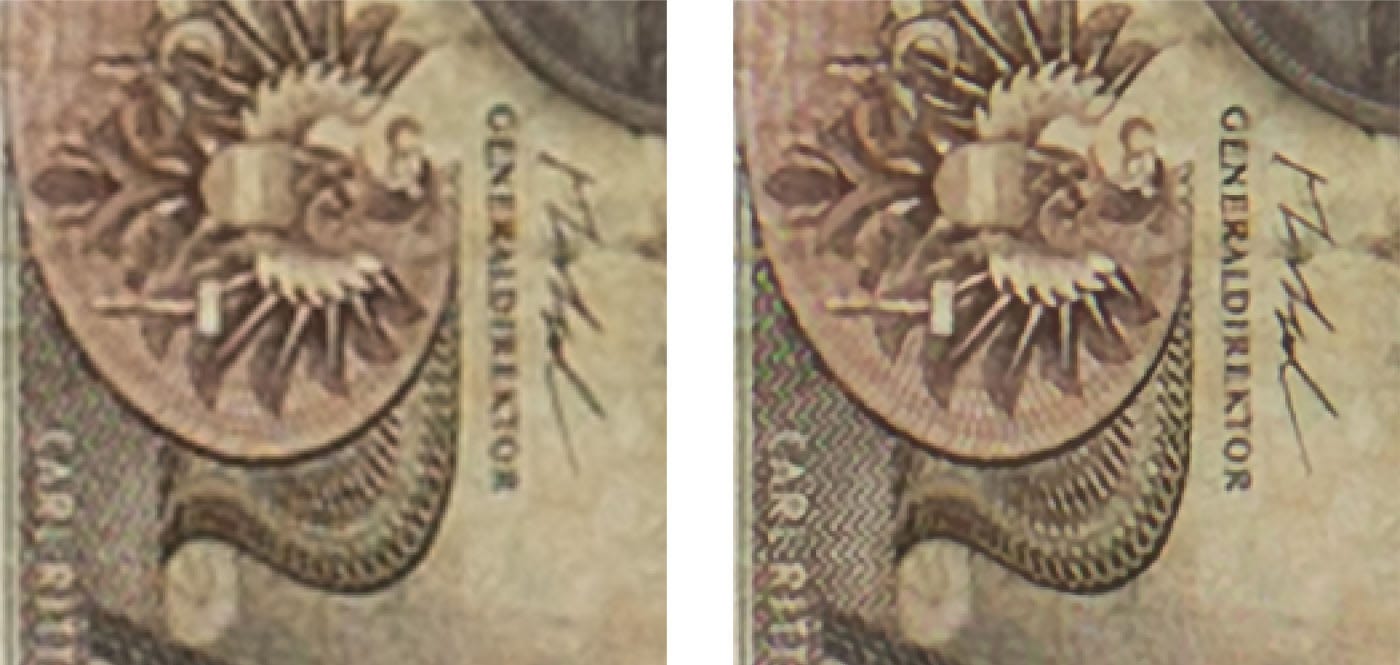
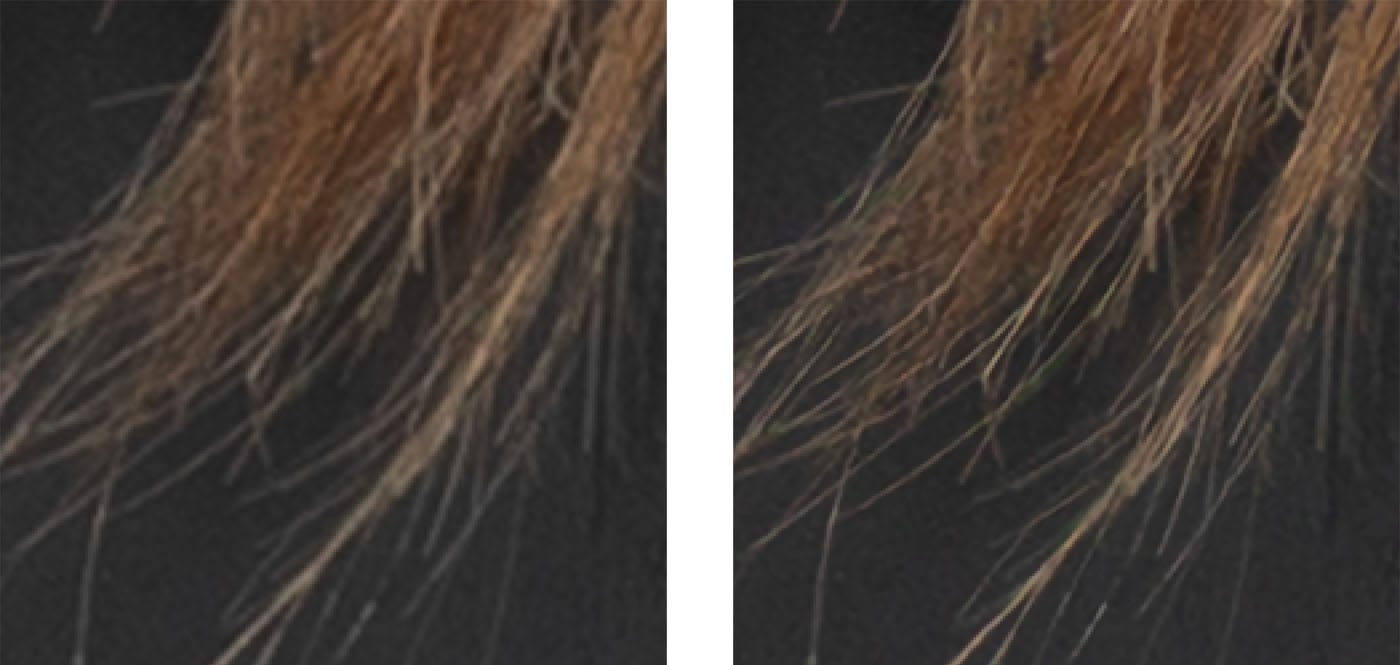
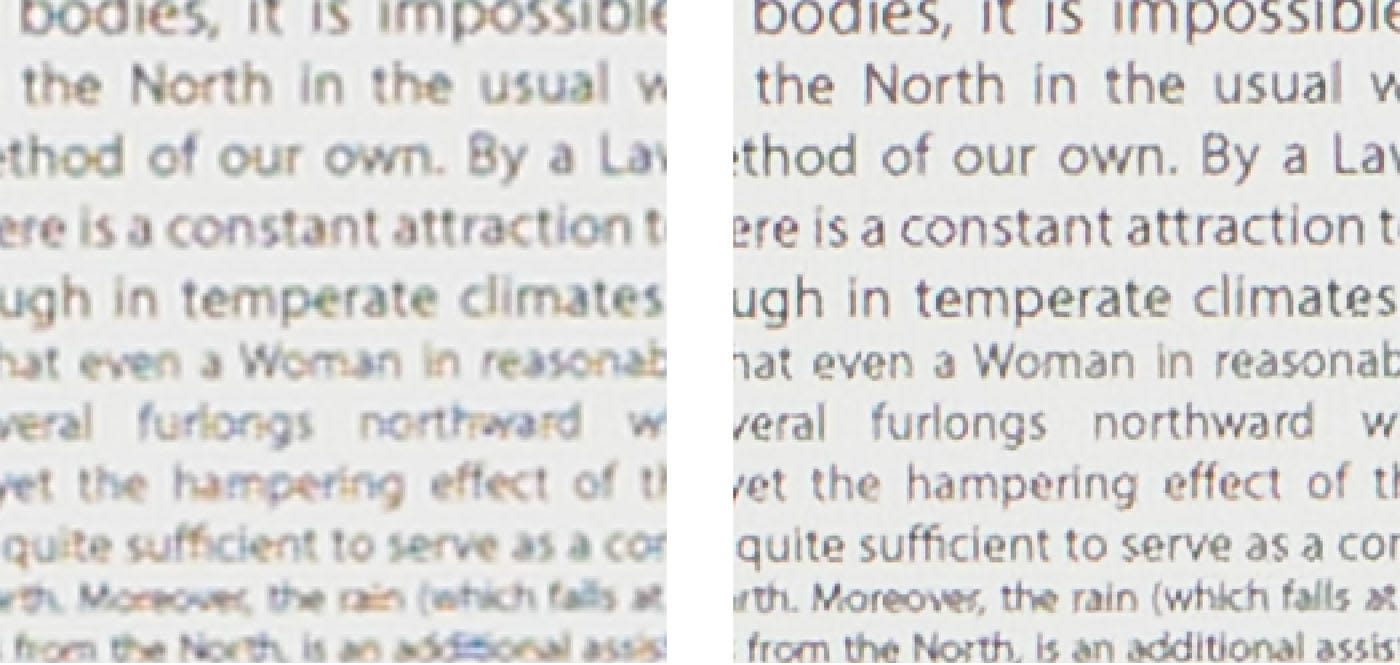
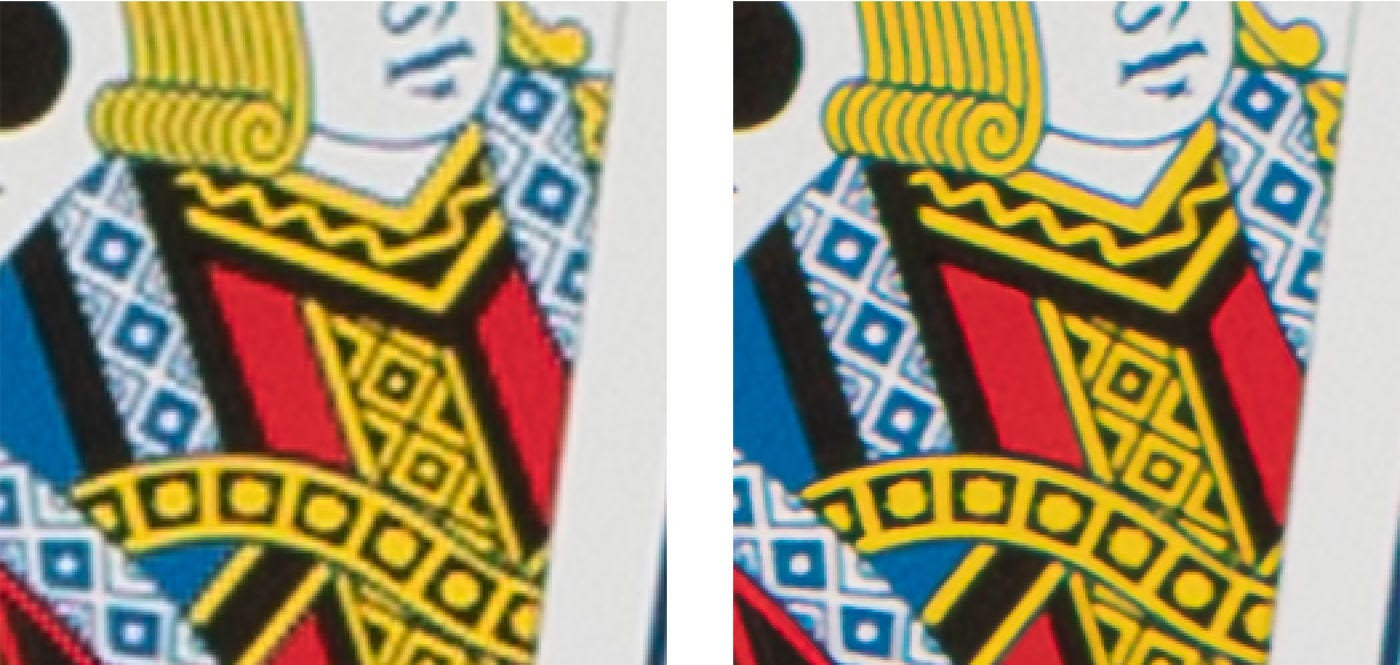
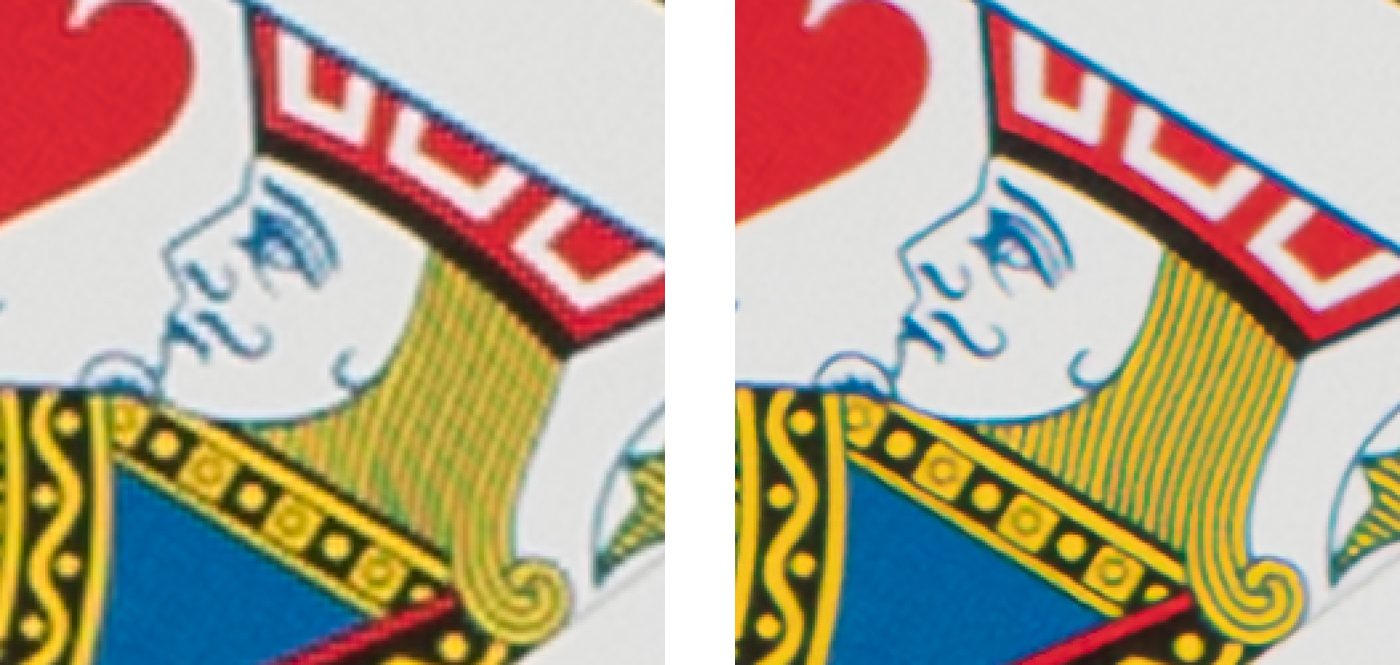
The tool is available in Adobe Camera Raw 13.2 plugin for Photoshop and will soon be headed to Lightroom and Lightroom Classic. The images below show how Super Resolution compares with standard bicubic resampling.

1.

Adobe Super Resolution can turn low-res images to high-res (1)
Standard Bicubic Resampling (left) vs. Super Resolution (right)


2.

Adobe Super Resolution can turn low-res images to high-res (2)


3.

Adobe Super Resolution can turn low-res images to high-res (3)


4.

Adobe Super Resolution can turn low-res images to high-res (4)


5.

Adobe Super Resolution can turn low-res images to high-res (5)


6.

Adobe Super Resolution can turn low-res images to high-res (6)


7.

Adobe Super Resolution can turn low-res images to high-res (7)


8.

Adobe Super Resolution can turn low-res images to high-res (8a)
A landscape image
Adobe Super Resolution can turn low-res images to high-res (8b)
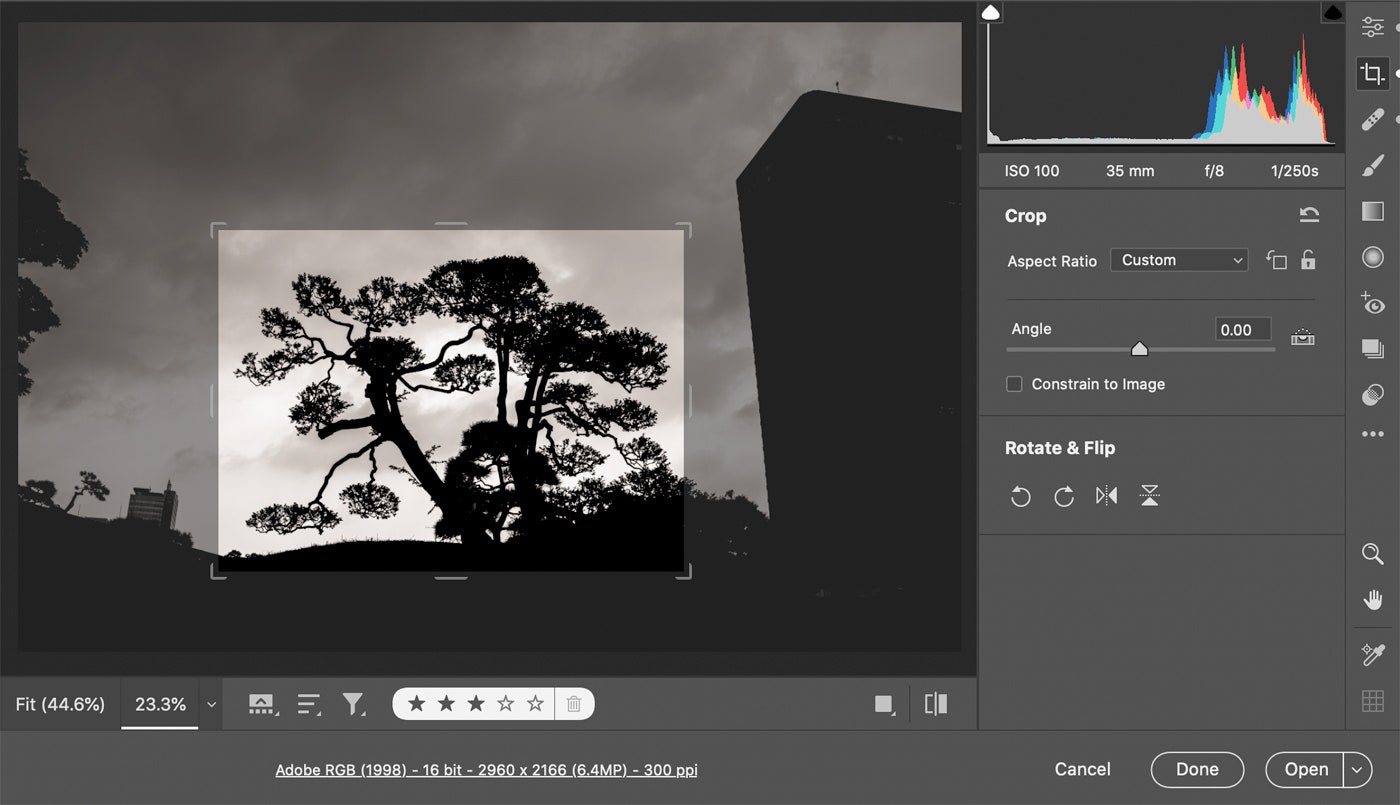
Cropped
Adobe Super Resolution can turn low-res images to high-res (8c)
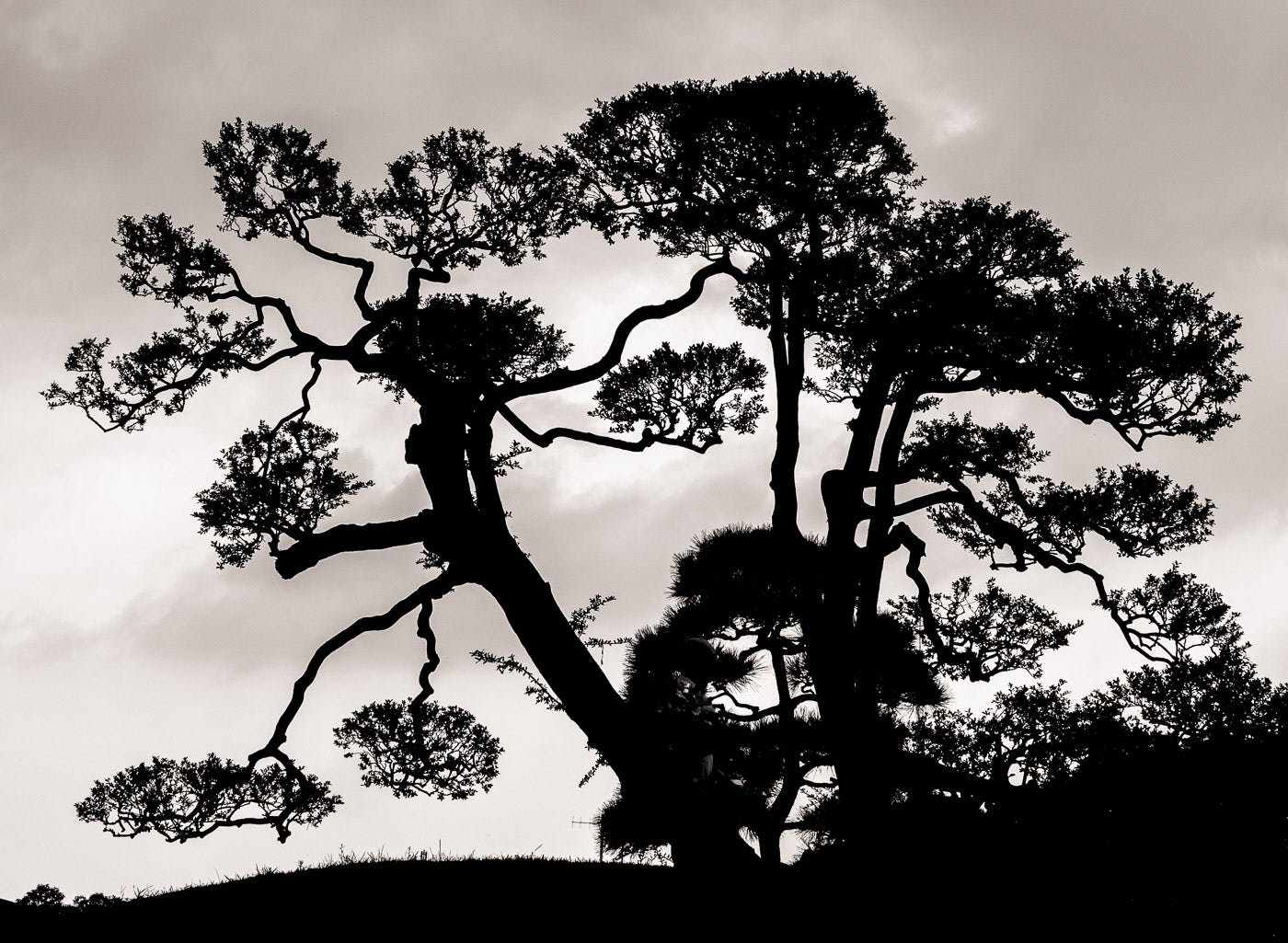
Standard Bicubic Resampling (left) vs. Super Resolution (right)


How to use Super Resolution

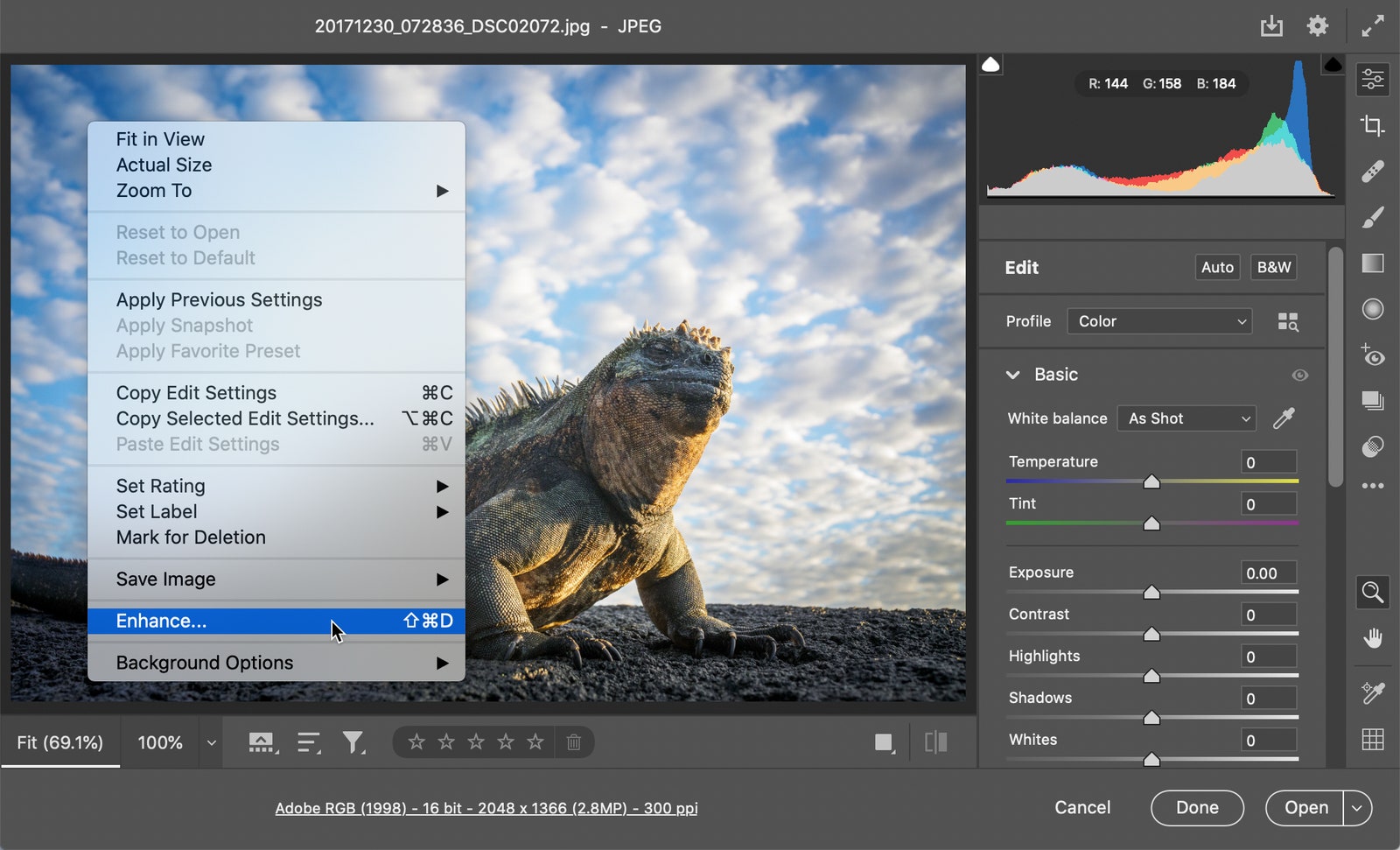
Right-click on a photo and select “Enhance…” from the menu. A new window will open that will show you a before-and-after preview of the Enhanced image and the estimated time the program will take to render it. After you click the Enhance button in the lower right corner, Adobe Camera Raw will build the new image file, which will appear right next to the original file wherever it is stored.

Adobe Super Resolution can turn low-res images to high-res (9)


Demo 1: Watch the feature in action below


Demo 2


Demo 3


Share this post with a designer friend and voice your views in the comments below. Source: Adobe Blog
Don't Miss:

  • google-ai-converts-low-res-images-to-high-res
    Google's AI Technology Can Turn Low-Res Images To High-Res With Incredible Results
  • AI image enhancer interface with before and after comparison of an enhanced photo
    Top 3 Free AI Image Enhancers For Stunning Photo Quality And Resolution
  • apps-to-convert-low-res-images-to-high-res
    Ranked: Top 7 Apps To Convert Low-Res Images To High-Res
  • how-to-fix-blurry-photos
    This Brilliant New App Can Fix Blurry Photos And Convert Low-Res Images To High-Res
  • adobe-photoshop-select-subject-feature
    Testing Photoshop's New 'Select Subject' Tool That Lets You Select Objects In Just One Click
  • aiarty-image-enhancer
    Boost Design Quality And Engagement: Why Aiarty Image Enhancer Is One Of The Best

Share Your Views:

Comments for this post are now closed.
Share your thoughts with 433,000+ design lovers on our Facebook Page.

Popular

  • Graphic Designer Fixes The 9 Worst Logos Ever
  • 50 Incredibly Creative Logos With Hidden Meanings
  • 11 Best And Worst Redesigns Of Famous Logos
  • Top 10 Netflix Documentaries For Graphic Designers
  • 11 Differences Between Designers And Clients

TRENDING

  • Top 20 Graphic Design Trends For 2026
  • Top 10 Logo Design Trends For 2026 And How To Use Them
  • Portfolios Of Designers Who Have Worked At Apple, Google, Meta, And More
  • Designers Are Sharing Their Redesigns Of Famous Logos And Some Of Them Are Better Than The Original
  • “Which Current Graphic Design Trend Will Age Badly?” – Here Are The Top Replies

Follow Us On

  • Facebook
  • Facebook Group
  • LinkedIn
  • LinkedIn Group
  • Threads
  • Instagram
  • Pinterest
  • X / Twitter

Copyright © 2012-2026 Digital Synopsis | Privacy Policy | Affiliate Disclosure | Advertise With Us