Every enterprise AI deployment hits the same question sooner or later: what actually sits between your apps and your AI providers? A few years ago, nobody really debated it. You used whatever the engineering team had hooked up first and moved on. That’s no longer good enough in 2026. The choice now affects compliance, resilience when things go wrong, and (this is the part leadership tends to care about) how much anyone at the top can actually see of what AI is doing in the company’s name. Solutions such as NeuralTrust’s AI Gateway address these challenges, but to understand where they fit, it helps to step back and look at what an enterprise gateway is really supposed to do.
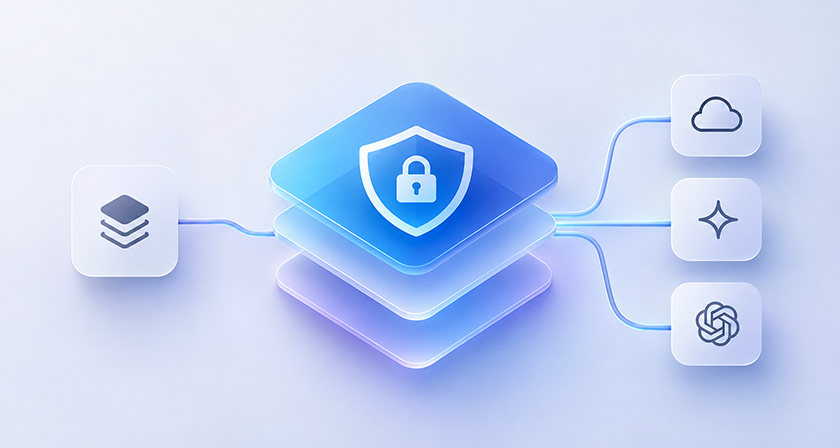
The Strategic Layer That Most Teams Miss
Most conversations about AI gateways stay firmly in engineering territory. Routing. Rate limits. Swapping one provider for another. All useful, sure, but that’s the plumbing. Ask a CTO, a CISO or someone in compliance what keeps them up at night and you’ll hear very different questions. Who signed off on this AI call? What data just left the building? If an auditor asks, can we replay exactly what happened in this pipeline, step by step? And if a provider has a bad day, does our business grind to a halt with it?
Back when AI was a side experiment, you could shrug those questions off. Not anymore. AI now sits inside customer conversations, writes content by the thousands, feeds into financial analysis, and touches all sorts of workflows where one wrong output or one leaked record can cost real money. The gateway is where these governance issues get dealt with properly. Or, too often, where they get quietly postponed until something blows up.
Here’s the thing about mature versus immature gateways: the gap has little to do with how many features are on the pricing page. What counts is whether security, auditability and policy enforcement were part of the design from the start, or tacked on later because enterprise buyers kept asking awkward questions. Look at how a platform deals with the messy edge cases and you’ll usually spot the difference pretty quickly.
The Gateways, Evaluated for Enterprise Readiness
1. NeuralTrust (TrustGate)
NeuralTrust lands at number one mainly because it’s built around the questions security and compliance people actually ask. Its gateway, TrustGate, mixes access governance with security controls for AI traffic. One standout: it checks traffic in both directions. Prompts going in and model responses coming out are both scanned for injection attempts, sensitive data and policy breaches. If you need more than basic routing plus whatever moderation your provider throws in, that’s a meaningful difference.
Governance gets a lot of attention here too. You get audit trails, policy enforcement and a clear view of AI activity, which is the kind of thing that helps if you’re dealing with GDPR, HIPAA, SOC 2 or industry-specific rules. There’s also an Agent Gateway side to it. That matters more than people think, because agentic workflows chain one AI call into the next, and each step needs its own permissions, not just a single check at the door.
In a way, TrustGate treats the whole thing as an access control problem. Which models can people use? What actions are allowed? Are those rules applied the same way everywhere in the company, or just in the teams that remembered? For organizations that want one central place to govern AI apps and agents, that framing works well.
It also follows a zero-trust model, with explicit authorization and scoped credentials instead of everyone sharing the same provider API keys (a surprisingly common habit). Still, it’s worth thinking through how hard it is to deploy, what integration work is involved, and how it sits next to the security tools you already pay for. If your security stack is already crowded, a lighter, more focused gateway might be all you need.
2. Cloudflare AI Gateway
Cloudflare’s take on AI traffic blends observability, performance tuning and security. Logging, analytics, caching, rate limiting, routing across providers: the usual suspects are all there. And if you’re already on Cloudflare, adding AI workloads to the setup is honestly pretty painless.
On top of that, it offers authentication, guardrails and data protection, so teams that want one place to watch and control AI requests will find plenty to like. Being part of the wider Cloudflare ecosystem helps, too. Fewer new systems to babysit.
Where you’ll want to dig in is whether its controls and settings actually match your governance needs. Teams juggling complicated agent permissions, or working in heavily regulated corners of the market, should put it side by side with dedicated AI security platforms before deciding.
3. Kong AI Gateway
Kong has been a fixture in enterprise API management for years, and that track record carries over. Authentication, plugin-based policies and rate limiting are all handled well. Chances are a lot of companies already have Kong running somewhere, so pointing it at AI endpoints as well is a tidy move that saves you from adding yet another tool.
The AI features are layered on top of a general-purpose API gateway, with additions like prompt guardrails and PII protection. What you’ll want to check is how all of that gets configured and how it slots into your wider security setup. If consolidating tools is the priority, the tradeoff is probably fine. If specialized AI threat detection is the whole reason you’re shopping, look a bit harder.
4. Portkey
Portkey shines on observability and keeping things running. Routing across multiple providers, falling back when one fails, logging requests everywhere: it does all of this well, and engineering teams get the visibility they need to run AI at scale. Its audit and governance features add some extra control on top.
It suits teams whose main worry is knowing what their AI systems are up to and keeping delivery steady across providers. If stopping threats in real time and producing structured compliance reports are top of your list, though, test its security and governance features against what you actually need.
5. LiteLLM
LiteLLM didn’t get popular by accident. As an open-source abstraction layer, it gives you one interface to a long list of model providers, which is just plain handy. Plenty of engineers already know it, so it’s often the first thing teams reach for when building multi-provider systems. Cost tracking and usage visibility are good, too.
It does include security and access management features. But if your enterprise security bar is high, look closely at how those are set up and whether you’ll need to add controls of your own. For teams happy to run their own infrastructure and handle their own security configuration, it’s a perfectly sensible choice.
6. Truefoundry
Truefoundry is really an enterprise MLOps platform, and the gateway is one piece of a bigger package rather than a product on its own. If you already use Truefoundry for model serving and experiments, keeping AI traffic management in the same place is convenient. Its security features suit organizations that like having everything under one roof.
If you’re hunting for a dedicated gateway mainly for security and compliance, keep that broader platform design in mind. If you’re already a Truefoundry shop, though, it’s a practical way to go.
7. Composio
Composio is a different animal from everything above. It’s an integration platform for AI agents, letting them plug into outside APIs and services while authorization controls stop them from wandering past their permissions. The security angle here is all about what an agent is allowed to do. Think of an agent that can draft an email but shouldn’t be able to hit send, or one that can read your CRM but must never edit customer records.
As more companies roll out agentic workflows, this problem is only getting bigger, and Composio tackles it well inside its own lane. Just don’t treat it as a replacement for a security gateway. It sits next to one. If you’re building agent pipelines, evaluate both, because they solve different halves of the problem.
What the Selection Decision Actually Looks Like
The differences between these platforms get a lot easier to see once you write down what you’re really deploying. A team with a few internal tools on one provider has very different needs from a team shipping customer-facing AI with strict data residency rules and regulated data in the mix.
If compliance, two-way threat coverage and agent governance are must-haves rather than nice-to-haves, NeuralTrust is one option worth evaluating. Kong and Cloudflare make sense if you’re already living in their ecosystems, while Portkey and LiteLLM are built around different operational priorities. In the end, it comes down to your security requirements, the architecture you already have, and how much governance you genuinely need.