A designer will finalize a screen in Figma, confident enough that they have locked in all critical elements. However, weeks later, when the final feature ships, half the interactions look nothing like the file you created. No one’s really set out to build it wrong. There is a gap between the teams in areas not owned by a single person.
For a long time, that gap was treated as a common communication issue that could’ve been fixed with a more frequent sync or a better ticket template. Every handoff was documented, style guides grew denser, and the distance between a mockup and a merged pull request remained roughly the same, which quietly led to budget overruns and a decline in the team’s morale on every project it handled.
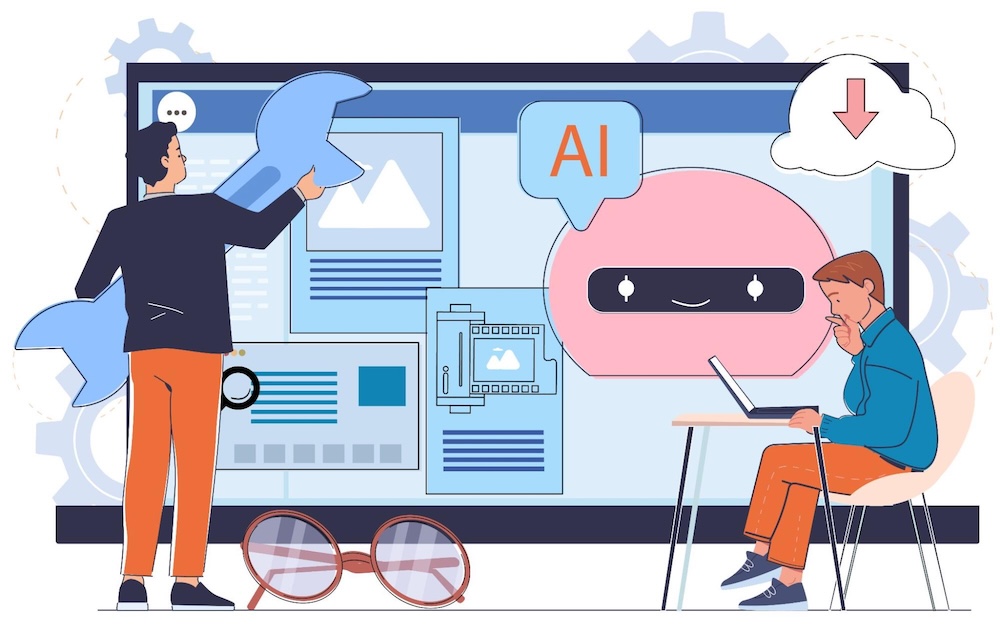
That significant gap is now starting to close. Teams that use the right AI development services now find that every design intent turns into workable code faster. Also, it comes with less rework, stricter budgets, and fewer assumptions that arise between the original design and the final product.
At a Glance
- AI closes the long-standing gap between design ideas and final product output
- Inappropriate handoffs that cost teams real time across every sprint
- Specific AI features that drive most of the visible project progress
- The change is significant across design, QA, engineering, and leadership alike
- Teams closing this loop to discover scalable gains across quality and speed
The Rebuild That Nobody Scheduled
The majority of teams had never accounted for the hours they’d spent rebuilding a feature that was already finished. Since the time hardly gets logged under its dedicated category and vanishes into sprints marked as polish or bug fixes.
The clearest signs of such a hidden rebuild loop show up in the same areas:
- Buttons that are redeveloped to align with spacing values that the mockup fails to specify
- Rewritten interactions weeks after product launches and turns live
- Entire rework of screens once a designer detects the final product version drifted
- Repetitive QA cycles as the ”final” file changed multiple times after handoff
To close this loop, it’s important to hire additional workforce or add another review meeting. This comes down to bringing in a team that already treats design and code as a single, unified system. This is where dedicated custom software development services can help in closing this gap.
A recent McKinsey survey found that 88% of organizations now regularly use AI in at least one business function, yet only about one-third have begun scaling AI across their organizations. The research also found that AI high performers are nearly three times as likely to fundamentally redesign their workflows, highlighting the importance of aligning technology with the business behind it.
How the Gap Actually Forms Inside a Product Team
The gap never appears overnight. It widens as designers plan interactions, capture only some parts into static files, and leave developers to interpret the rest. Each interpretation is a small gamble, and many can produce a product that’s technically sound but doesn’t resemble the original design. The issues surface across Slack questions, reopened tickets, or last-minute design fixes before stakeholder demos.
Such gaps often repeat across every sprint. Here’s how they appear:
- A file that leaves designs without every element defined
- A developer who fills the gap with a reasonable guess
- No one can flag the guess as an assumption
- Mismatched elements are detected right after release
Here, it’s important to understand how custom software is developed, as this helps explain why this continues to happen. The real work is built around a single product’s logic and edge cases, not just the template. Therefore, the gaps still have to be filled by an individual with a clear understanding of the business behind the screen, not the screen itself.
How AI is Bridging the Design-to-Development Gap
The clearest change typically occurs in areas that address a different part of the handoff and that earlier relied solely on guesswork.
Design-to-Code Translation
AI tools today have the potential to read the structure of a design file and map every component, token, and interaction. This leads to working front-end code and removes the manual interpretation step that introduced major drift between a file and the final product.
From Static File to Code
- Automatic reading of component structure
- Accurate mapping of spacing tokens
- Direct translations of interactions
- Removing entire manual guesswork
Earlier, a developer would’ve spent an entire day on interpretation, which can now start as a working element within minutes.
Living Design Systems
Instead of following a static style guide that becomes stale the week after it’s published, AI-based design systems can now track each element’s modifications. Furthermore, it flags the moment both the code and designs start drifting. This helps to keep both ends working from a single source of truth.
A Shared Source of Truth
- Components tracked in real time
- Drift flagged before it ships
- Style guides updated automatically
- Design and code stay aligned
Teams no longer debate which file is current since the system settles that question on its own.
Predictive QA and Testing
AI-assisted testing tools now automatically compare a shipped interface against the original design intent. This detects spacing, color, and stat mismatches that earlier surfaced only once a client noticed something a bit off.
Catching Drift Before Launch
- Visual regression checked automatically
- Mismatches flagged before release
- Fewer late-stage design tickets
- Customer-facing surprises reduced sharply
Quality checks now move into the initial stages of the process, back to the point where a fix continues to cost almost nothing.
Real-Time Collaboration Layers
Both designers and developers no longer have to work days apart using different tools. AI-powered collaboration layers allow both sides to view the same live element, comment on the same version, and resolve ambiguity the moment it surfaces.
That would only work when both ends are already working with content, code, and AI within a unified, shared workplace instead of switching between disconnected tools.
Closing the Time Lag
- Same component viewed live
- Comments resolved in context
- No stale file confusion
- Ambiguity solved immediately, not later
A query that earlier remained unanswered for days can get resolved in minutes today.
Traditional Workflow vs. AI-Bridged Workflow
Here’s a quick insight into a side-by-side comparison between the approaches:
| Quick Dimension | Traditional Handoff | AI-Powered Workflow |
|---|---|---|
| Where the design exists | Standalone design file without live code connection | Shared system linked with code |
| Where mistakes appear | Post-launch, once clients report issues | Before deployment with consistent checks |
| Who clears up uncertainties | Developers fill in the gaps and designers validate later | Both teams share a single source of truth |
| Impact of late changes | Expensive and requires major rework | Minimal due to early detection |
Teams in the right-hand column can save time in litigating decisions that earlier took weeks to resolve.
Where This Shift Shows Up Across the Organization
The gap rarely sticks with a single team once it’s established. Here’s how it helps organizations:
- Designers spend less time across redlines and more on original exploration
- Engineering spends less time interpreting files and more on architecture
- QA will detect errors sooner instead of reworking them post-release
- Leadership sees a faster time-to-market and a reliable cost forecast
Each of these functions above marks the same, structured system irrespective of whether anyone in the space labels it as an AI initiative. This pattern is clear through market data and figures. According to Deloitte’s recent State of AI in the Enterprise report, two-thirds of analyzed firms are already reporting real productivity gains. It also reports efficiency gains from AI adoption that span far beyond a single team’s workflow.

How Teams Can Start Closing the Gap
- Choose a single workflow with the most handoff friction and pilot which is an AI-assisted design-to-code tool.
- Connect design files and codebase into a single source of truth before adding additional processes.
- Create a rule that generated code will get a human review pass before merging.
- Track a single metric like handoff-related rework hours, before and after the pilot.
Teams that lack in-house tooling capacity often start to pilot one of such workflows through external partners instead of building the entire integration from scratch. This is where professional custom software development support can earn back its cost quickly.
Closing Thoughts
The most successful teams over the next couple of years will not be the ones with the most designers or developers. They’ll be the ones who stop treating this handoff between design and development as a required step and treat it as a system that’s worth designing purposefully.
This shift transforms how soon a product is delivered, and how much it can survive contact with real users. It also determines how much of the team’s time goes into building something new instead of rebuilding something that already existed.