Online stores often have plenty of product photos and written content but lack enough video assets to support product launches, promotions, and social media campaigns. Creating a new video for every product can be slow, especially when filming or editing resources are limited.
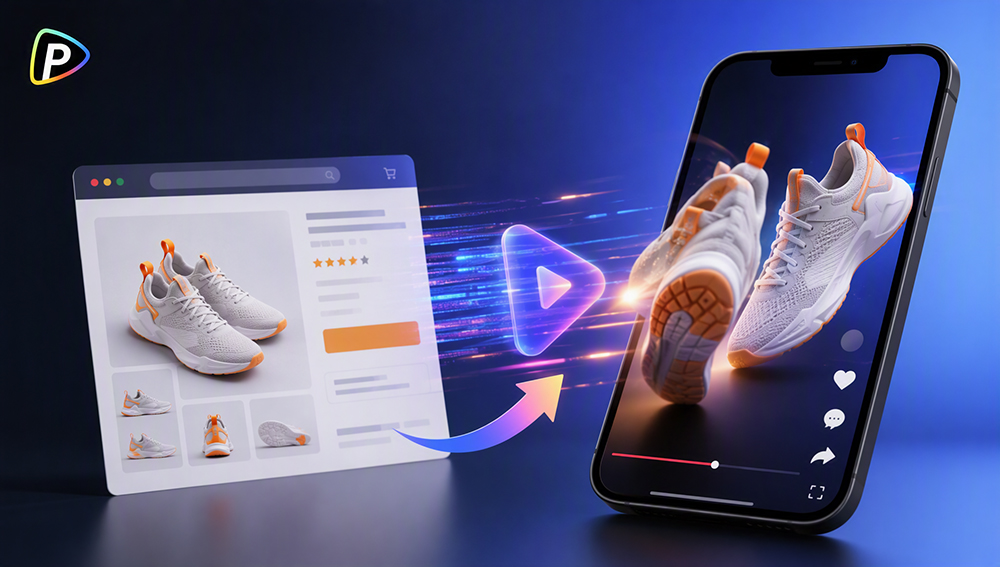
URL to video ads offer a simpler starting point. By using an existing product page, sellers can turn information already prepared for a listing into a product-focused video instead of rebuilding the content from scratch.
This guide explains how to use URL to video ads with Pollo AI, including what to prepare, how to guide the generation process, and what to check before publishing.
Why Online Stores Need URL to Video Ads and Why Choose Pollo AI?
Most ecommerce stores already maintain detailed product pages, but those pages are designed mainly for shoppers who have already arrived at the store. Video is often needed to attract attention before customers reach the listing, particularly on social media and other visual marketing channels.
The challenge is scale. A store with dozens of products may not have the time or budget to film and edit separate videos for every item, promotion, or audience. Even when product photos and descriptions are available, turning them into multiple video concepts can still require substantial manual work.
URL to Video Ads from Pollo AI helps connect existing product listings with video creation. Users can paste a public product URL and use the information available on the page—including product images, descriptions, prices, and reviews—as source material. The tool also supports different video approaches, such as UGC-style ads and product showcases, making it possible to create different presentations from the same listing.
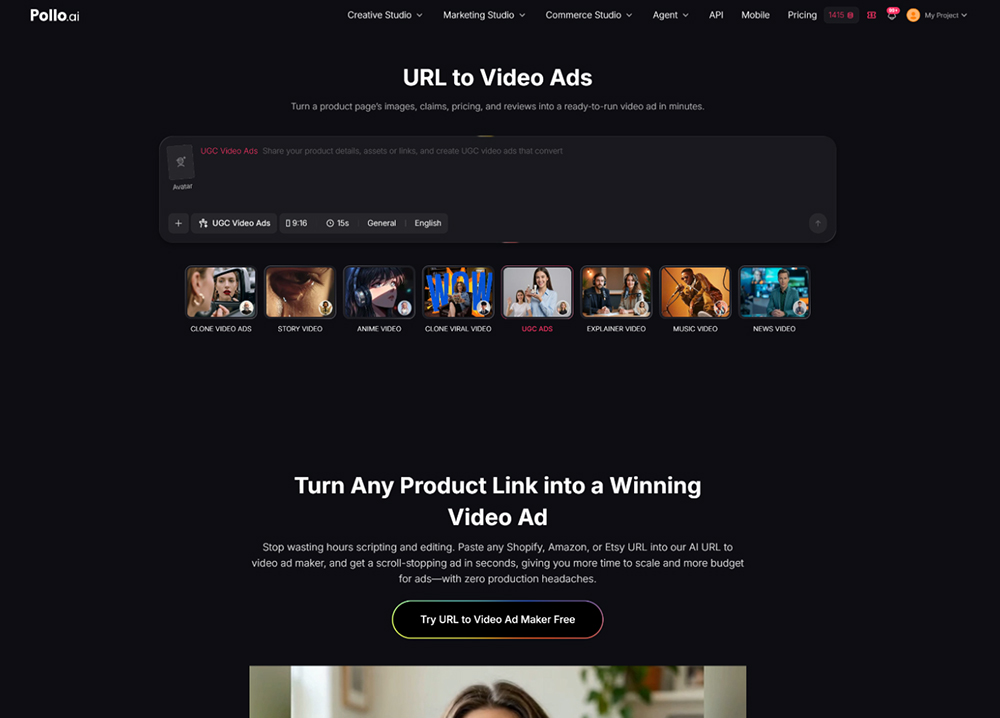
This can be useful for product launches, seasonal campaigns, catalog promotions, and creative testing. However, the final result still depends on the quality of the product page and the instructions provided. Knowing how the workflow works helps users avoid common issues and produce more relevant videos.
How to Use URL to Video Ads with Pollo AI
1. Check the Product Page
The video is generated from the information on the product page, so the listing should be accurate and easy to understand.
Make sure the page is publicly accessible and loads without requiring a login. It should include clear product images, an accurate description, and key features or benefits. Update expired discounts, outdated prices, or temporary promotional text before submitting the URL, as these details may appear in the video.
It is also worth removing unrelated images or graphics that could distract from the product.
2. Add the Product URL
Open Pollo AI’s URL to Video Ads tool and paste the full link to the product page. Like the Renderforest AI video generator available on Pollo AI, this tool allows users to create videos within the same platform while using a different generation workflow.
Use a direct product URL rather than a homepage, category page, or search-results page. If the product has several colors, sizes, or versions, check that the intended variant is clearly shown. Otherwise, the video may use the wrong image or product detail.
3. Choose a Suitable Video Style
Select a style based on the product and campaign goal.
A UGC-style video may suit products that benefit from a personal recommendation or practical demonstration. A product showcase may be a better fit when design, packaging, or appearance is the main focus.
The publishing channel also matters. Short vertical videos are generally more suitable for mobile-first social platforms, while product pages may require a different format or pace.
4. Give the Video a Clear Direction
The URL provides the product information, but the user should still specify the main message.
For example:
“Create a short, practical video for first-time buyers. Show how the product is used and highlight its main time-saving benefit.”
The prompt should focus on one audience or campaign angle. Trying to include every feature, promotion, and selling point in one short video can make the message feel crowded. If the product has several strong angles, create separate versions instead.
5. Generate and Refine the Video
Generate the first version and treat it as a draft. Check whether the opening introduces the product quickly, the main benefit is clear, and the tone fits the campaign.
If the result needs improvement, revise the relevant instruction and generate another version. Change one major element at a time—such as the opening, message, or style—so the results are easier to compare.
6. Review the Video Before Publishing
Compare the final video with the original product page. Confirm that the product, features, prices, discounts, and claims are accurate.
The user should also check that the text is readable, the visuals fit the brand, and the main message is easy to understand. Watching the video without sound can help identify information that needs to be clearer on screen.
7. Create Versions for Different Campaigns
The same product URL can support several video concepts. One version may focus on a key benefit, while another demonstrates how the product is used or supports a seasonal campaign.
Different versions can also be adapted for different channels. Keep the product information consistent and change one main element between versions to make performance comparisons more useful.
Tips for Better URL to Video Ads
A well-maintained product page provides a stronger starting point. Clear images, accurate descriptions, and easy-to-find benefits give the tool more useful material and reduce the risk of incorrect details appearing in the video.
Each video should also focus on one main idea. A short ad does not need to explain every feature. A clear benefit or specific use case is often easier for viewers to understand and remember.
Finally, the generated video should always be reviewed before publication. Checking product details, pricing, text, visuals, and claims helps prevent avoidable mistakes and ensures that the final content matches the campaign.
Conclusion
URL to video ads allow online stores to reuse existing product listings as the basis for promotional videos. With Pollo AI, users can submit a public product URL, choose a suitable video approach, provide creative guidance, and generate different versions for specific marketing needs.
The quality of the final result depends on more than the URL. A clear product page, focused instructions, an appropriate video style, and careful review all play an important role. When used with these steps in mind, URL to video ads can help ecommerce businesses create product-focused video content more efficiently.