For most of the history of digital security software, the design was an afterthought at best and an active obstacle at worst. Tools that protected your computer were difficult to configure, impossible to understand, and made using them feel like a punishment for caring about security in the first place. The implicit message was that protection was for people who were willing to tolerate friction, complexity, and interfaces that looked like they had been designed by engineers for engineers.
The result was entirely predictable: most people did not use them. Not because they did not care about security, but because the cognitive cost of using the tools was higher than the perceived risk of not using them. This is not a failure of the user. It is a failure of design.
In 2026, something has shifted. The security tools that have found real mainstream adoption are the ones that figured out, sometimes after years of iteration, that the same principles that make any software good also make security software good. Clarity. Feedback. Reduced cognitive load. A model that matches how people actually think rather than how engineers think they should think.
The Design Problem at the Heart of Security
Security tools have a specific UX challenge that other software categories do not. They need to communicate something inherently abstract, the absence of threat, in a way that feels meaningful and actionable. A word processor gives you immediate, visible feedback on everything you do. A security tool, working well, gives you nothing. Silence is the signal. Nielsen Norman Group’s foundational work on visibility of system status, one of the ten core usability heuristics, states that systems should always keep users informed about what is going on through appropriate feedback. Security tools that show nothing when working and a terrifying alert when something is wrong condition users to either ignore them or fear them.
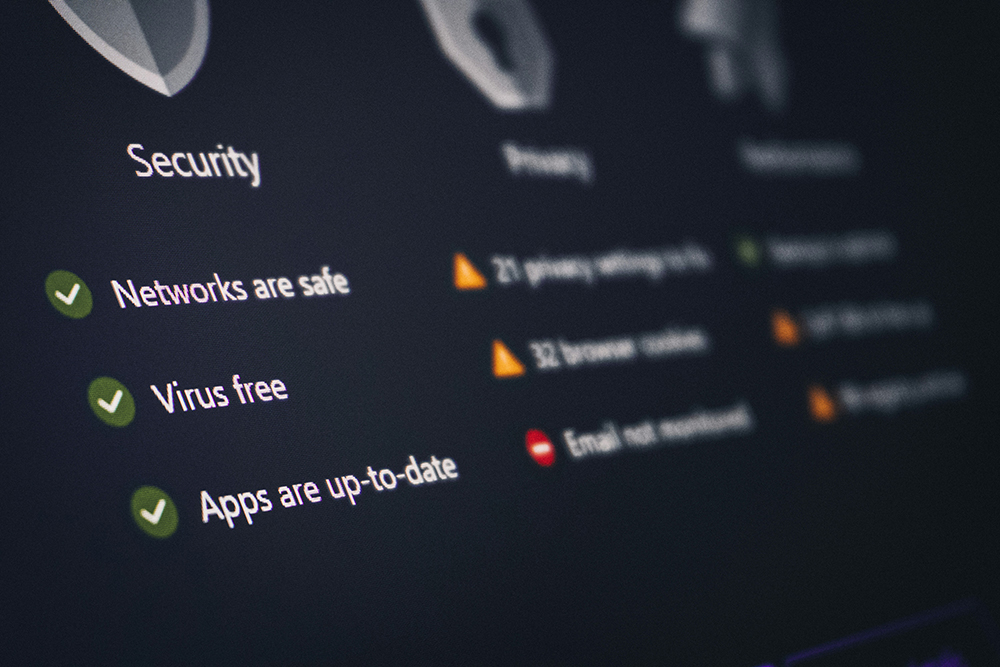
The better-designed security tools have addressed this by making their working state visible in ways that are reassuring rather than alarming. A green indicator. A quiet notification that confirms a connection is encrypted. A vault that shows you how many accounts it is protecting without making you feel surveilled by your own software. These are not cosmetic choices. They are the difference between software that users trust and software that users tolerate until they stop using it.
The Password Problem as a UX Problem
The canonical example of a security failure that is actually a design failure is the password. The conventional advice, use long, unique, random passwords for every account, is technically correct and practically useless for most people. It asks users to do something that is cognitively impossible without assistance, and then implies that failure to comply is a personal failing rather than a reasonable response to an unreasonable demand.
Don Norman, whose concept of affordances shaped how the design industry thinks about what makes objects and interfaces usable, has written about how security systems consistently violate the principle that good tools should make their proper use obvious and their misuse difficult. A system that demands strong unique passwords for every account without providing any mechanism for managing them is a system designed for failure. The friction is built in, and the user is blamed for the resulting non-compliance.
The category of software that has most successfully resolved this tension is the password manager, not because the security problem changed, but because the design did. The best modern examples present a vault that feels personal rather than institutional, generate credentials automatically so the user never has to think about strength or uniqueness, and fill them in at the right moment without requiring deliberate action. The security work is invisible. The user experience is getting in and doing what they came to do.
What Security-First Design Actually Looks Like
The design principles that make security tools work are not different from the principles that make any software work. They are just applied to a domain where the temptation to prioritise comprehensiveness over clarity is unusually strong, because the consequences of missed edge cases can be severe.
Reduction is the first principle. Every configuration option exposed to a user who does not need to configure it is a source of confusion and a potential failure mode. The security tools that have achieved broad adoption have made aggressive choices about what to show and what to handle automatically. The user should see the minimum interface necessary for the task at hand, not the full feature set of the underlying engine.
Progressive disclosure is the second. Complexity does not have to be absent. It has to be sequenced. A user setting up a security tool for the first time needs three things: something that works, a reason to believe it is working, and a clear path to doing more if they want to. The advanced configuration can exist. It should not be the first screen.
The third principle is what researchers recently described, drawing on Don Norman’s work on affordances, as making actions possible but also discoverable. Security interfaces that hide their functions behind jargon or nested menus create tools that technically work but that users cannot leverage. Good affordance design means that what the tool can do is visually and structurally clear, not buried in a support article.
The Aesthetic Question
For the designers and creative professionals who make up a significant part of the Digital Synopsis audience, there is a question behind all of this that goes beyond usability: do security tools have to look the way most of them look?
The association between security software and a visual language of shields, padlocks, green checkmarks, and dark warning modals is so entrenched that it is easy to mistake convention for necessity. None of it is necessary. It is the accumulated aesthetic debt of a software category that spent decades signalling trustworthiness through visual cliches rather than earning it through experience quality.
The few security tools that have broken from this aesthetic have done so by treating their visual identity the same way any mature software product treats it: as an expression of the product’s values and personality, not as a compliance exercise. Clean typography, considered use of space, interfaces that feel designed for the person using them rather than against a checklist of security signals. These tools have not traded security for aesthetics. They have recognised that aesthetics are not separate from trust. They are how trust is communicated.
The Broader Implication for Design
The evolution of security tools is a case study in what happens when an entire software category is allowed to exist without design discipline for long enough. Users adapted, because they had no choice. They developed workarounds. They accepted friction. They told themselves that the difficulty was the point, that anything easy could not be secure.
Then some products came along that were both secure and well-designed, and the rationalisation dissolved. The friction was never necessary. It was the accumulated cost of a category that had not been held to the standard every other software category had been evolving toward.
The lesson is not specific to security software. Every domain has its category of tools that have been allowed to remain difficult because the users have been told, explicitly or implicitly, that difficulty is the price of functionality. The designer’s job, as it has always been, is to question that assumption. For more on design thinking applied to software, interfaces, and visual communication, Digital Synopsis covers the ideas that matter.