Design work rarely gets stuck because there are no ideas. More often, it slows down because there are too many possible directions and not enough time to test them properly.
That pressure feels even stronger in 2026. A single project may need brand visuals, social assets, landing page graphics, campaign concepts, and presentation-ready mockups, all at different sizes and in different styles. In that kind of workflow, the question is no longer whether AI belongs in design.
The real question is where it actually saves time without flattening creative judgment. AI is increasingly being positioned as part of the design workflow in current design-media coverage, especially around ideation and early-stage visual exploration.
An AI design generator is most useful when it helps designers explore more before they commit. Not because it replaces taste, but because it speeds up the messy middle: the stage where you test mood, composition, color, style, and visual tone before anything feels final.
The real value is not instant design. It is faster visual testing.
A lot of AI design discussions still focus on output quality alone. But in practice, designers care just as much about flexibility. Can a concept be pushed in a different direction quickly? Can a rough idea be tested across multiple styles? Can one visual starting point become several workable routes instead of one fixed result?
Designers today experiment with tools like Midjourney, Adobe Firefly, and newer platforms like Piclumen to explore different visual directions. Rather than forcing everything through one visual engine, Piclumen’s design workflow supports multiple image models and lets users work from either prompts or reference images. Its design tool also supports ratio and resolution choices as part of the generation flow, which makes it easier to test visuals in formats closer to their real use.
For designers, that changes the process. Instead of polishing one direction too early, it becomes easier to branch out first and narrow down later.
A stronger design workflow starts with variety, not perfection
One of the limitations of traditional concept development is that every new direction takes time. If you want to compare three poster styles, two campaign moods, and four visual treatments for the same product, that can easily turn into hours of rebuilding.
With an AI image generator, the value is not that every image is ready to publish. The value is that more routes can be explored while the project is still open.
That matters in real design situations such as:
- Poster concepts
- Branding mood exploration
- Product hero visuals
- Cover design
- Social campaign imagery
- Fashion direction boards
- Packaging concepts
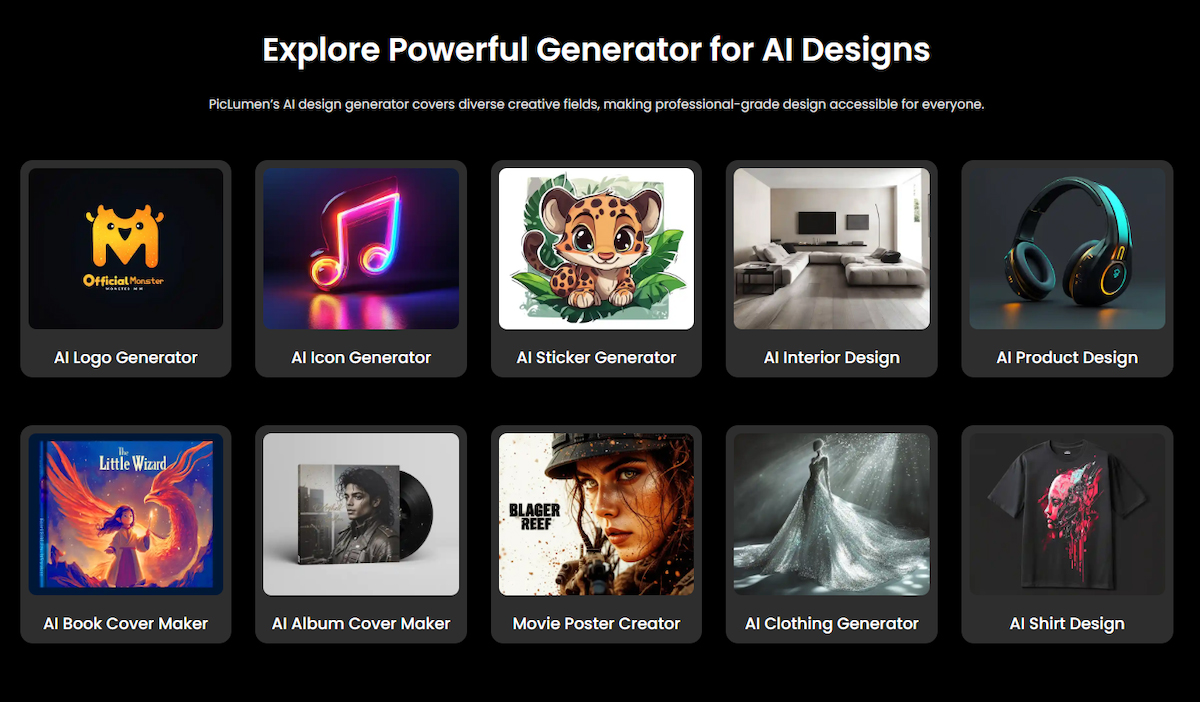
Piclumen’s AI design generator is presented around this kind of broad creative use, including posters, product design, book covers, album covers, clothing, logos, and other visual directions rather than one narrow design niche.
How to use an AI image generator without making the work feel generic
The biggest risk with AI-assisted design is sameness. If the process starts and ends with a vague prompt, the output often looks disposable. The stronger approach is to treat the tool as a way to generate visual possibilities, then use design judgment to shape them.
A more effective workflow usually looks like this:
Start with the model, not just the prompt
Different visual directions often need different engines. Some concepts call for a softer illustrative look, while others need a sharper editorial, surreal, or product-focused finish.
On Piclumen, users can choose from multiple image models such as Nano Banana 2/Pro, Midjourney, Seedream, and Qwen. These image models make it easier to test the same concept through different visual behaviors instead of forcing everything into one style.
Use text when the idea is open
When the concept is still loose, prompting is often the fastest way to explore shape, atmosphere, mood, and composition.
Use reference images when the direction is clearer
If the goal is to stay closer to an existing visual language, uploading a reference image usually gives the process more control. Piclumen supports both prompt-based and reference-based creation in the same design workflow.
Match the format to the output
A square social visual, a vertical poster, and a wide landing page banner do not behave the same way. Aspect ratio and resolution choices matter because they shape composition from the start, not just at export. Piclumen includes those settings directly in its generation flow.
Keep the first result as a draft, not a conclusion
The first image should usually be treated as a direction check. If the mood works but the composition does not, revise. If the layout works but the styling feels too generic, switch models. If the core concept is strong, then refine.

Build on what works
After generation, the output does not need to be the endpoint. It can be downloaded, adjusted, reworked, or pushed further. Piclumen also positions its community as a place where users can share finished work and gain visibility through interaction and featured selections.

Where AI helps most in design work
AI is strongest when the brief still has room to move.
It is especially useful when:
- The visual direction is not locked yet
- Multiple routes need to be shown quickly
- A team needs options before choosing one
- The project requires many format variations
- Moodboards need to become actual draft visuals
It is less useful when the job depends entirely on precision layout, brand system discipline, or highly controlled production output. That is still where human design decisions matter most.
Creativity still depends on selection
The strongest designers are not the ones who generate the most. They are the ones who know what to keep.
That is why AI does not remove the need for design thinking. It increases the number of possible directions, but someone still has to judge what feels intentional, what communicates clearly, and what deserves refinement.
In that sense, an ai design generator is not a shortcut to a finished design. It is a better way to arrive at stronger starting points.
Final thoughts
In 2026, the most useful design tools are not necessarily the ones that promise fully finished results. They are the ones that make exploration broader, faster, and easier to control.
That is where Piclumen fits best. Not as a replacement for design process, but as a flexible environment where ideas can move across models, prompts, references, formats, and revisions without forcing the creator to restart each time. For designers who need more options before making a decision, that kind of workflow is increasingly valuable.