Introduction
It is a fact that AI can create whole videos within seconds, however, such videos often look… off? AI avatars, text-to-video tools, AI product demos, and even user-generated content ads are some of the ways these technologies are reshaping visual storytelling. Still, lots of AI-generated videos are obvious with their flaws: plastic-like skin appearance, weird lighting, flickering, unsteady motions, and blurry micro-details that make the film look unreal.
In fact, AI creation is very efficient, however, the raw pieces rarely look perfect on the first run. Rather than reshooting the scene, the right way is to use AI-powered post-processing to enhance your videos. One-click AI video enhancement is essentially what platforms like Vmake provide: they sharpen details, smooth motion, fix flicker, and enhance video quality to 4K, thus, synthetic footage is transformed into professional, lifelike videos that can be uploaded to any platform.
Why AI-Generated Videos Look Fake (The Core Problems)
AI-generated videos are quite powerful but a lot of them still don’t seem real enough to people. By knowing the root issues, you can better understand why the videos are not perfect and how to fix them.
Plastic or “waxy” skin
AI normally over-smooths surfaces to keep noise down, thus subtle variations in pores and skin are removed. Over-smoothing noise removal to the extreme is what results in a CGI-like appearance, whereby characters or avatars look fake and lifeless.
Inconsistent lighting and shadows
The depth of the scene can be confused by AI, which is why illumination may differ slightly from one frame to another. Shadows not following the movement of the object is the reason why viewers unconsciously distrust the footage without being able to explain why.
Temporal flicker and jitter
Flicker or jitter are common consequences of frame-by-frame inconsistencies. Slight changes in human features, distortion of edges during movement, and unstable gestures of hands can especially be seen in talking-head videos, product demos, and tutorials.
Texture collapse in motion
Details are often lost in moving items. Hair can turn into mounds; fabrics lose the texture of the weave; and backgrounds get blurred. Even tiny faces quickly become decorated, giving the resulting low-quality visuals a stunning feeling of disorientation.
Text and product detail distortion
Small details, e.g., packaging labels, on-screen captions, and logos are problematic for AI. Therefore, letters may bend, move, or flicker between frames, thus lowering professional credibility, a big problem, e.g., for videos of online sales or marketing content.
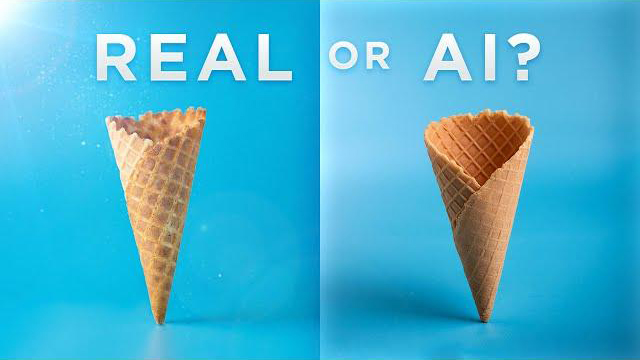
Why Viewers Instantly Notice “Fake” (Psychology of Perception)
People have a natural ability to detect slight inconsistencies in faces, eyes, and micro-expressions, and even small mistakes can cause the uncanny valley effect, which is why AI-generated videos feel strange to us. A flicker, jitter, or misaligned motion can instantly destroy trust.
This is very important for marketing content because trust directly affects engagement and conversion. AI imperfections are very noticeable in UGC ads, digital humans, and product explainers, where the level of realism is essential. Minor visual mistakes can make the content look fake and, hence, decrease the level of trust. Eliminating these triggers of perception by means of careful post-processing, frame stabilization, and texture restoration will make your AI videos genuine and persuasive.
How to Fix AI-Generated Videos (And the Tools That Actually Work)
Not all AI-generated videos have to be thrown away and reshot. Usually, they just need well-organized tweaks rather than completely new ones. Below is a step-by-step guide on how to convert an artificial-looking piece of work into genuine footage.
Step 1: Get rid of AI leftovers & structural distortions
Initially, you will have to deal with typical artificial characteristics like plastic or waxy skin, distorted facial features, uneven lighting, micro-jitter, and flickering text. Sometimes simple sharpening can make the problem worse. Instead, one should focus on AI artifact reduction:
- Hide synthetic lighting artifacts
- Heal facial deformation
- Return structural consistency
- Stabilize frame-to-frame motion
Vmake’s De-AI feature can help with this, as it can reduce the “AI look” by fixing texture distortion, removing temporal instability, and resurrecting realistic material details without over-smoothing.
Step 2: Recover natural texture & micro-details
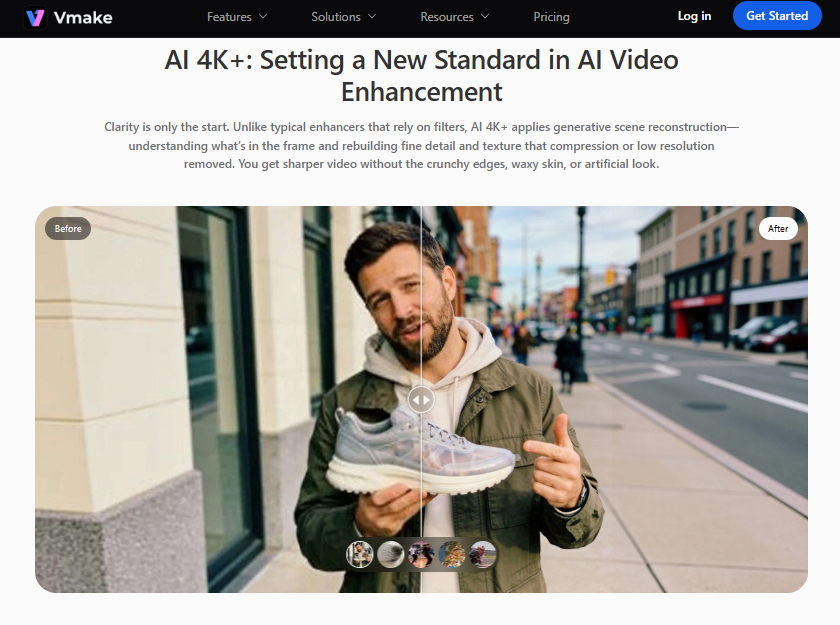
It is a common issue that AI-generated videos lose fine details such as hair, skin pores, fabrics, or background textures. Detail generation by reconstruction is a reasonable way to fix this issue.
- Creating textures for hair, skin, and materials that were missing
- Maintains natural grain
- Prevents artificial over-sharpening
Vmake’s AI 4K+ enhancement is a smart tool that, instead of merely resampling pixels, generates context-aware details, and helps upscale video resolutions, thus your video will get sharper, real-like textures that are true to life from frame to frame.
Step 3: Enhance temporal stability
Even if the frames are quite clear, they might feel faked if they flicker or jitter when you change the frames. Temporal inconsistencies cause twitching of faces, warping of edges, or shimmering of texts. Vmake uses temporal consistency optimization, which guarantees:
- Crisp motion transition
- Stable facial geometry
- Continuity of texture consistency
Step 4: Enhance resolution without exposing flaws
Regular upscaling can make the problem worse and show texture breakdown. Vmake’s high-ratio AI upscaling:
- Invents new contextually matching pixels
- Maintains the original style of the visual and the reality
- Refines without creating sharp harsh edges
The outcome is a video of professional quality that appears to be deliberately high-resolution rather than artificially processed.
Nowadays, with a program like Vmake, AI-generated videos can transition from being obviously artificial to being totally realistic thus saving time and money but at the same time increasing trust, enjoyment, and overall production values.
Real-World Use Cases
AI-generated videos are revolutionizing content creation in various industries:
- Using digital avatars for e-commerce UGC ads: Brands can present products through virtual influencers in an authentic way thereby cutting down on repetitive shoots.
- AI spokesperson videos: Ensure uniform communication for websites, social campaigns, or training without using real actors.
- AI-generated explainer videos: Break down complicated ideas or procedures in no time and make them interesting to the audience.
- AI product showcases: Demonstrate product attributes with sharp images, even for multiple variations or digital demos.
- Repurposed AI social clips: Recycle AI-generated content for TikTok, Instagram, and YouTube platforms without compromising the quality and style.
Conclusion
AI-generated videos have great potential, but the original outputs may look faked because of texture problems, lighting discrepancies, flicker, and distorted details. Knowing the psychology of why viewers are spotting these flaws helps artists to give realistic visuals a higher priority.
Synthetic footage may be made to look professional and natural with structured refinement, such as eliminating artifacts, bringing back textures, motion stabilization, and resolution upscaling done with great care.
A tool like Vmake simplifies this task by providing AI-based enhancement, de-AI correction, and top-quality upscaling to convert any AI-generated video into refined, trustworthy, and visually compelling content that is good for marketing or social media.