• Home
  • Design
  • Advertising
  • Inspiration
  • Tools
  • Buzz
  • Follow Us ▾
    • Facebook
    • Facebook Group
    • LinkedIn
    • LinkedIn Group
    • Threads
    • Instagram
    • Pinterest
    • Twitter / X

Digital Synopsis

Design, Advertising & Creative Inspiration

  • Photoshop
  • Logo Design
  • UI/UX
  • AI
  • Web Design
  • Typography
  • Photography
  • About Us
  • Advertise

Fix And Sharpen A Blurry Photo With This Clever Photoshop Technique

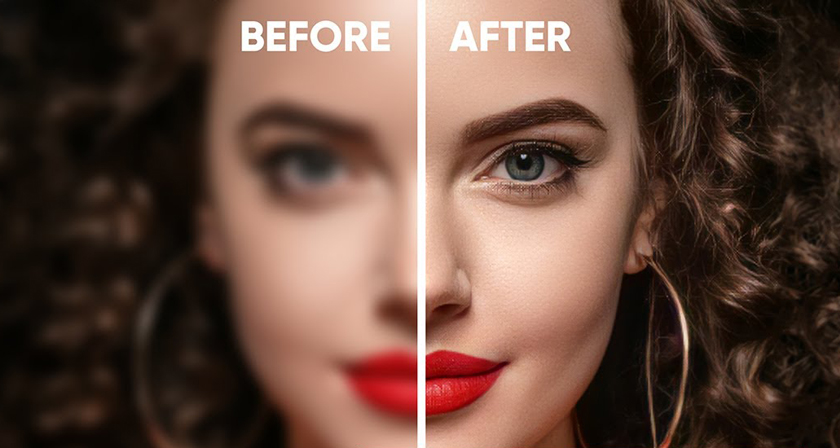
Most cameras nowadays have ‘image stabilization’ or ‘anti-shake’ features to reduce the likelihood of taking blurry photos. It works by moving the camera lens automatically to compensate for handheld movements. But once in a while, you do end up with a great capture that’s slightly blurred and you don’t really want to delete that image. What do you do then?

Mumbai-based Photoshop instructor Unmesh Dinda has come up with a brilliant tutorial that shows you how to fix and sharpen blurry photos using selective Smart Sharpening. Unmesh also shares useful techniques to add soft focus effects and filters to cover up for the loss of detail and to make the image look more interesting. Watch below.
00:55 – Original blurred photo
01:49 – Convert to smart object
01:57 – Smart Sharpen
03:58 – Smart Filter Masking
08:02 – Blur Gallery > Iris Blur
10:02 – Levels adjustment (spotlight effect)
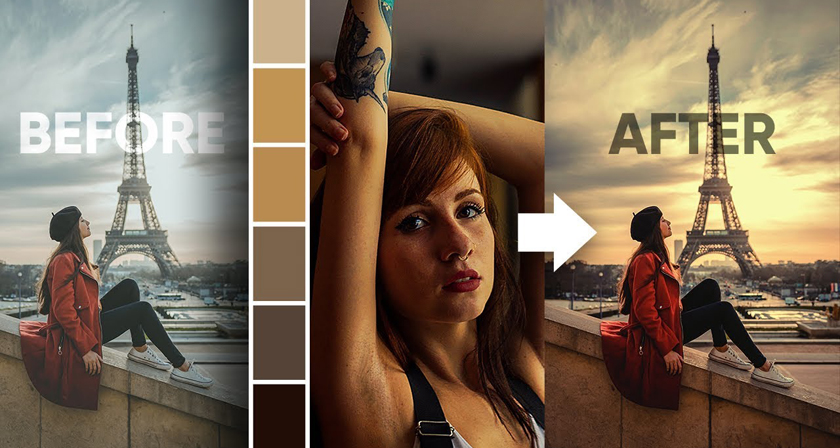
12:03 – Color Lookup effect

Download sample image shown in video.

Share this post with a designer friend and voice your views in the comments below.

Don't Miss:

  • how-to-fix-blurry-photos
    This Brilliant New App Can Fix Blurry Photos And Convert Low-Res Images To High-Res
  • sharpen-image-with-blur-in-photoshop
    Can You Sharpen An Image By Using Blur In Photoshop? This Unique Trick Gives The Best Results
  • how-to-convert-low-res-graphic-to-high-res-in-photoshop
    This Clever Photoshop Trick Lets You Convert Low-Res Graphics To High-Res
  • photoshop-gradient-filters
    This Clever Photoshop Trick Lets You Generate Unlimited Filters With Just One Click
  • rotate-straighten-image-without-cropping-photoshop
    How To Rotate Or Straighten A Tilted Image In Photoshop Without Cropping The Edges
  • convert-low-res-graphic-to-high-res-in-photoshop
    Learn In 30 Seconds How To Convert Low-Res Graphics To High-Res In Photoshop

Share Your Views:

Comments for this post are now closed.
Share your thoughts with 433,000+ design lovers on our Facebook Page.

Popular

  • Graphic Designer Fixes The 9 Worst Logos Ever
  • 50 Incredibly Creative Logos With Hidden Meanings
  • 11 Best And Worst Redesigns Of Famous Logos
  • Top 10 Netflix Documentaries For Graphic Designers
  • 11 Differences Between Designers And Clients

TRENDING

  • Top 20 Graphic Design Trends For 2026
  • Top 10 Logo Design Trends For 2026 And How To Use Them
  • Portfolios Of Designers Who Have Worked At Apple, Google, Meta, And More
  • Designers Are Sharing Their Redesigns Of Famous Logos And Some Of Them Are Better Than The Original
  • “Which Current Graphic Design Trend Will Age Badly?” – Here Are The Top Replies

Follow Us On

  • Facebook
  • Facebook Group
  • LinkedIn
  • LinkedIn Group
  • Threads
  • Instagram
  • Pinterest
  • X / Twitter

Copyright © 2012-2026 Digital Synopsis | Privacy Policy | Affiliate Disclosure | Advertise With Us